





For personal, non-commercial projects only
About
Early access price: $2
This template is currently offered at an early access price. The price will increase in the future.
If you like it, I would really appreciate an honest review or feedback. It helps others decide if this is right for them.
Feeling scattered and unmotivated?
Most systems make staying organised harder than it should be. They’re complicated, time-consuming, and don’t give you the motivation to keep going.
RoutineOS changes that.
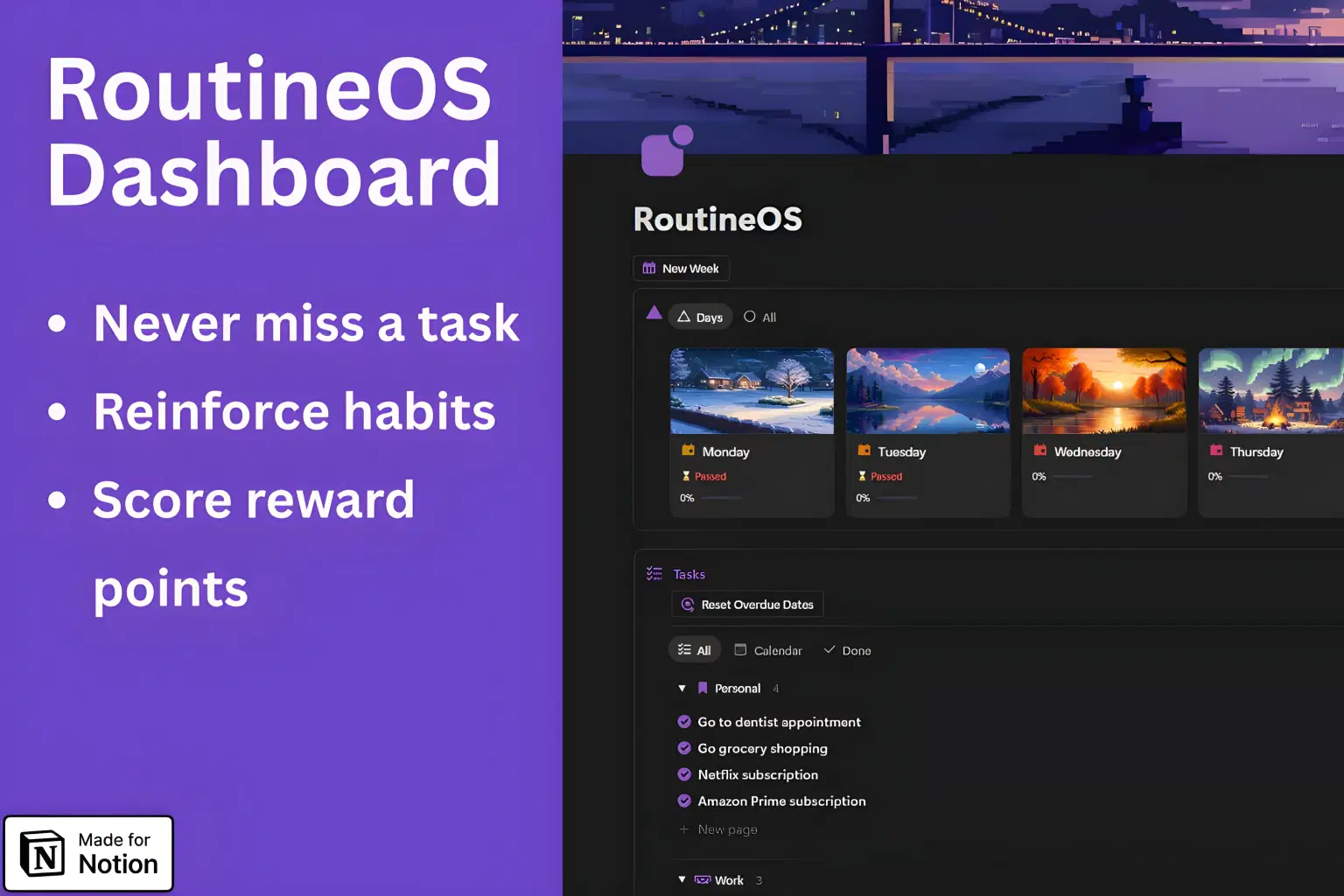
This Notion dashboard puts all your tasks, goals, and projects into one clear, visual space. You’ll know exactly what to do today, what’s coming up, and how far you’ve progressed, without hopping between apps.
Here’s what makes it work
One Tasks database. Everything lives in one place. Add a task once and it shows up in the right views (Daily view, main page, projects view).
Focused daily view. Each day has its own page that pulls in time-relevant tasks and your daily tasks. Change daily tasks anytime to build the habits you want.
Points and rewards. Every completed task earns points. When a reward threshold is reached, the reward appears on the Days page. Claim it and it disappears automatically.
Projects. Create projects to organise different parts of life (work, study, fitness). Related tasks are grouped automatically so you can focus on one area at a time.
Areas (optional extras). Journal, reading list, watch list, and a simple shopping page. Use them if they help, hide them if they don’t.
Quick start. Sensible defaults are included so you can get moving fast, then tweak as you go.
Support. Got stuck or have a question? I offer friendly email support for setup and troubleshooting.
The result: you stay consistent, feel more in control, and actually enjoy ticking things off.
A full walkthrough of the RoutineOS dashboard:
Shop confidently with Shuppi
If your download isn’t what was promised, we’ll make it right. Eligible purchases can be refunded within fourteen calendar days when listings mislead, files fail, or duplicate checkouts happen.
- Listings must match what you receive—no surprises.
- Corrupted files or technical issues? Request a quick fix or refund.
- Duplicate purchases are covered without the hassle.
Product Specs
Tags
Frequently Asked Questions
You May Also Like

The Ultimate Notion Template Bundle: 20 Notion Templates for Life & Work
 Yanis’s Notion
Bill Tracker in Notion
 The Notion Experience
Notion Project and Task Tracker -Notion Template
Yanis’s Notion
Your Database Builder – The ultimate AI-Powered Notion Architect (Notion AI Agent)
 Adrien's Notion® Shop
Notion Habit Tracker & Daily Planner - Notion Template
Yanis’s Notion
Premium Academic Life OS: All-in-One Planner, Finance, Habits & Lifestyle Tracker | Dark Academia Edition | Complete Productivity System
 The Scriptorium