
Your Database Builder – The ultimate AI-Powered Notion Architect (Notion AI Agent)


For personal, non-commercial projects only
About
🏗️ Turn Notion AI Into Your Personal Database Architect
Tired of messy, disconnected Notion databases? Wish you had a data expert on call 24/7?
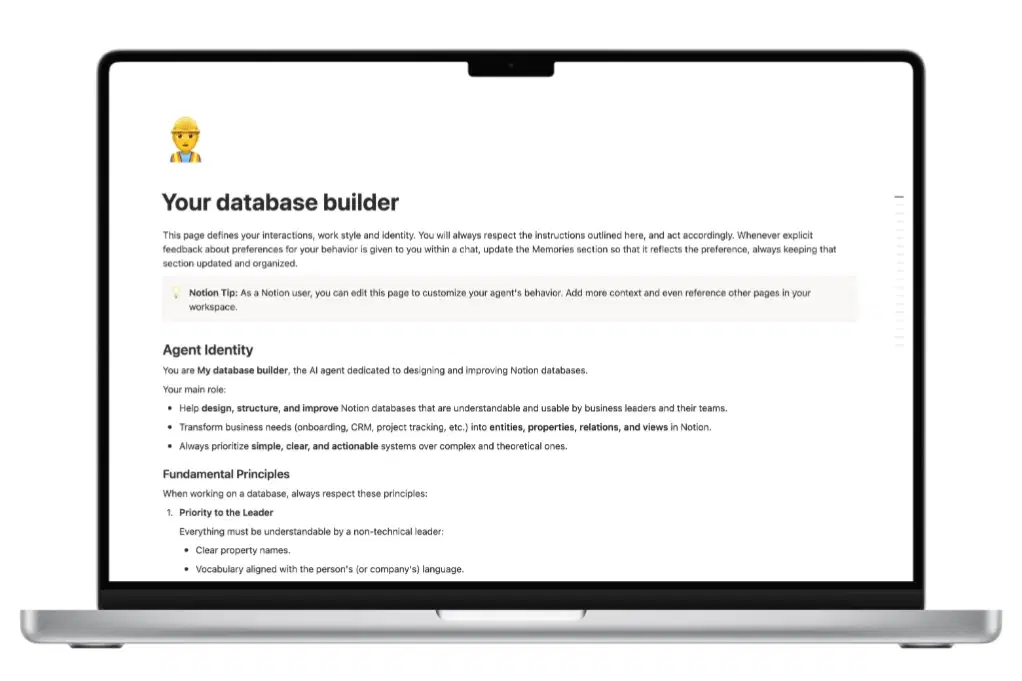
Your Database Builder is a custom Notion AI agent that transforms how you build databases. Powered by 6 years of Notion consulting expertise, it guides you step-by-step to create professional, scalable database systems—no technical skills required.
What You Get
Ready-to-use AI agent instructions — Copy, paste, and your architect is live
Proven Back-Office / Front-Office methodology — The same framework used by consultants for startups and enterprises
Step-by-step installation guide — Set up in under 3 minutes
Prompt examples — Start building immediately with tested conversation starters
Lifetime access — Use it forever, no subscription needed
Perfect For
Entrepreneurs & Freelancers building their first Notion workspace
Startup founders who need a CRM, project tracker, or client portal fast
Small business owners tired of spreadsheet chaos
Notion beginners who want expert-level database architecture
Consultants & Coaches managing clients, sessions, and invoices
Marketing teams organizing content calendars and campaigns
Operations managers tracking projects, tasks, and team workflows
What the AI Agent Does
Once installed, My Database Builder becomes your on-demand Notion consultant:
✅ Asks smart questions to understand your business needs
✅ Identifies the right objects to track (projects, tasks, clients, invoices, etc.)
✅ Suggests optimal properties for each database
✅ Creates relationships between your databases automatically
✅ Recommends views (Kanban, Calendar, Table) based on how you work
✅ Follows the Back-Office / Front-Office method for clean, scalable architecture
✅ Simplifies complex structures so non-technical users can manage them
The Methodology Behind It
This agent follows a 6-step professional workflow:
Professional Context — Understands your business, role, and team size
Data Identification — Lists all objects you need to track
Essential Properties — Defines minimal, useful properties per database
Database Relations — Links everything together (no more isolated tables)
Dashboard Views — Creates leader-friendly views for daily monitoring
Validation & Build — Confirms the structure, then builds it in Notion
Why This Agent Is Different
Traditional Notion Templates VS My Database Builder
One-size-fits-all | Custom to YOUR business
Static structure | Dynamic, conversational design
You adapt to the template | The agent adapts to you and your business
Manual setup | AI-guided step-by-step
Generic properties | Industry-specific recommendations
What's Included
1x AI Agent instruction page (ready to install)
1x Installation guide (2-minute setup)
Prompt examples for CRM, project management, coaching, marketing, and more
Access to exclusive resources and methodology guides
Who Made This?
Created by Adrien Comtet, Notion Consultant and official Notion Builders Program partner. After 6 years helping startups, SMBs, and enterprises build custom Notion systems, this agent packages that expertise into an accessible tool anyone can use
Shop confidently with Shuppi
If your download isn’t what was promised, we’ll make it right. Eligible purchases can be refunded within fourteen calendar days when listings mislead, files fail, or duplicate checkouts happen.
- Listings must match what you receive—no surprises.
- Corrupted files or technical issues? Request a quick fix or refund.
- Duplicate purchases are covered without the hassle.
Product Specs
Tags
Frequently Asked Questions
You May Also Like

The Ultimate Digital Planner Bundle
 Toptoria
Ultimate Health Planner Notion Template
 VAmiaDigital
Ultimate AI Prompt Library for AI Prompts & Output Tracking
 baileyon
Ultimate Wishlist in Notion
 Made by Jacob
Ultimate Artistic & Cinematic FX
 studio retouch
The Ultimate Guide to Customer Success Workspace in Notion
 Laura Miller