

Single designer, personal or freelance projects
About
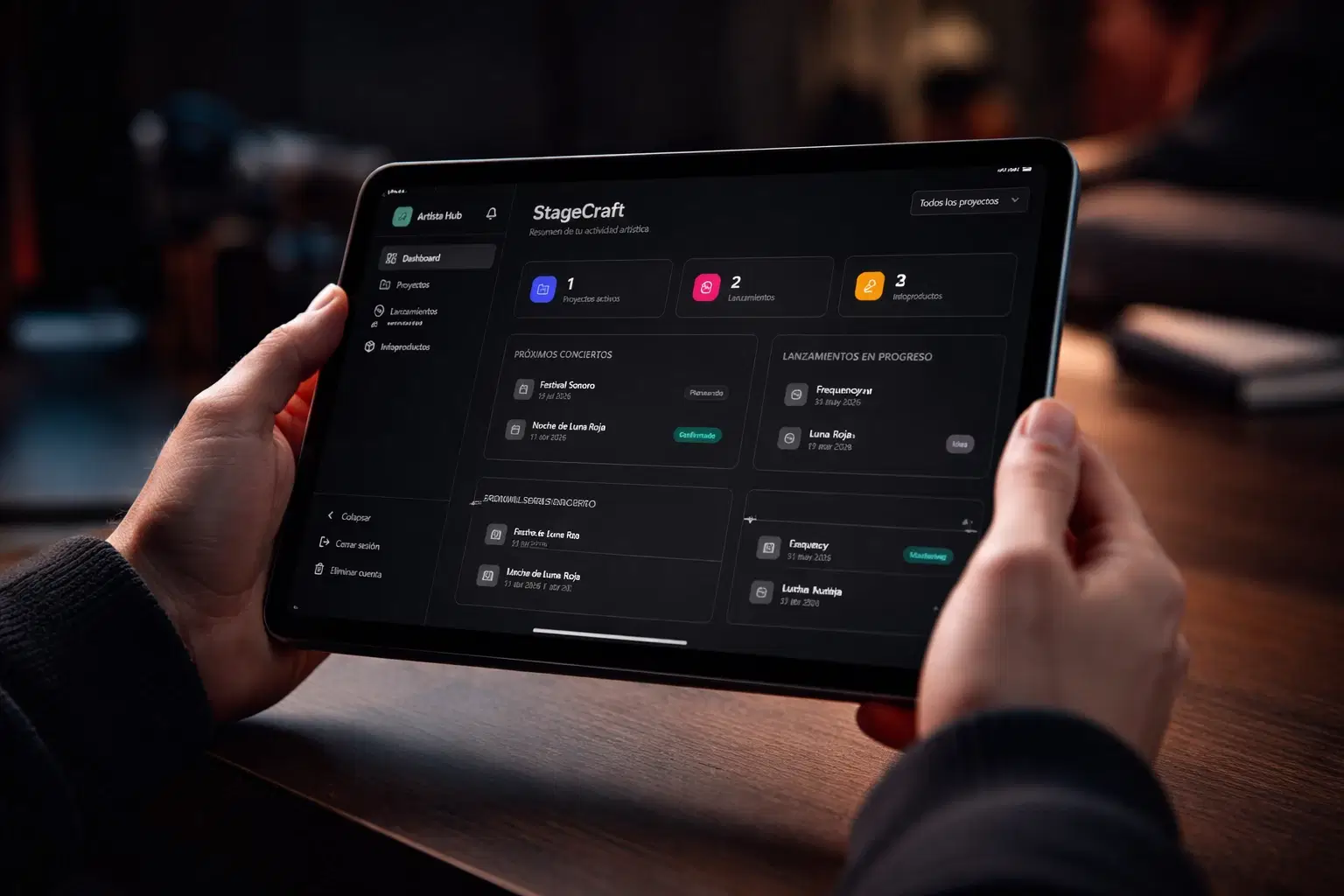
StageCraft es una herramienta profesional de gestión artística diseñada para músicos, bandas, managers y creadores independientes que necesitan orden, claridad y control real sobre su carrera.
No es una plantilla.
No es teoría.
Es una app operativa pensada para ejecutar proyectos musicales reales.
Con StageCraft podrás:
✔ Gestionar todos tus proyectos musicales en un solo lugar
✔ Planificar lanzamientos (singles, EPs, álbumes) con estados reales de producción
✔ Organizar conciertos y eventos con fechas, capacidad y estado del show
✔ Controlar infoproductos y lanzamientos digitales
✔ Centralizar notas, links y recursos importantes
✔ Mantener claridad total sobre qué está activo, en progreso o finalizado
Todo dentro de un dashboard profesional diseñado para artistas independientes.
Si tomas tu trabajo en serio…
Necesitas algo más que talento.
Necesitas un sistema.
StageCraft fue creado exactamente para eso.
Empieza a gestionar tu carrera como un proyecto profesional y consigue tus resultados de manera solida.
Shop confidently with Shuppi
If your download isn’t what was promised, we’ll make it right. Eligible purchases can be refunded within fourteen calendar days when listings mislead, files fail, or duplicate checkouts happen.
- Listings must match what you receive—no surprises.
- Corrupted files or technical issues? Request a quick fix or refund.
- Duplicate purchases are covered without the hassle.
Product Specs
Tags
Frequently Asked Questions
You May Also Like

Sistema CORE – Gestión profesional de lanzamientos y conciertos (Para artistas y bandas independientes)
 MusicFly
Plantilla CORE: Gestiona como un profesional tus lanzamientos y conciertos (Para artistas y bandas independientes)
MusicFly
Tu Talento No Es Tu Problema: El método profesional, VOCES, para que artistas y creativos comuniquen, se posicionen y generen oportunidades reales.
MusicFly
Parapluie modèle 3D

second brain & para method 2026 notion template
 jddesignonline
CORE System: Professional management of releases and concerts (For independent artists and bands)
MusicFly