For personal, non-commercial projects only (portfolios, personal blogs, hobby projects).
About
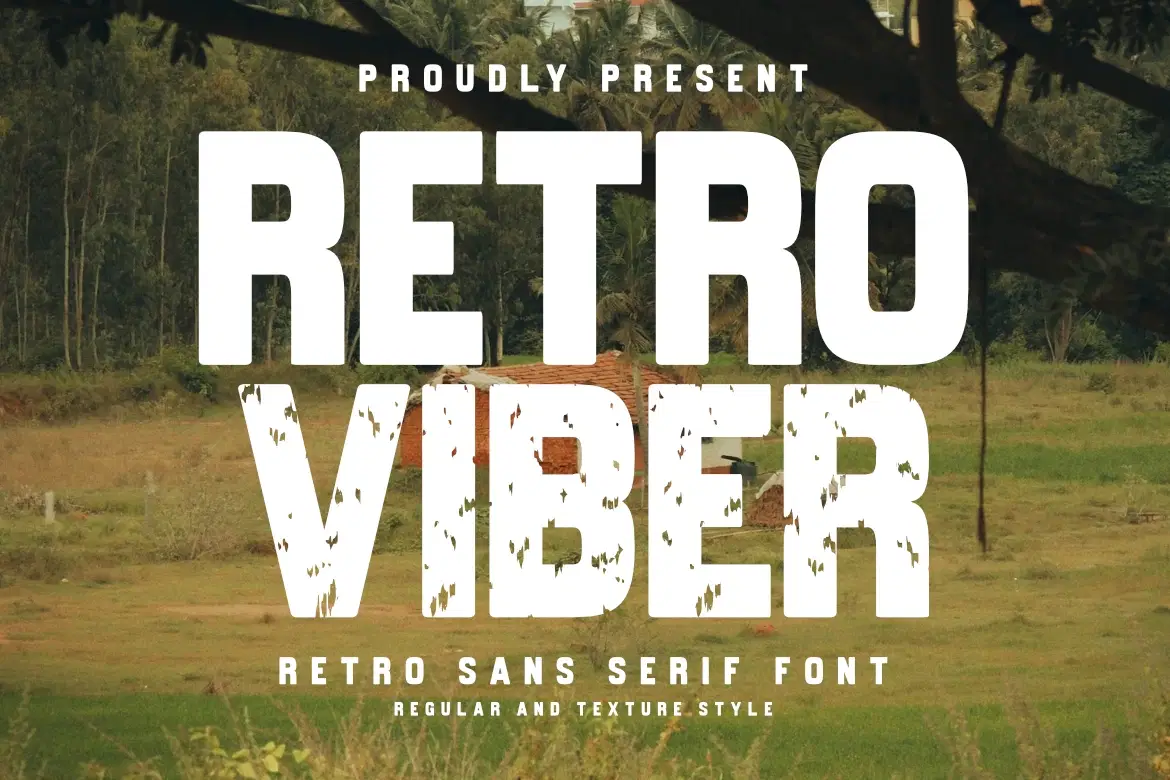
Bring an authentic vintage vibe to your creative projects with Retro Viber, a robust sans serif from Masyafi Studio. Inspired by mid-century signage and classic industrial labels, Retro Viber is designed to deliver a strong, confident message with a nostalgic touch.
Whether you need a clean, sharp look for a modern brand or a gritty, weathered texture for a rustic adventure poster, Retro Viber has you covered. The Texture style features a carefully crafted "distressed" effect that saves you time in post-processing, while the Regular style provides a solid foundation for any display design.
Perfect for:
Apparel Design: Great for t-shirt graphics and streetwear.
Branding & Logos: Build a rugged and trustworthy brand identity.
Posters & Flyers: Command attention with bold, condensed headlines.
Outdoor & Adventure: Ideal for camping gear, national park themes, and travel blogs.
Product Content:
Retro Viber Regular (OTF & TTF)
Retro Viber Texture (OTF & TTF)
Numbers, Punctuation, and Multilingual Accents.
Shop confidently with Shuppi
If your download isn’t what was promised, we’ll make it right. Eligible purchases can be refunded within fourteen calendar days when listings mislead, files fail, or duplicate checkouts happen.
- Listings must match what you receive—no surprises.
- Corrupted files or technical issues? Request a quick fix or refund.
- Duplicate purchases are covered without the hassle.