










Personal learning, hobby projects, non-commercial renders
About
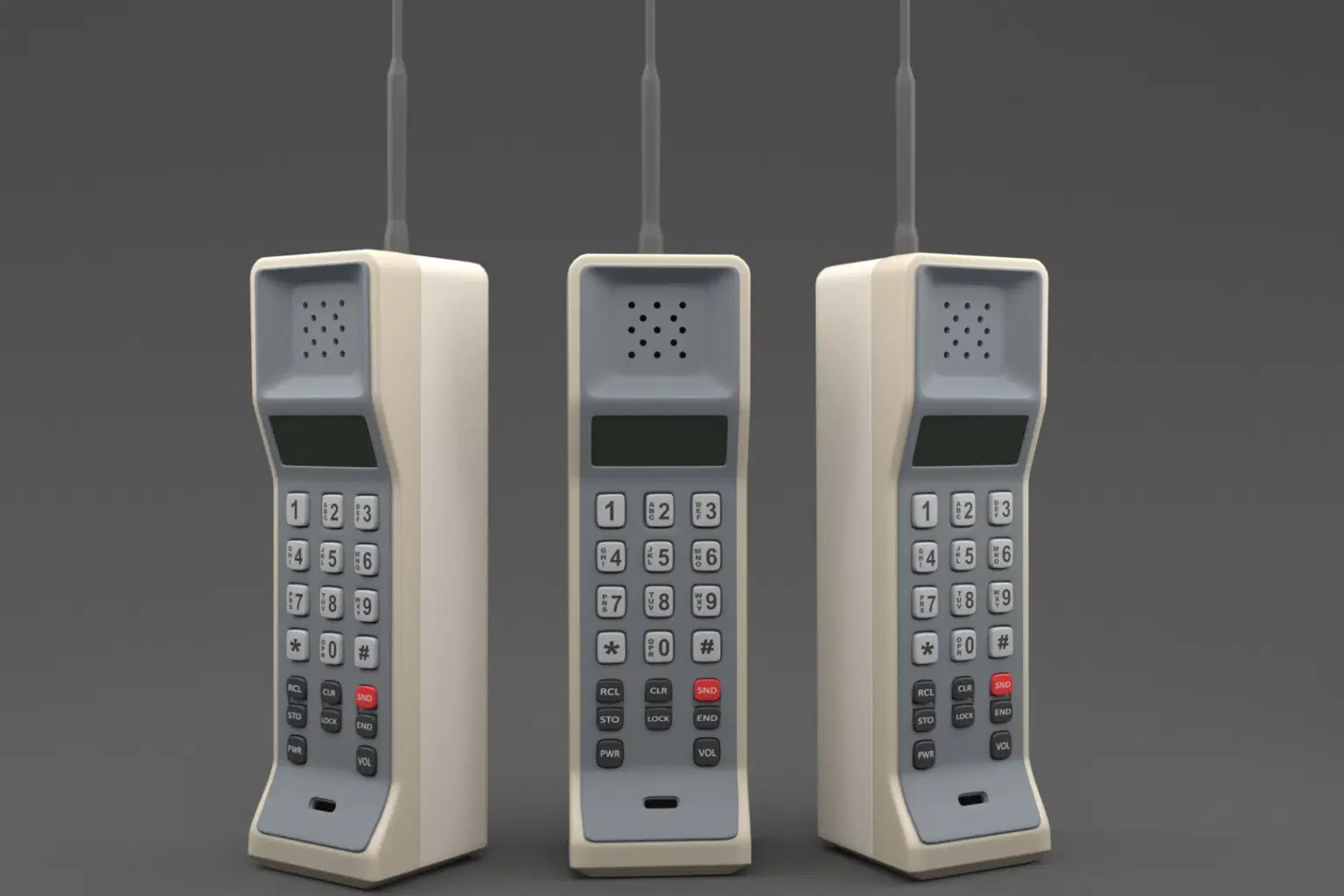
Old Cell Phone – 4K PBR – V-Ray 5 Rendered
Model Details:
Modeled in 3ds Max, rendered with V-Ray 5
Polygons: 7,787 | Vertices: 8,181
After Subdivision: Polygons: 59,909 | Vertices: 30,535
All parts are properly named for easy identification
Buttons are separate and not attached to the phone
Clean topology, optimized for high-quality rendering
Textures & Materials:
4K PBR textures included: Base Color, Metallic, Roughness, Normal
High-resolution details for realistic shading
Textures provided separately in a ZIP file
Available Formats:
3ds Max (V-Ray 5)
OBJ, FBX, 3DS
Features:
Subdivision-ready
No UV overlaps
Suitable for games, animations, and visualizations
Notes:
No background or environment included
Ideal for vintage phone scenes, retro projects, and collectibles
Shop confidently with Shuppi
If your download isn’t what was promised, we’ll make it right. Eligible purchases can be refunded within fourteen calendar days when listings mislead, files fail, or duplicate checkouts happen.
- Listings must match what you receive—no surprises.
- Corrupted files or technical issues? Request a quick fix or refund.
- Duplicate purchases are covered without the hassle.