





For personal, non-commercial projects only (portfolios, personal blogs, hobby projects).
About
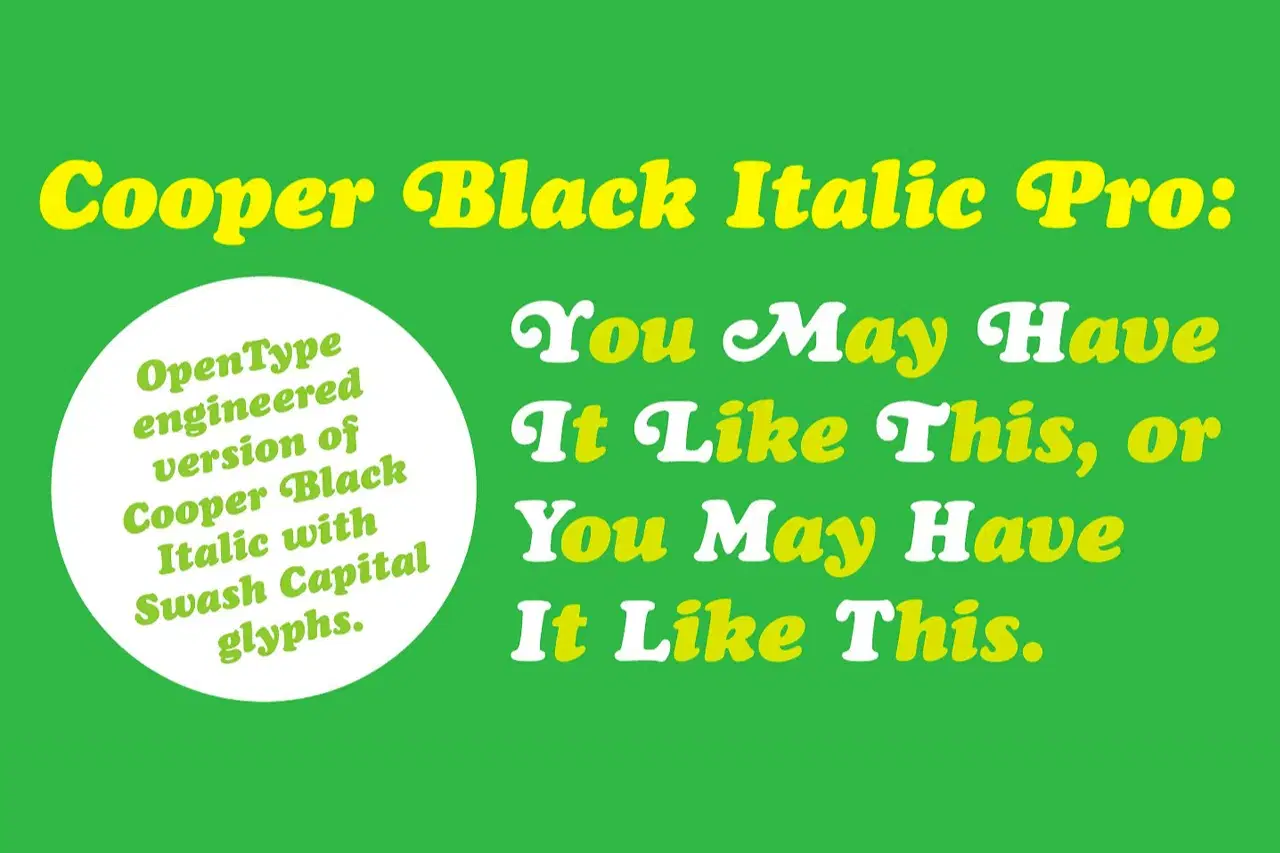
Cooper Black Italic Pro is a digital interpretation of Oz Cooper’s original Cooper Black Italic that features OpenType swash caps as alternate glyphs alongside the full upper and lower case character set.
Just as Cooper Black Italic were originally founded with the swash capitals as separate alternate characters, the swash capitals are included in the font as additional glyphs. Included are swash capitals for I, K, L, W, and X, not included in Cooper’s original design. Originally released in 1926, Cooper Black Italic has gone on to help define the American vernacular design aesthetic through its copious, billowing appearance. Cooper Black Italic Pro’s characters are drawn from Oz Cooper’s original drawings and do not feature the odd curves that most digital versions of the typeface have.
The typeface is spaced and kerned for maximum usability.
Shop confidently with Shuppi
If your download isn’t what was promised, we’ll make it right. Eligible purchases can be refunded within fourteen calendar days when listings mislead, files fail, or duplicate checkouts happen.
- Listings must match what you receive—no surprises.
- Corrupted files or technical issues? Request a quick fix or refund.
- Duplicate purchases are covered without the hassle.
Product Specs
Tags
Frequently Asked Questions
You May Also Like

AI Project Manager Operating System
 Prompt Hub
Career & Project Planner Hub - Notion Template for Career Planning and Project Management
 Plan it. Do it. Love it.
Premium Academic Life OS: All-in-One Planner, Finance, Habits & Lifestyle Tracker | Dark Academia Edition | Complete Productivity System
 The Scriptorium
50 ChatGPT Prompts for E-commerce | Product Descriptions, Ads, Emails & More
 Prompt Bees
100+ Professional Midjourney Prompts for Dog-Themed Merch
Prompt Hub
Simple Project Tracker
 PrototAIper - Viktoriia Pohrebniak