
Career & Project Planner Hub - Notion Template for Career Planning and Project Management






For individual, non-commercial use. Cannot be used for business, client work, or deliverables. One person only; cannot redistribute or share.
About
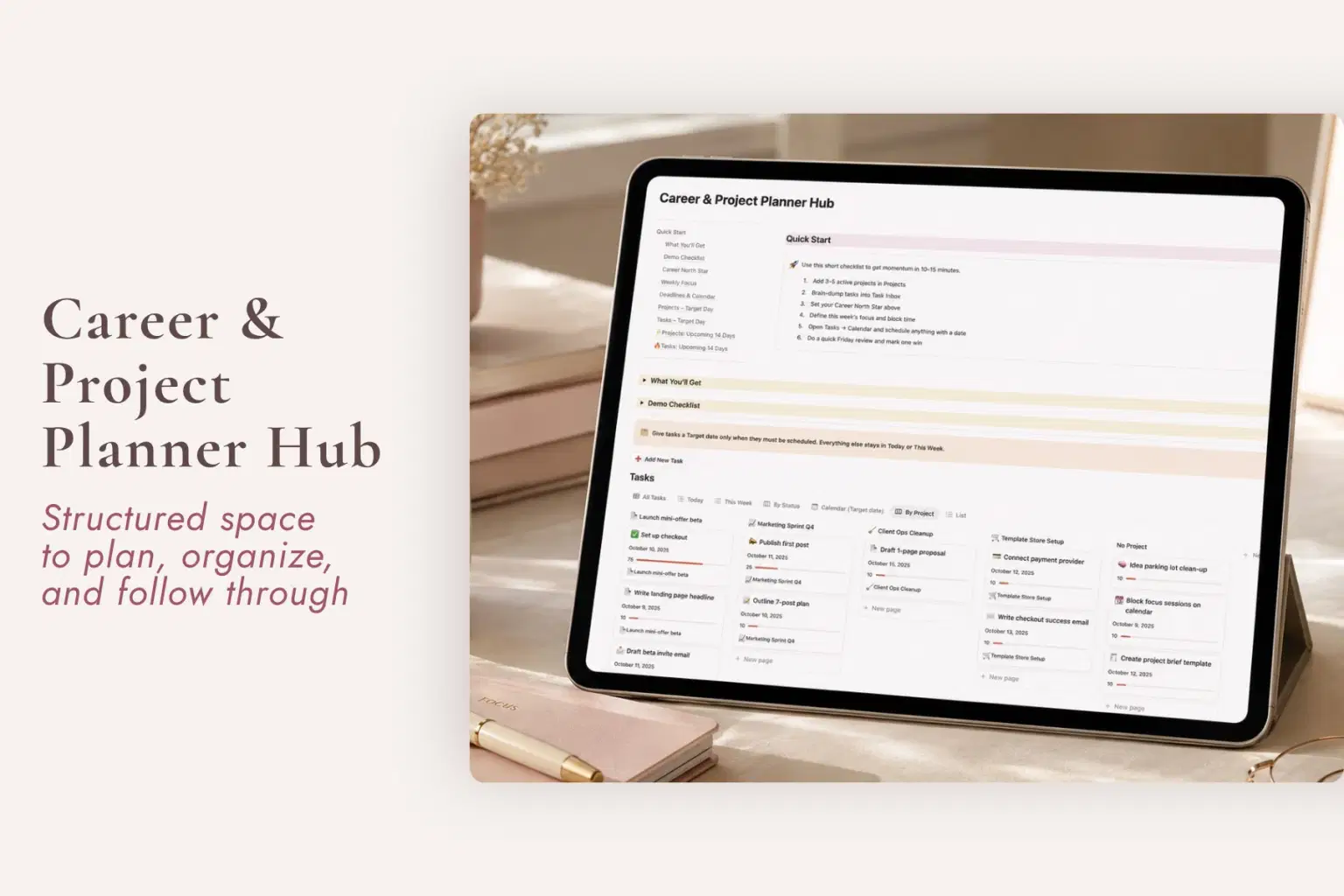
The Career & Project Planning Hub is a Notion project planner, task manager, and career planning system for women who are tired of keeping unfinished projects, deadlines, goals, and next steps mentally open long after the workday ends.
When tasks live in one place, project notes somewhere else, goals in another document, and the next step depends on what you happen to remember, work can keep occupying mental space even when you are technically finished for the day.
This flexible Notion work planner gives daily tasks, active projects, quarterly goals, target dates, progress, and career direction one dependable place to live, so you can return to the work without having to reconstruct the whole picture first.
What the Career & Project Planning Hub Helps You Manage
Tasks & Daily Priorities
Keep the work that needs your attention visible without reopening every project in your head.
The Tasks system includes:
Today view
This Week view
By Status view
Due dates
Tasks linked to their related projects
This makes it easier to move between what matters now and the larger project it belongs to.
Active Projects
Give ongoing work a dedicated place for the information you need to return to.
The Projects tracker includes:
Active projects
Progress bars
Target dates
Success metrics
Active view
Timeline view
List view
Tasks stay connected to the project they belong to, helping preserve the context around unfinished work rather than leaving you to mentally rebuild it later.
Quarterly Goals
Keep the bigger priorities visible alongside the work that is supposed to move them forward.
The Quarterly Goals system includes:
Quarterly Goals database
Goals linked to projects
Outcome metrics
Target dates
This creates a clearer connection between what you say matters this quarter and what you are actually spending time working on.
Career North Star
Keep a reason underneath the task list.
The Career North Star is a simple space for one sentence about what your career is for right now and why it matters.
It sits beneath your quarterly goals as a quiet anchor you can return to when work begins to feel scattered, disconnected, or dominated by whatever happens to be urgent.
Stop Reconstructing Your Work Every Time You Return to It
Sometimes the mental weight of work is not simply the amount you have to do.
It is having to repeatedly remember:
Which project is moving
What you were waiting on
What the next step was
What needs attention today
Which task belongs to which project
When something is due
What progress actually looks like
Which goals the work is supposed to support
When those answers are scattered across notes, tabs, messages, and memory, unfinished work can stay mentally open even after you stop working.
The Career & Project Planning Hub gives those open loops somewhere to wait for you.
Built for Different Kinds of Work
This is not only a corporate career planner or only a freelancer project tracker.
The same task and project structure can support:
Employees
Keep work projects, quarterly priorities, deadlines, and career direction organized.
Freelancers
Use the Projects tracker for client projects, set target dates, connect tasks to each project, and monitor progress.
Business Owners
Keep active work, priorities, projects, and goals organized without turning the system into a high-pressure productivity dashboard.
The structure adapts to the kind of work you do rather than requiring your work to fit one specific career path.
You Do Not Have to Manage Everything at Once
You can use the Hub at the level that helps you right now.
You might:
Start with Today
Look only at This Week
Track one active project
Use project progress and target dates
Set quarterly goals
Connect a goal to the projects moving it forward
Return to your Career North Star when you need direction
Leave other views alone until they become useful
The point is not to manage more work. It is to stop carrying so much of the work context in your head.
What’s Included
Tasks
Today view
This Week view
By Status view
Due dates
Tasks linked to projects
Projects
Active Projects tracker
Progress bars
Target dates
Success metrics
Active, Timeline, and List views
Quarterly Direction
Quarterly Goals database
Goals linked to projects
Outcome metrics
Target dates
Career North Star
Setup & Access
Career & Project Planning dashboard
Demo Checklist
Setup guide
Works with free Notion
One-time purchase
Perfect For
Women looking for a Notion project planner
Anyone searching for a Notion career planner
Professionals managing multiple active projects
Freelancers organizing client projects
Business owners managing projects and priorities
Anyone looking for a Notion task manager
Women whose unfinished work keeps following them after hours
People who want a clearer connection between tasks, projects, and quarterly goals
Anyone needing a project tracker with progress and target dates
Women planning their career direction without hustle-culture pressure
People who want to organize professional goals and next steps
Notion users looking for a flexible work and project management template
Important Details
Digital Notion template
$18 one-time purchase
No recurring template subscription
Instant digital access after purchase
Works with Notion’s free plan
Beginner friendly
Setup guide included
Demo Checklist included
Supports employee, freelance, client-project, and business use
Tasks can be connected to projects
Projects can include target dates, progress, and success metrics
Quarterly goals can connect to projects
No physical product is included
Unfinished work should not have to keep following you after the workday ends. Give your tasks, projects, goals, and next steps somewhere dependable to wait until you are ready to return to them.
Shop confidently with Shuppi
If your download isn’t what was promised, we’ll make it right. Eligible purchases can be refunded within fourteen calendar days when listings mislead, files fail, or duplicate checkouts happen.
- Listings must match what you receive—no surprises.
- Corrupted files or technical issues? Request a quick fix or refund.
- Duplicate purchases are covered without the hassle.
Product Specs
Tags
Frequently Asked Questions
You May Also Like

Project Planner - Notion Planner
 Yanis’s Notion
Steady Footing - Notion Template Bundle for Work and Money
Plan it. Do it. Love it.
Financial Freedom Planner Hub - Notion Template for Budget Planning and Personal Finance Tracker
Plan it. Do it. Love it.
Notion Project and Task Tracker -Notion Template
Yanis’s Notion
AI Project Manager Operating System
 Prompt Hub
Lifestyle Master Hub - Notion Template for Daily Life Planning and Weekly Organization
Plan it. Do it. Love it.