



Common use: Personal blog, portfolio, hobby projects
About
💡 WIN Ads Tracker Template
Built for Media Buyers. Who want clarity, data organization & are tired of forgetting.
Are you tired of forgetting changes? Losing track of old campaign data? Or forgetting test results?
The WIN Ads Tracker (What’s Impacting Now) is a Notion-based tracking system designed for media buyers who struggle with data organization, test logging, scaling better, optimizing better & gaining more clarity.
🧠 What It Helps You Do:
Organize all your ad campaigns' data in one place
Log every optimization, test, and insight
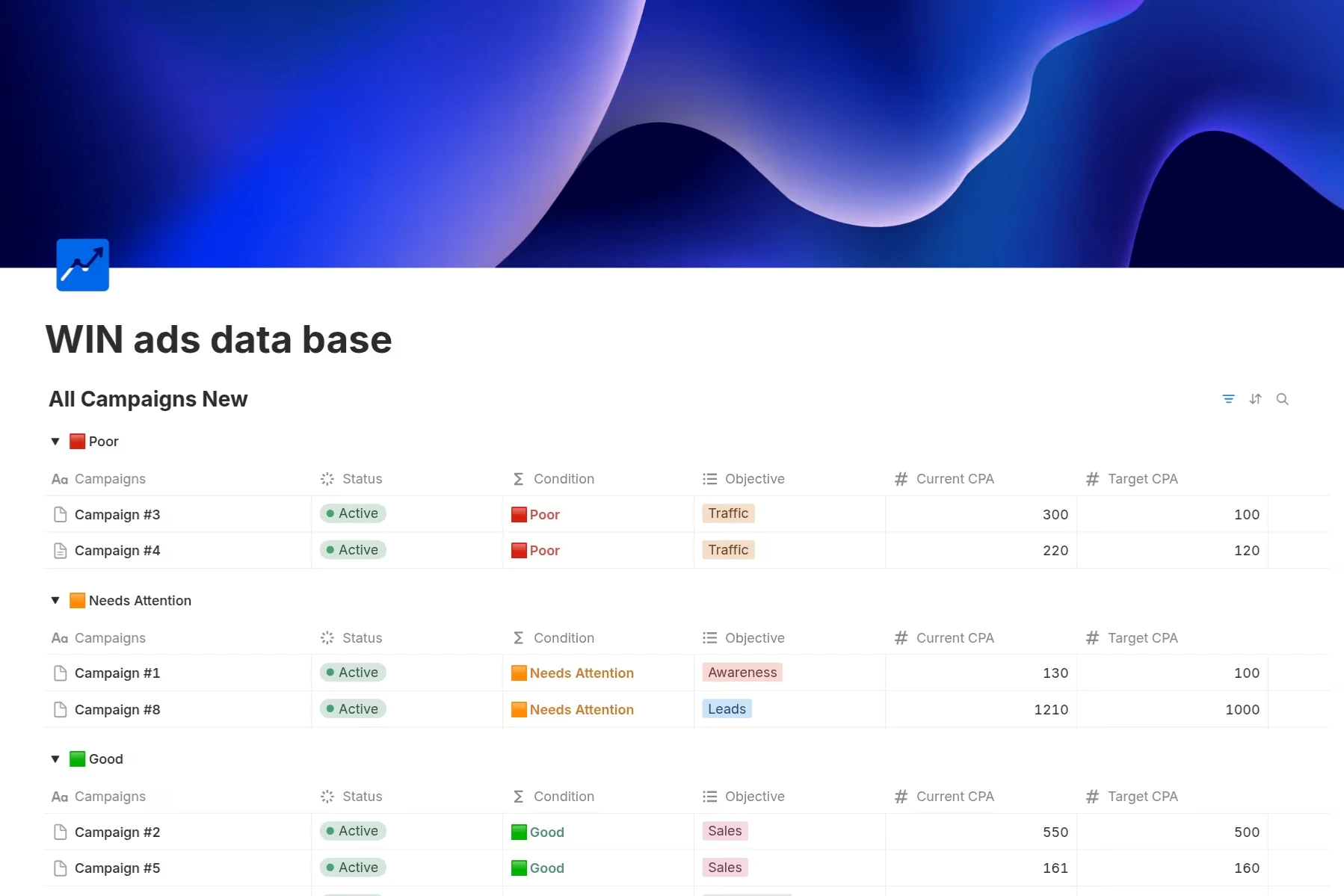
Auto-categorize campaign performance using🟥🟧🟩 indicators
Visualize CPA/ROAS changes over time
Gaining more clarity on your campaigns' data
🚀Better data organization leads to increased clarity, which can improve your decision-making and ultimately retain clients longer
⚙️ Features:
✅ Campaign Database designed for media buyers
✅ Color Logic campaign categorization (🟥🟧🟩) based on KPI performances
✅ KPI Visual performance tracking — Automatically visualizes manual KPI updates over time (e.g. ROAS) in a graph
✅ Filtering by Tags & Conditions
✅ Walkthrough guide included
✅ Pin board to highlight main findings
👨💻 Who It’s For:
Media buyers, Agencies, Freelancers, Performance marketers:
Managing ad campaigns
Needing clean campaign data organizing
Who are tired of lost test data
Who wants to scale with more clarity
🧩 Tech Stack:
100% Notion
Automated KPIs manual changes to graphs
Campaign KPI-based performance categorization - 3 Performance Levels (🟥🟧🟩)
💸 One-Time Payment — Lifetime Access
Get full access to the WIN Ads Tracker FOR $29– Lifetime License → No subscriptions required unless you want Notion. And after specific entries(blocks), you will need to
→ To add more than one chart in your workspace, or add new automations beside the ones included in the template, you’ll need to upgrade your Notion plan.
→ Check the different Notion plans and pick what suits you best.
Stop guessing what’s working. Focus on what helps you WIN your ads.
🎁BONUS gift for the 1st 100 Shuppi Buyers
This template is powerful on its own — but its real value comes when paired with the 6-Step Framework.
Early in my career, my ads underperformed because my tests were scattered, undocumented, and impossible to learn from. I kept forgetting what I changed and why results shifted. Once I applied this simple, repeatable framework, everything became clearer: I could track tests properly, analyze faster, and make sharper decisions.
That’s why I’m including it as a bonus, exclusively for the 1st 100 Shuppi Buyers — it’s the system that helps turn this template into a long-term clarity engine for your campaigns.
Shop confidently with Shuppi
If your download isn’t what was promised, we’ll make it right. Eligible purchases can be refunded within fourteen calendar days when listings mislead, files fail, or duplicate checkouts happen.
- Listings must match what you receive—no surprises.
- Corrupted files or technical issues? Request a quick fix or refund.
- Duplicate purchases are covered without the hassle.
