For personal, non-commercial projects only (portfolios, personal blogs, hobby projects).
About
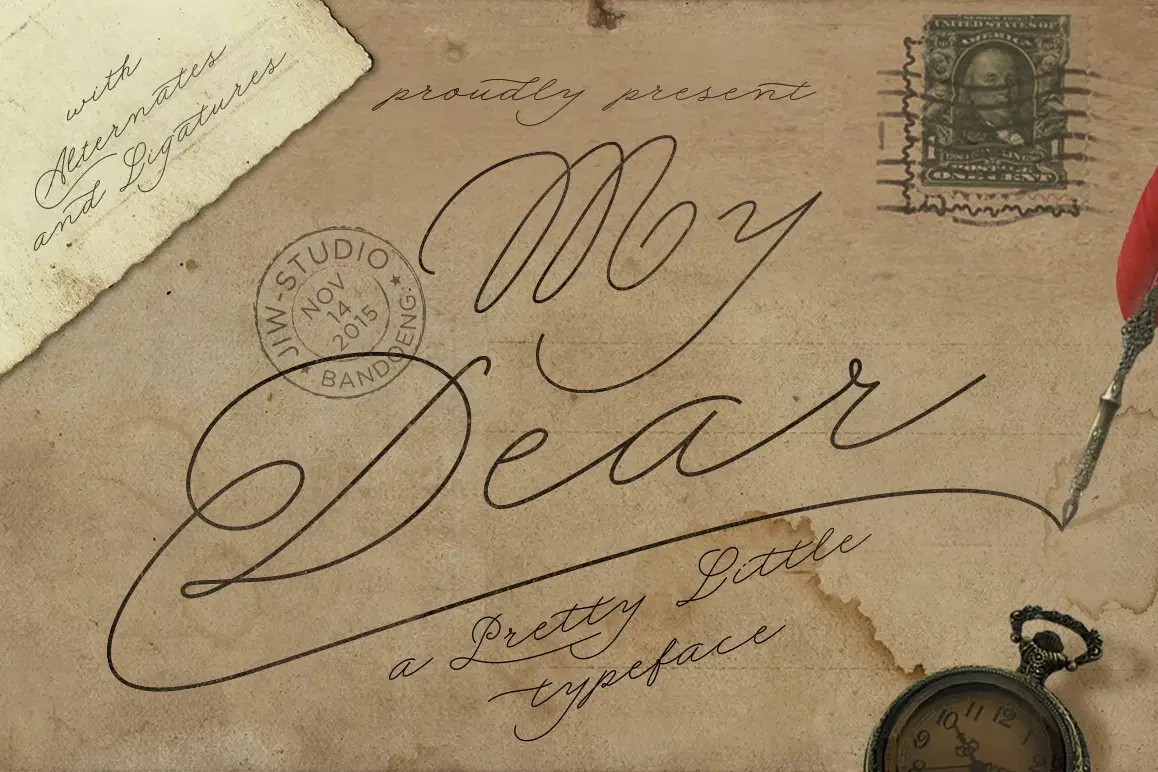
My Dear Script
is a calligraphy handwriting with classic style and elegant touch, inspired by lettering on the old vintage postcard and manuscript . Which was created to meet the needs for your next design project. Carefully designed to work together in harmony for creating awesome typographic designs in a flash.
Can be used for various purposes.such as headings, signature, logos, wedding invitation, t-shirt, signage, lable, news, posters, badges etc
This font are support for multilanguange, and there is also ligature and stylistic alternate for some letters. for the ligature you can see at the preview above in double "t" character. for the special ligature you can type from "[ less on keyboard ] 3 " or "luv" to "love" in graphic
My Dear Features
Uppercase
Lowercase
Numerals & Punctuations
Accents (Multilingual characters)
Open Type Featuring :
Stylistic Alternates
Discretionary Ligatures
Files included :
My Dear (.otf)
Thank you for your purchase :)
Shop confidently with Shuppi
If your download isn’t what was promised, we’ll make it right. Eligible purchases can be refunded within fourteen calendar days when listings mislead, files fail, or duplicate checkouts happen.
- Listings must match what you receive—no surprises.
- Corrupted files or technical issues? Request a quick fix or refund.
- Duplicate purchases are covered without the hassle.