














For personal, non-commercial projects only (portfolios, personal blogs, hobby projects).
About
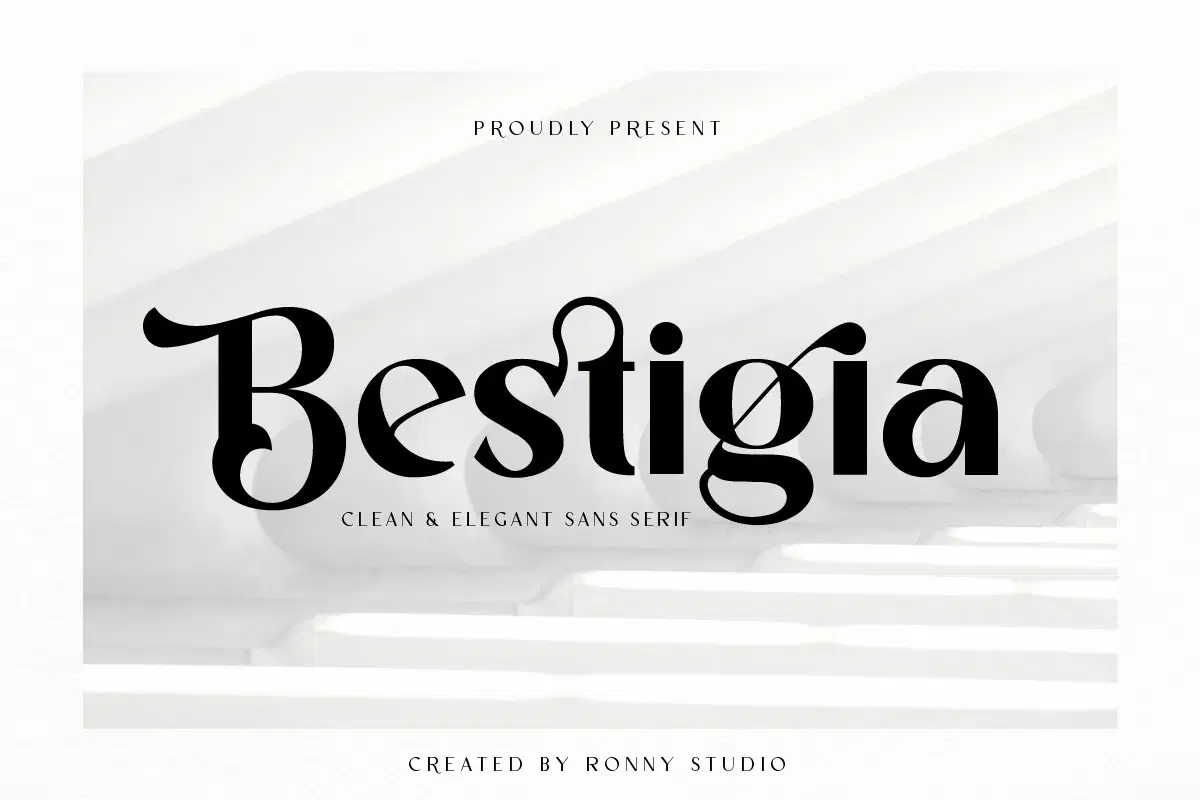
Bestigia is a modern and professional sans serif typeface designed with clean, refined letterforms. Its elegant yet minimal style brings a sophisticated touch to any project, making it perfect for designers who want to create a timeless and stylish look.
Key Features:
Elegant & Professional Look – Clean shapes with a chic and modern aesthetic.
5 Font Weights – Regular, Italic, Bold, Bold Italic, and Outline.
Complete Character Set – Uppercase, Lowercase, Numbers, Punctuation, Alternates & Ligatures.
Multilingual Support – Ready to use across multiple languages.
File Formats Included – OTF, TTF, and WOFF.
Easy to Use – Fully compatible with popular design software (Adobe Illustrator, Photoshop, InDesign, CorelDraw, Microsoft Word, etc.).
Perfect For:
Elegant logos & brand identity
Editorial design & magazine layouts
Travel promotions & lifestyle campaigns
Beauty products & luxury packaging
Stylish quotes & text overlays
Professional presentations & corporate branding
With Bestigia, your typography will stand out with a balance of elegance, clarity, and modern sophistication.
Shop confidently with Shuppi
If your download isn’t what was promised, we’ll make it right. Eligible purchases can be refunded within fourteen calendar days when listings mislead, files fail, or duplicate checkouts happen.
- Listings must match what you receive—no surprises.
- Corrupted files or technical issues? Request a quick fix or refund.
- Duplicate purchases are covered without the hassle.