








Personal learning, hobby projects, non-commercial renders
About
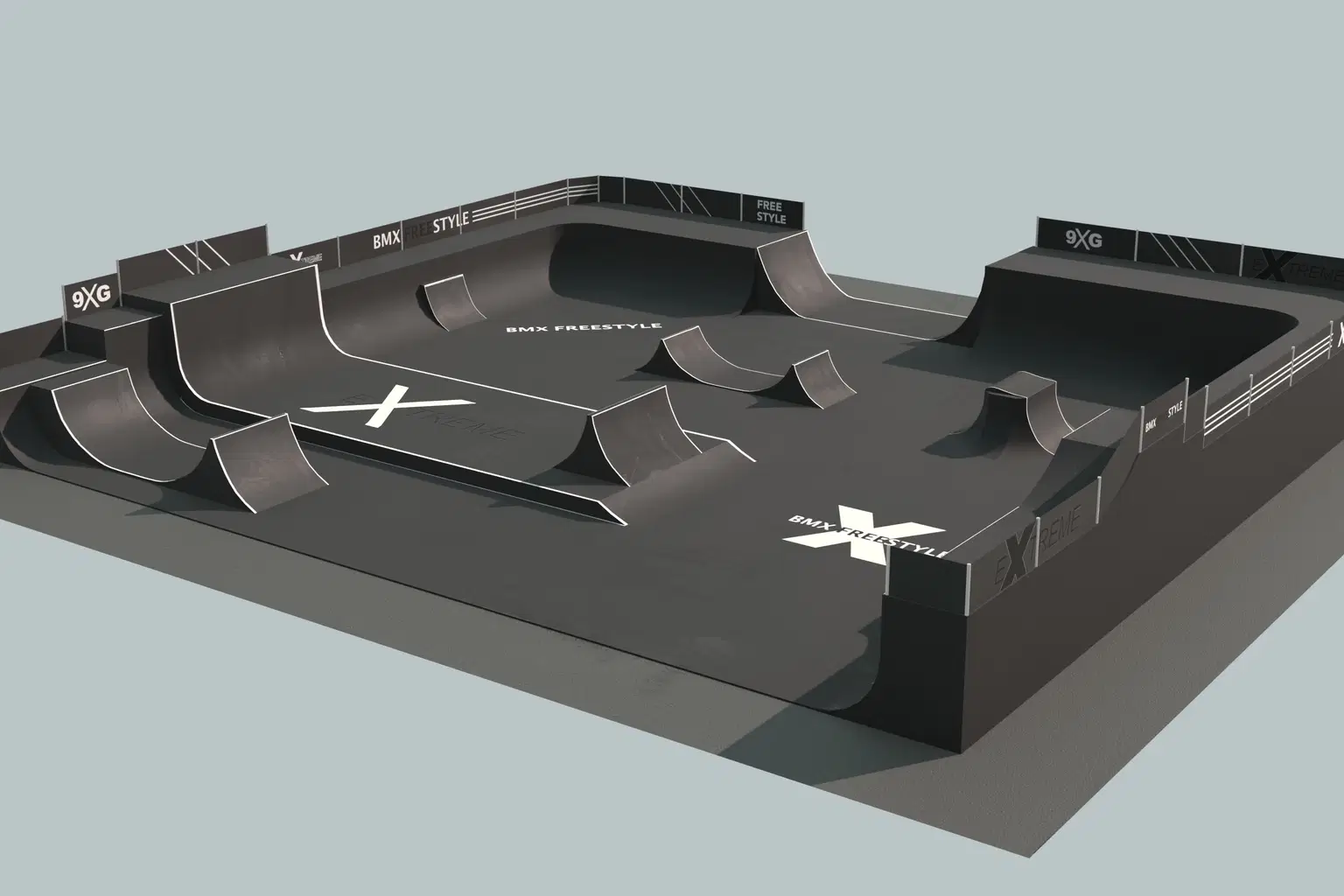
This detailed BMX (or skate) park model is designed to scale and features hand-painted 4K PBR textures for a realistic and visually appealing finish. Optimized for real-time rendering, this model is perfect for use in game engines or animations.
Key Features:
Textures:
Diffuse/Base Color: 4K resolution
Metal: 4K resolution
Roughness: 4K resolution
Normal: 4K resolution
UV Mapping: Single UV map ensures efficient texture application.
Game Ready: Fully optimized for real-time rendering, making it ideal for interactive applications like games or animations.
File Details:
Original Blender file (.blend) included for customization.
High-resolution textures provided in the attached folder, PNG and jpg format.
This BMX/skate park model is ready to use as-is or can be customized further in Blender or other compatible software. Perfect for creating immersive sports environments in games, animations, or visualizations.
Shop confidently with Shuppi
If your download isn’t what was promised, we’ll make it right. Eligible purchases can be refunded within fourteen calendar days when listings mislead, files fail, or duplicate checkouts happen.
- Listings must match what you receive—no surprises.
- Corrupted files or technical issues? Request a quick fix or refund.
- Duplicate purchases are covered without the hassle.
Product Specs
Tags
Frequently Asked Questions
You May Also Like

Park Picnic / Electro Pop
 HONEYDOG
Hand Drawn Park Bench
 TheMountBirdStudio
Retro 'No Parking' Poster: 60's Style Wall Art (Digital Download)
 DiverseMediaShop
Whimsy Park / Cute Cartoon
HONEYDOG
Retro Humor Poster: 60's Style Parking Art (Digital Download)
DiverseMediaShop