
Windows XP Background Art Bundle: 19 Stylized Wallpapers (Digital Download)



Personal websites, blogs, social media
About
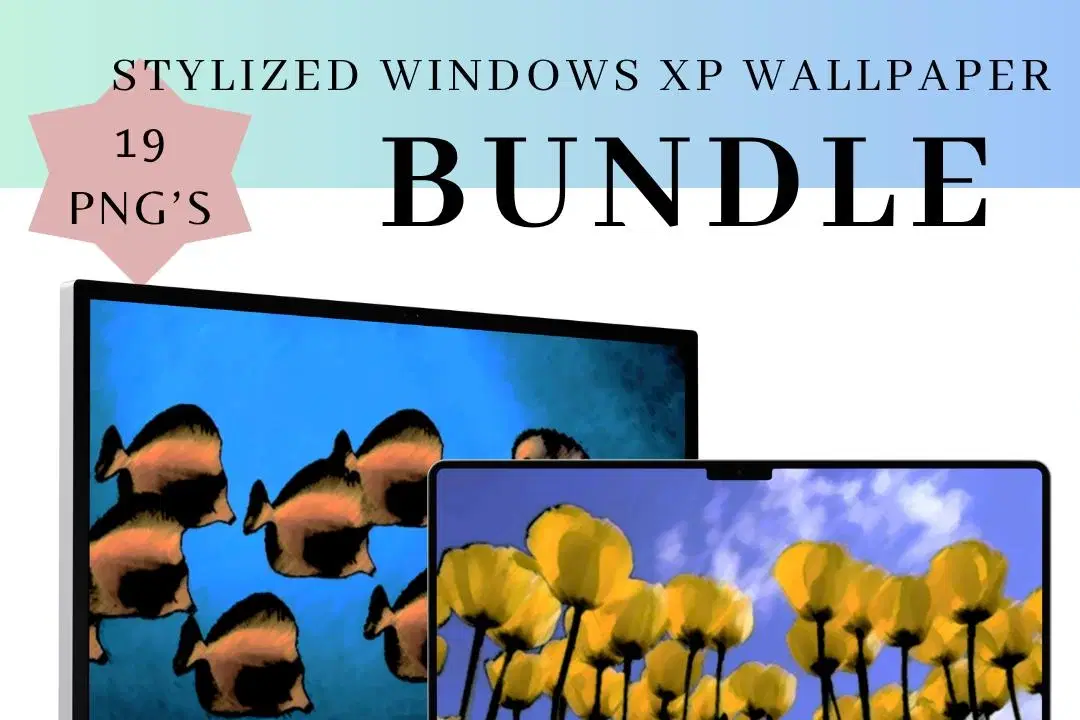
Relive the nostalgia of the iconic Windows XP era with this 19 Windows XP Background Stylized Version Art Bundle, featuring all classic Windows XP wallpapers reimagined with fresh, artistic styles. This collection includes stylized reinterpretations of beloved backgrounds such as the famous "Bliss" hill, "Crystal," and other memorable scenes, updated with modern design techniques while preserving their timeless charm. Each image is crafted to bring a unique, soothing, and visually appealing aesthetic to your desktop or creative projects.
Features:
Contains 19 reworked and stylized versions of all classic Windows XP backgrounds
High-resolution digital images suitable for desktop wallpapers, digital art, and print
Includes artistic enhancements such as color grading, modern textures, and minimalist reinterpretations
Perfect for fans of retro computing, digital artists, designers, and anyone seeking a nostalgic yet fresh visual experience
Instant digital download for quick and easy access
Celebrate the enduring legacy of Windows XP’s most iconic visuals with this curated and beautifully stylized wallpaper bundle.
Shop confidently with Shuppi
If your download isn’t what was promised, we’ll make it right. Eligible purchases can be refunded within fourteen calendar days when listings mislead, files fail, or duplicate checkouts happen.
- Listings must match what you receive—no surprises.
- Corrupted files or technical issues? Request a quick fix or refund.
- Duplicate purchases are covered without the hassle.
Product Specs
Tags
Frequently Asked Questions
You May Also Like

Vector Ink Sketch FX Photoshop Action
 studio retouch
Vector Oil Paint Art Photoshop Action
studio retouch
Pet Portrait Watercolor Art Generator Photoshop Action
studio retouch
Stipple Ink Artist FX Photoshop Action
studio retouch
Stencil Pop Art Photoshop Action
studio retouch
Antique Craquelure Photoshop Action
studio retouch