


For personal, non-commercial projects only
About
Trading Journal – Notion Template for Traders
Take control of your trading performance with clarity, discipline, and data.
Whether you're a beginner or a seasoned trader, this Notion Trading Journal Template is designed to bring consistency and structure to your trading journey. Built by an active algorithmic trader, this template isn't just a journal—it's a complete portfolio dashboard with rich visual tracking, calendar-based entries, and P\&L analytics.
✨ What You’ll Get:
✅ Clean, Ready-to-Use Layout – Plug-and-play template for daily trade journaling
✅ Chart Dashboard – Visualize your equity curve and P\&L growth
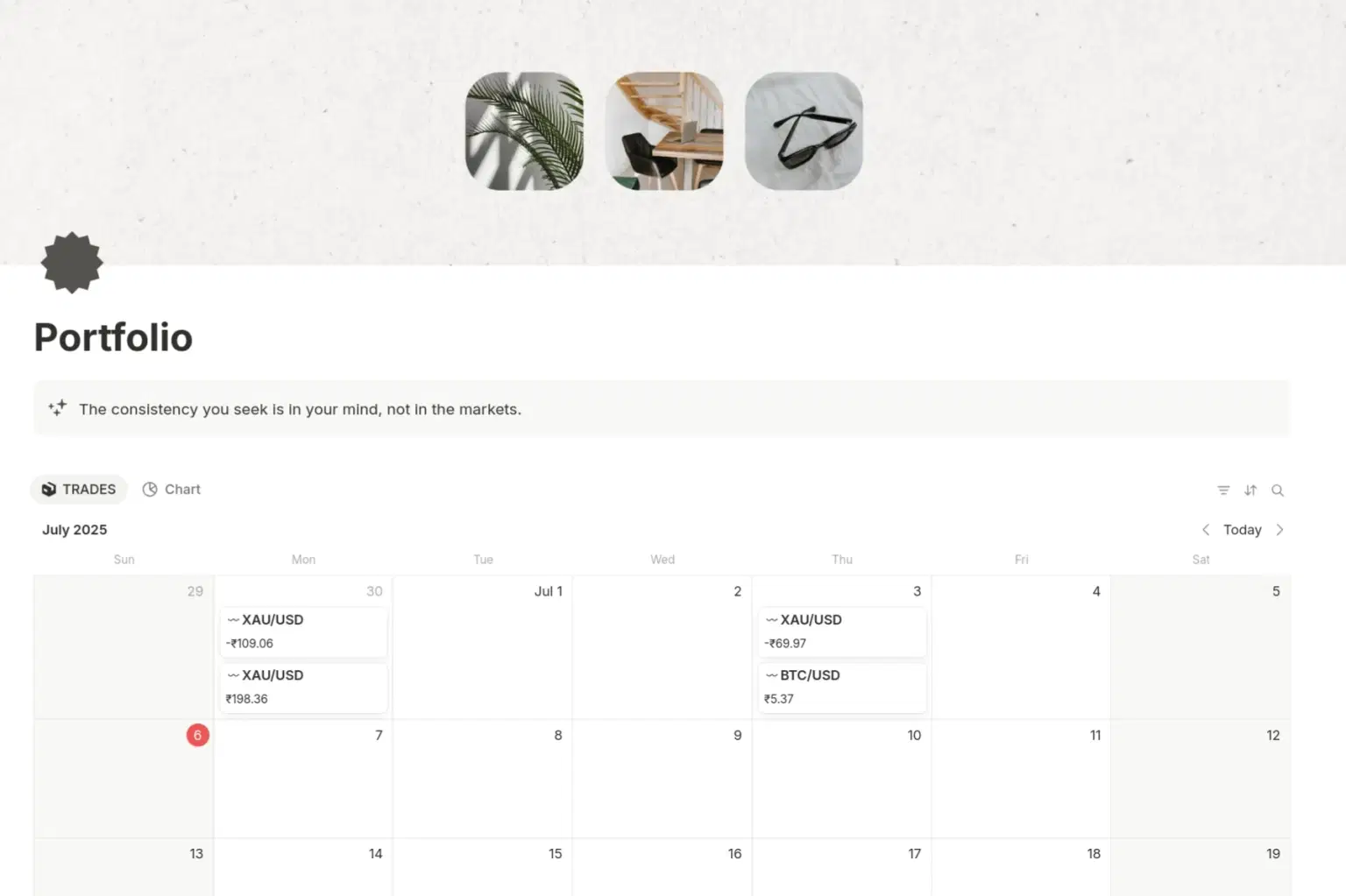
✅ Calendar View – Review trades by day, pair, and strategy
✅ Multi-Asset Support – Track Forex, Crypto, Indices, and more
✅ Quote for Mindset – Daily motivation to keep your psychology in check
✅ Mobile & Desktop Optimized – Access your journal anywhere via Notion
Shop confidently with Shuppi
If your download isn’t what was promised, we’ll make it right. Eligible purchases can be refunded within fourteen calendar days when listings mislead, files fail, or duplicate checkouts happen.
- Listings must match what you receive—no surprises.
- Corrupted files or technical issues? Request a quick fix or refund.
- Duplicate purchases are covered without the hassle.
Product Specs
Tags
Frequently Asked Questions
You May Also Like

Self-Care & Wellness Journal - Notion Template for Self-Care Journaling and Wellness Tracking
 Plan it. Do it. Love it.
Trading Journal Pro
 NQmerchant's trading journals
Trading Journal

Notion Trading Journal 2.0
NQmerchant's trading journals
Journal+ Stay Consistent With Journaling
 Notion Templates
The Forex Lounge: Inside Forex Most Honest Guide to Start Your Trading Journey
 The Forex Room| TFR