







Personal, non-commercial projects
About
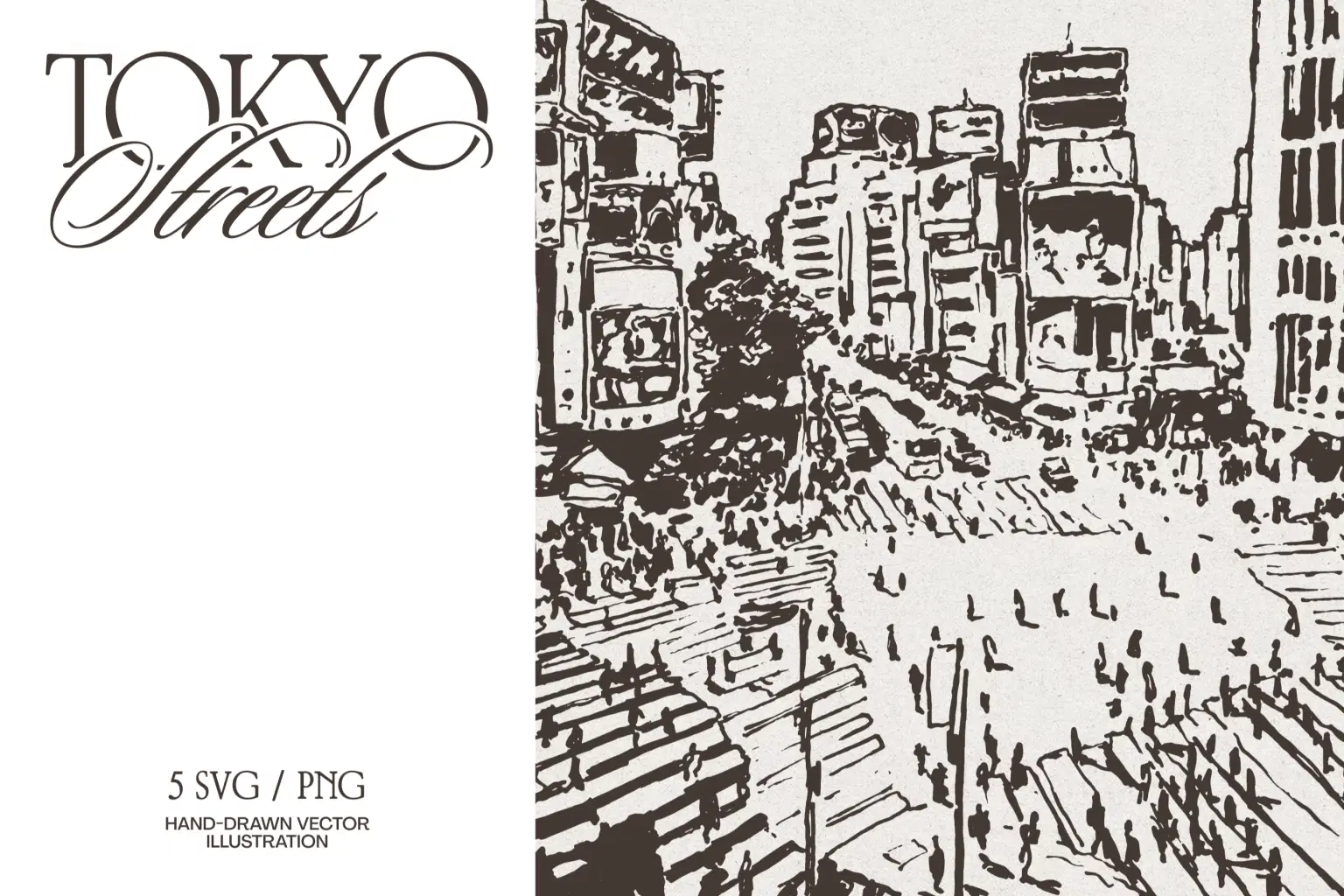
This series focuses on the famous “scramble” of Shibuya, capturing the dense crowds, deep diagonal shadows, and the towering verticality of the district.
Technically, these vectors are engineered for bold streetwear screen printing, intricate laser etching on acrylic, or high-contrast vinyl decals. The details hold up perfectly whether you’re printing a large-scale wall mural or a small garment tag.
This collection is a definitive choice for modern apparel brands, travel editorials, and urban hospitality concepts that need more than a generic skyline.
What's Inside:
5 sketches (AI/EPS/PNG/SVG on transparent background, 300 dpi)
Thanks for visiting my shop!
Shop confidently with Shuppi
If your download isn’t what was promised, we’ll make it right. Eligible purchases can be refunded within fourteen calendar days when listings mislead, files fail, or duplicate checkouts happen.
- Listings must match what you receive—no surprises.
- Corrupted files or technical issues? Request a quick fix or refund.
- Duplicate purchases are covered without the hassle.
Product Specs
Tags
Frequently Asked Questions
You May Also Like

Hyper Realistic Cross Hatch Sketch Photoshop Action
 studio retouch
Hyper Realistic Lifelike Pencil Sketch Photoshop Action
studio retouch
Sketch Stencil Art Photoshop Action
studio retouch
Tokyo Rainbow / Japan Girl Band
 HONEYDOG
Pencil Sketch Collection Photoshop Actions
studio retouch
Vector Ink Sketch FX Photoshop Action
studio retouch