












Personal use only
About
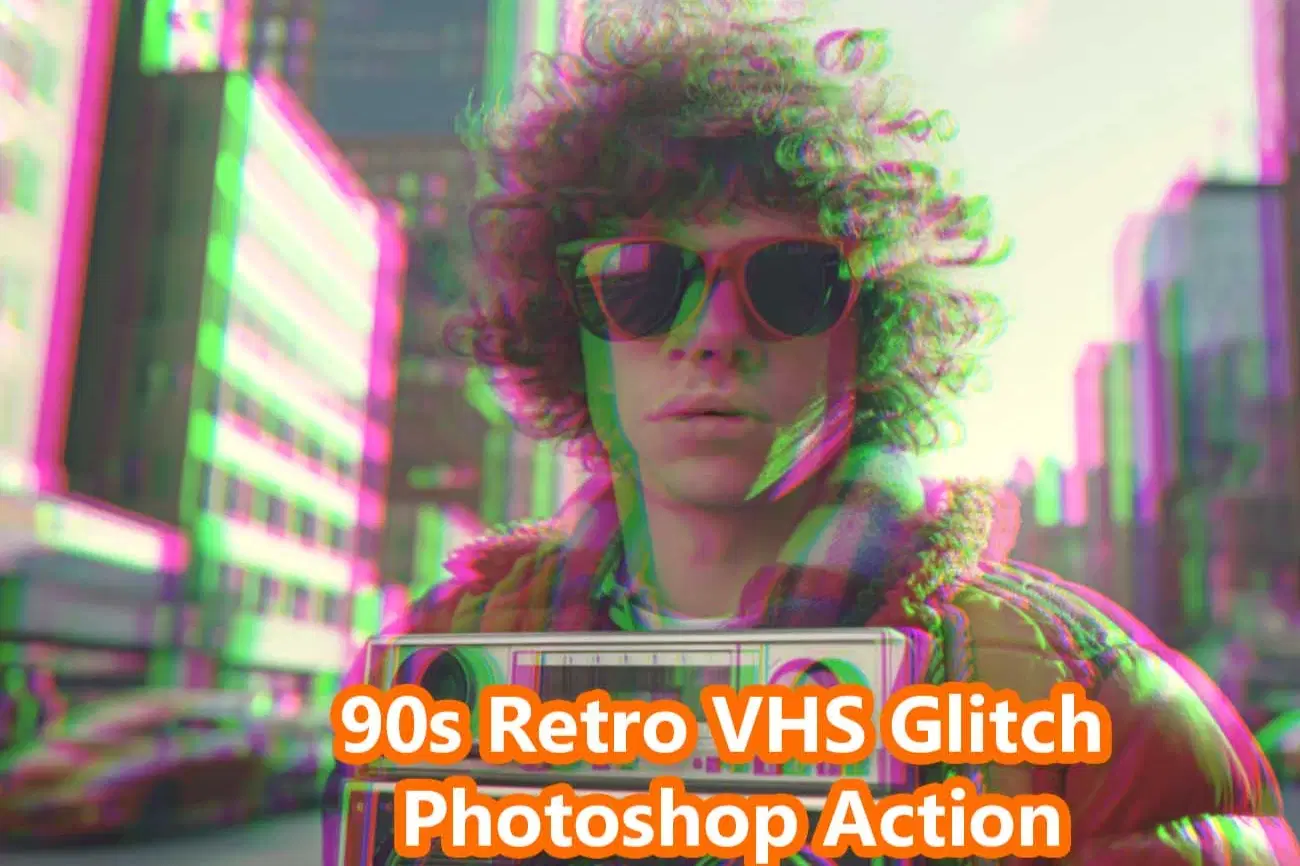
90s Retro VHS Glitch Photoshop Action
Bring back the raw energy of the 90s analog era with this professionally crafted VHS Glitch Photoshop Action. Designed to recreate authentic retro television distortion, RGB channel shifts, scan lines, and analog noise — this action instantly transforms your photos into bold, nostalgic visuals. Perfect for posters, album covers, streetwear branding, social media content, YouTube thumbnails, and creative design projects. This action is built with smart object support and fully editable layers, allowing complete customization of glitch intensity, color grading, distortion, and noise levels.
This action has been tested and working on Photoshop CC2022 English Version.
Software supported version: CS6, CC,CC2014,CC2015,CC2015.5,CC2016,CC2017,CC2018,CC2019,CC2020,CC2021,CCC2022+ English Version.
Please watch video guide line here:https://youtu.be/Cc6NnDdvyWc
✨ What You Get
- High-Quality .ATN Photoshop Action File
- Fully Layered & Non-Destructive Structure
- Pattern File
- Adjustable RGB Split Effect
- Authentic VHS Scan Lines
- Analog Distortion
- Noise & Grain Control
- Grunge Noise Brush File
- Help Guide (PDF)
🎯 Perfect For
- Album Cover Designers
- Streetwear Brands
- Graphic Designers
- Photographers
- YouTube Creators
- Social Media Marketers
- Poster & Flyer Design
File Includes:
- ATN File included (Photoshop Action File)
- Brush File
- Pattern File
- Help File
- Video guide link in the help file
- High quality result.
- Easy Customizable
- Organize layers
- Easy Install
- Easy to Use
- No photoshop skill needed
- Image Size: 2000x3000 or 3000x2000px, dpi 72
If you need any cooperation using the file please feel free to contact me:
"The model images and photographs are for presentation purposes and not included for sale"
90s retro photoshop action, vhs glitch effect, retro glitch photoshop action, analog distortion effect, rgb split effect, vhs overlay effect, 90s aesthetic photoshop, tv static effect, glitch poster effect, vintage tv filter, cyberpunk glitch effect, album cover photoshop action, scan line effect photoshop, non destructive photoshop action, streetwear design effect,studio retouch action,photography,manipulation,photoshop tutorial,template,textures,ad ons,actions and presets,photoshop effect
#90sAesthetic#VHSGlitch#RetroEffect#PhotoshopAction#GlitchArt#AnalogDistortion#RGBSplit#AlbumCoverDesign#StreetwearDesign
#GraphicDesignAssetsket
Shop confidently with Shuppi
If your download isn’t what was promised, we’ll make it right. Eligible purchases can be refunded within fourteen calendar days when listings mislead, files fail, or duplicate checkouts happen.
- Listings must match what you receive—no surprises.
- Corrupted files or technical issues? Request a quick fix or refund.
- Duplicate purchases are covered without the hassle.
Product Specs
Tags
Frequently Asked Questions
You May Also Like

17 Viral Editing Effects Photoshop Action Bundle
 studio retouch
RGB Portrait Fracture FX Photoshop Action
studio retouch
Retro Color Looks Photoshop Actions
studio retouch
RGB Prism Explosion FX — Photoshop Action
studio retouch
16-in-1 Photoshop Actions Mega Bundle
studio retouch
RGB Echo Chamber FX Photoshop Action
studio retouch