







For personal, non-commercial projects only (portfolios, personal blogs, hobby projects).
About
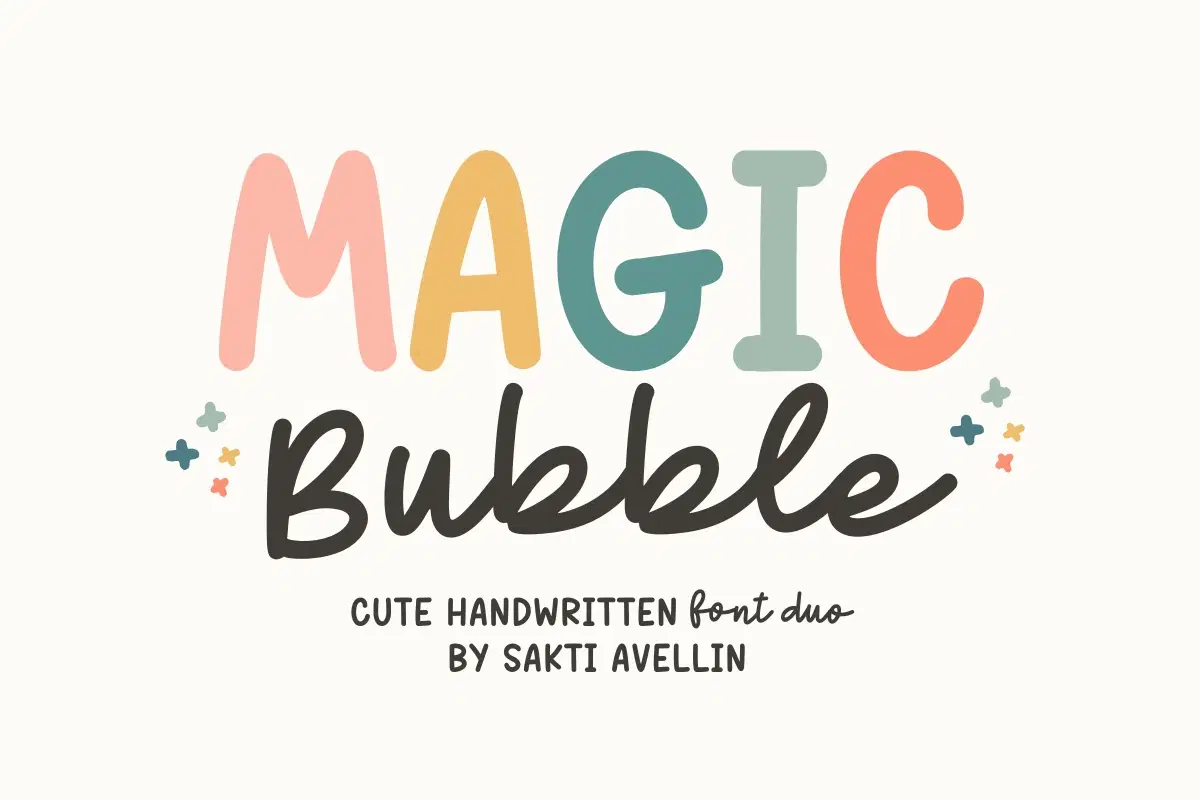
Magic Bubble is an enchanting and playful cute handwritten font duo that effortlessly combines two complementary styles: a bold, chunky display font and a smooth, flowing script font. This versatile pair is perfect for creative font combinations, making it essential for kids' branding, cheerful party invitations, fun feminine logos, vibrant t-shirt designs, and engaging social media graphics. The mix of a solid bubble style with a delicate script ensures it is a powerful display typeface for headlines, product packaging, and any project that needs a touch of modern, adorable magic. Bring delightful charm to your designs with this whimsical and modern font duo!
Shop confidently with Shuppi
If your download isn’t what was promised, we’ll make it right. Eligible purchases can be refunded within fourteen calendar days when listings mislead, files fail, or duplicate checkouts happen.
- Listings must match what you receive—no surprises.
- Corrupted files or technical issues? Request a quick fix or refund.
- Duplicate purchases are covered without the hassle.