








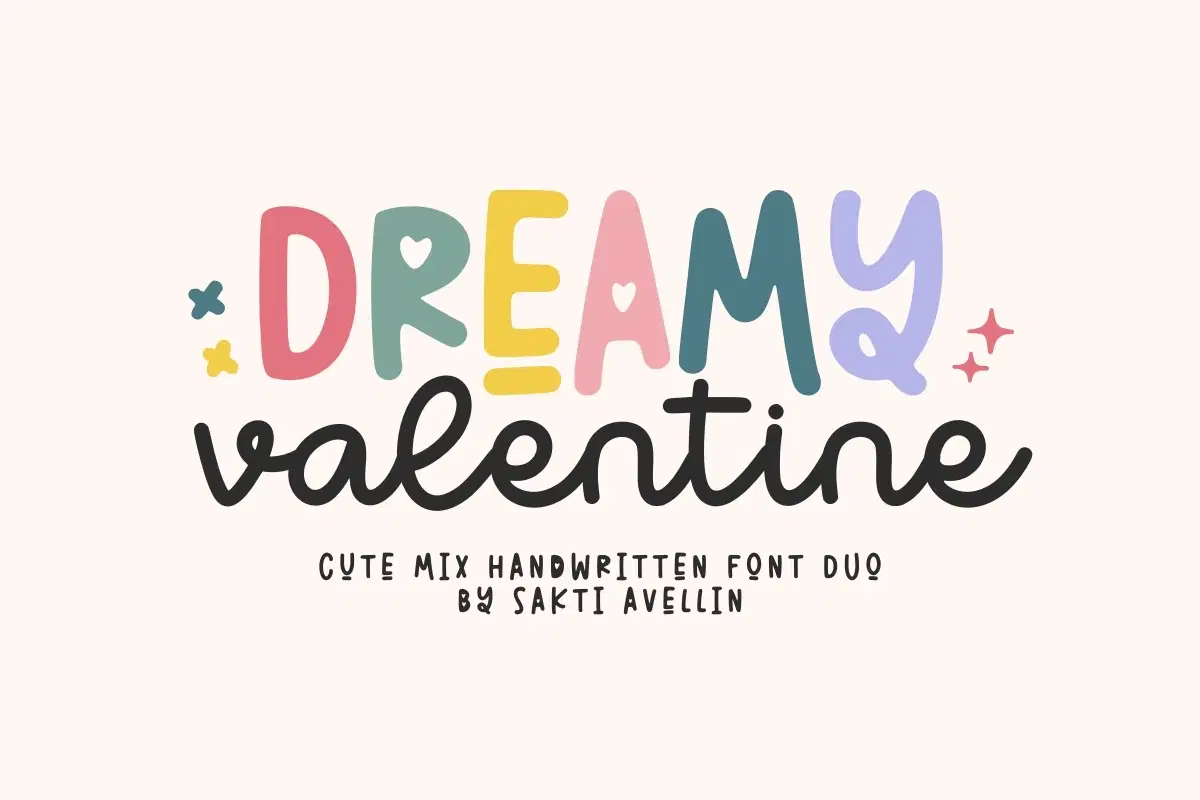
For personal, non-commercial projects only (portfolios, personal blogs, hobby projects).
About
Dreamy Valentine is an enchanting cute mix handwritten font duo that captures a perfect blend of romance and playfulness. This versatile pairing features a whimsical chunky display font and a graceful modern script font, ideal for captivating font combinations. It is essential for Valentine's Day designs, wedding invitations, charming feminine logos, heartfelt greeting cards, kids' branding, and sweet social media graphics. This duo offers high versatility and a lovely, contemporary aesthetic, making it a strong choice for seasonal fonts and everyday designs. Fall in love with your projects using this delightful romantic font pair!
Shop confidently with Shuppi
If your download isn’t what was promised, we’ll make it right. Eligible purchases can be refunded within fourteen calendar days when listings mislead, files fail, or duplicate checkouts happen.
- Listings must match what you receive—no surprises.
- Corrupted files or technical issues? Request a quick fix or refund.
- Duplicate purchases are covered without the hassle.
Product Specs
Tags
Frequently Asked Questions
You May Also Like

TeeHand Upppercase Font
 akropol
Secy Break – Streetwear Fancy Display Font
 Black Junst
Charming Valentine - Cute Display Valentine Font

Cupid's Notes - Cute Handwritten Font
 Sakti Avellin
Magic Bubble - Cute Handwritten Font Duo
Sakti Avellin
Notes School - Cute Handwritten Bouncy Font
Sakti Avellin