


Single developer, one project or website
About
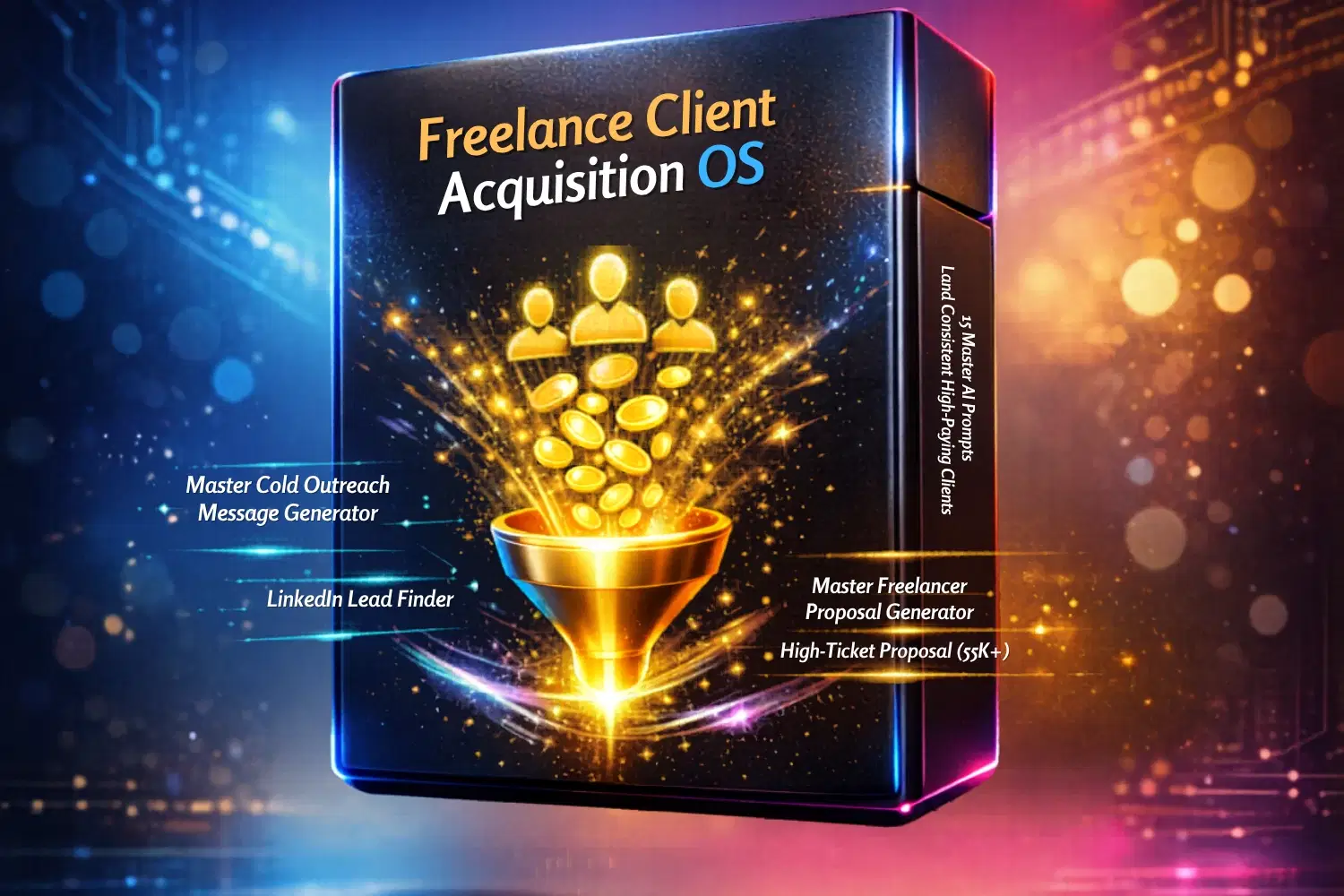
Freelance Client Acquisition OS | A system to land consistent $1K–$5K+ clients
If your freelance income feels inconsistent… read this.
You’ve tried:
Sending cold DMs that get ignored
Writing proposals that go nowhere
Lowering your prices just to win jobs
And still… no consistent flow of clients. Here’s the truth:
It’s not your skill. It’s your system.
What is Freelance Client Acquisition OS?
It’s a premium bundle of 15 carefully engineered, enterprise-grade AI prompts that cover every stage of the client acquisition process — from lead generation and outreach to proposal writing, qualification, and closing high-ticket deals.
Each prompt is written in a premium, consultative style and optimized for use with Grok, Claude, GPT, or Gemini.
Whether you freelance on Upwork, Fiverr, Freelancer or through LinkedIn and direct outreach, these prompts are designed to help you:
Attract better clients instead of chasing anyone who posts a job
Write proposals and messages that actually get responses
Qualify leads quickly so you stop wasting time on low-budget prospects
Build a strong personal brand and social proof
Create repeatable daily systems for steady pipeline growth
Who This System Is For
This bundle is built for serious freelancers who are ready to level up:
Writers, designers, developers, marketers, consultants, and virtual assistants
Freelancers tired of low rates and inconsistent income
Professionals who want to move from $1K–$3K projects to consistent $5K–$10K+ contracts
Anyone who wants to treat their freelance business like a real business
This is not theory.
This is your daily operating system for getting clients.
If this helps you land just ONE client, it pays for itself instantly.
What Makes This Different?
Most advice tells you: “Send more messages”
This system teaches you: Send fewer, better-targeted messages—with higher intent prospects
Because:
Better targeting = higher replies
Better positioning = higher prices
Better system = predictable growth
What Results Can You Expect?
With consistent use:
More replies to your outreach
Higher-quality leads in your pipeline
Increased confidence in sales conversations
Ability to charge premium rates
How It Works
1. Plug in your niche + offer
2. Use the prompts to:
Find leads
Qualify them
Reach out strategically
3. Track + refine weekly
You now have a client acquisition machine
Instant Access
Delivered as a ready-to-use prompt system
Works with Grok, Claude, GPT, or Gemini (or any AI tool)
No technical setup required
Risk-Free Upgrade to Your Freelance Business
You can keep guessing…
Or you can install a system that works.
Get the Freelance Client Acquisition OS now
And start building a pipeline that actually converts.
FAQ Section:
1. Is this for beginners?
Yes — especially if you want to skip the learning curve.
2. Do I need a paid AI subscription?
Works best with strong models.
3. Can I use this on multiple platforms?
Absolutely — prompts are built for multi-platform use.
Shop confidently with Shuppi
If your download isn’t what was promised, we’ll make it right. Eligible purchases can be refunded within fourteen calendar days when listings mislead, files fail, or duplicate checkouts happen.
- Listings must match what you receive—no surprises.
- Corrupted files or technical issues? Request a quick fix or refund.
- Duplicate purchases are covered without the hassle.
Product Specs
Tags
Frequently Asked Questions
You May Also Like

Freelance Social Media Marketing Client Hub
 Full Moon Media | Notion Templates for Creators
Freelance Client & Project CRM Notion TEMPLATE
 Mohammed atia
Notion Freelancer OS
 MyHueDesigns
Sleek Business Proposal Template | Impress Clients & Investors Instantly
 Your Dream Studio
30 Freelance Business Ideas You Can Start
 DP-SHOP
Notion Template for Freelancer
 Yanis’s Notion