
Financial Freedom Planner Hub - Notion Template for Budget Planning and Personal Finance Tracker






For individual, personal-use only. Cannot be used for business, client work, or commercial purposes. Cannot be redistributed, resold, or shared. Includes lifetime access for one person.
About
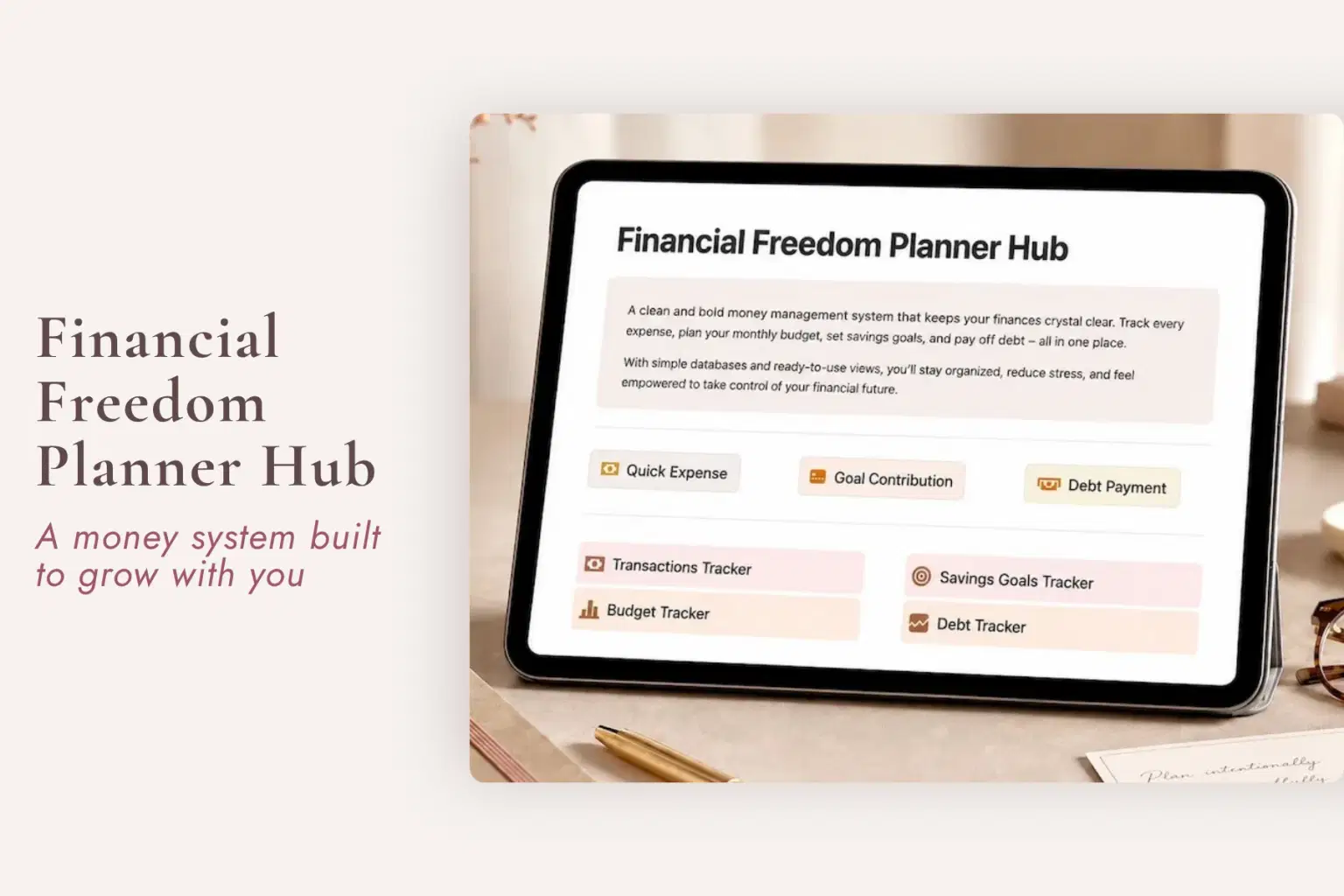
The Financial Freedom Planner Hub is a Notion budget planner and personal finance tracker for women who want a clearer way to organize income, expenses, monthly budgets, savings goals, debt, and financial priorities without rebuilding the entire picture every time they need to make a money decision.
When financial information lives across bank accounts, statements, apps, notes, spreadsheets, and memory, even a simple question like “Can I afford this?” can require piecing everything together again.
This flexible Notion finance planner gives your transactions, budget, savings goals, debt, and near-term financial focus one dependable place to live, so you can return to the numbers you have recorded instead of starting from scratch every time.
What the Financial Freedom Planner Hub Helps You Manage
Income & Expense Tracking
Use the Transactions Tracker to keep income and expenses together in one organized record.
Transactions can be reviewed by:
Month
Category
Type
The Hub also includes Quick Expense shortcuts to make capturing spending easier while the information is still fresh.
Monthly Budgeting
Create a clearer picture of what you planned to spend and what actually happened.
The Monthly Budget Tracker includes a planned vs. actual spending view, helping you compare the budget with recorded transactions and see where a category is running over or under.
The goal is not a perfect budget.
It is to have enough context available to make the next money decision without reconstructing the entire month first.
Savings Goals
Give future financial goals their own visible place instead of keeping the target somewhere in your head.
The Savings Goals Tracker supports goal information such as:
Target amount
Target date
Priority
Progress
Contributions
The Hub also includes a Goal Contribution shortcut for recording progress toward savings goals.
Whether you are saving toward an emergency fund, travel, a larger purchase, or another personal goal, the purpose is simply to keep the information easier to return to.
Debt Tracking
Keep debt information together so reviewing what you owe does not require reopening every account separately.
The Debt Tracker supports:
Debt balances
Payments
Payoff progress
The Dashboard also includes a Debt Payment shortcut to help keep payment activity connected to your broader financial picture.
90-Day Focus
Use the 90-Day Focus view to keep nearer-term financial priorities visible alongside the day-to-day numbers.
This gives the Hub a place for what you are actively paying attention to now without requiring every financial goal to compete for attention at once.
New Month Setup
The New Month Setup section gives you a clear place to begin when a new month starts.
It is especially useful for people who are new to financial tracking and want a repeatable starting point rather than wondering what they are supposed to update first. The current product FAQ specifically identifies New Month Setup and setup guidance as part of the beginner-friendly system.
Stop Rebuilding the Financial Picture
Money decisions can feel heavier than they need to when every answer requires another search.
You may find yourself trying to remember:
What came in this month
Where the money went
What you planned to spend
Whether a category is already over budget
How much you have saved toward something
What is still owed
Whether a payment was recorded
Which financial priority needs attention next
The Financial Freedom Planner Hub gives those numbers and records somewhere dependable to live so you can see the financial picture you have built instead of continually rebuilding it from memory.
You Do Not Have to Become a “Finance Person”
This system is intentionally designed so you can start with whichever part would make the next decision easier.
You can:
Start with Transactions
Use only the Monthly Budget
Begin with one savings goal
Track debt first
Use Quick Expense shortcuts
Add contributions as you make them
Set a 90-Day Focus
Use New Month Setup as your monthly reset
Rename your categories
Add or remove labels and sections
Leave the rest of the system alone until it becomes useful
You do not have to use every section to benefit from having a clearer financial record.
What’s Included
See the Financial Picture
Financial Freedom Dashboard
Transactions Tracker
Quick Expense shortcuts
Income and expense tracking
Plan the Month
Monthly Budget Tracker
Planned vs. actual spending view
Customizable budget categories
New Month Setup
Track Future Goals
Savings Goals Tracker
Goal contribution tracking
90-Day Focus view
Keep Debt Visible
Debt Tracker
Debt Payment shortcut
Payoff progress tracking
Setup & Access
Setup guidance
Beginner-friendly structure
Works with free Notion
Customizable categories, labels, and sections
Perfect For
Women looking for a Notion budget planner
Anyone searching for a personal finance Notion template
People who want a monthly budget planner
Anyone looking for an expense tracker
Women who want income and spending organized in one system
Anyone searching for a savings goals tracker
People who want a debt tracker
Beginners who have never consistently tracked their finances before
Women who want to see planned vs. actual spending more clearly
Anyone whose money information is scattered across accounts, notes, spreadsheets, and apps
People who want financial organization without rigid budgeting pressure
Notion users looking for a customizable finance dashboard
Important Details
Digital Notion template
$29 one-time purchase
No recurring template fees or required add-ons
Instant digital access
Works with Notion's free plan
Beginner friendly
New Month Setup included
Setup guidance included
Budget categories can be renamed, added, or removed
Labels and sections can be customized after duplication
Use only the financial tracking areas that are useful to you
No physical product is included
Important Financial Disclaimer
The Financial Freedom Planner Hub is an organization and tracking tool.
It does not provide:
Financial advice
Investment advice
Tax advice
Legal advice
Guaranteed savings
Guaranteed debt payoff
Investment returns
Guaranteed financial outcomes
It does not replace guidance from a qualified professional.
You should not have to rebuild the picture every time you need to make a money decision. Give income, spending, budgets, savings, debt, and financial priorities somewhere dependable to live.
Shop confidently with Shuppi
If your download isn’t what was promised, we’ll make it right. Eligible purchases can be refunded within fourteen calendar days when listings mislead, files fail, or duplicate checkouts happen.
- Listings must match what you receive—no surprises.
- Corrupted files or technical issues? Request a quick fix or refund.
- Duplicate purchases are covered without the hassle.
Product Specs
Tags
Frequently Asked Questions
You May Also Like

Career & Project Planner Hub - Notion Template for Career Planning and Project Management
Plan it. Do it. Love it.
Ultimate Finance Planner | All-in-One Budget, Expense, Savings & Income Tracker for Financial Freedom
 Fleura Co
Project Planner - Notion Planner
 Yanis’s Notion
Travel & Adventure Planning Hub - Notion Template for Travel Planning and Trip Organizer
Plan it. Do it. Love it.
The Ultimate Notion Template Bundle: 20 Notion Templates for Life & Work
Yanis’s Notion
Steady Footing - Notion Template Bundle for Work and Money
Plan it. Do it. Love it.