











Personal / Blog
Personal websites, blogs, social media
SSL Secured Stripe Powered Buyer Protection
About
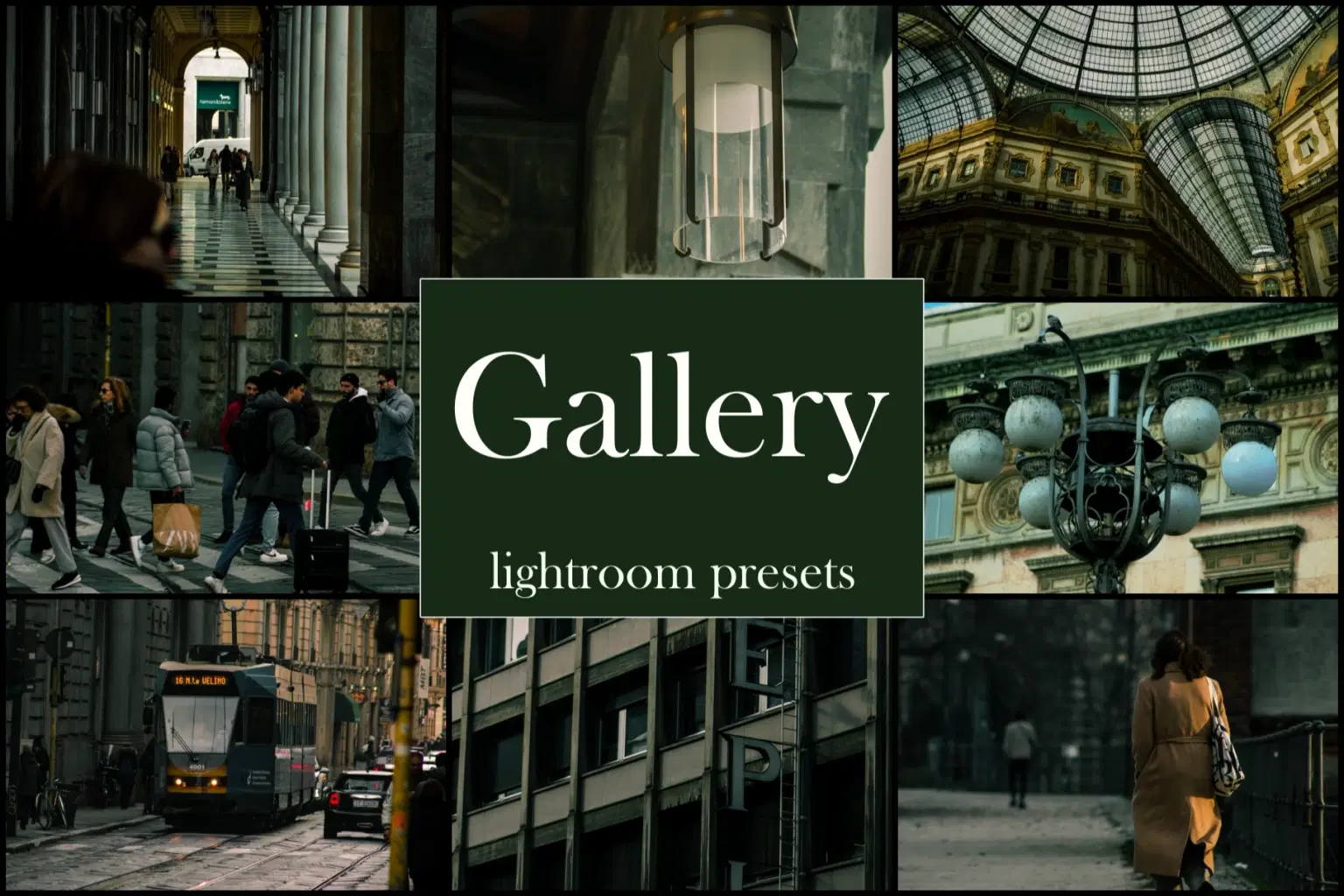
These professional presets give a cinematic and dark look to photos with green and teal tones.
Included in the purchase:
15 Presets for Lightroom Desktop (.xmp file)
15 presets for Lightroom Mobile (file. DNG)
Instructions for use
If you have any questions, or there are any problems, please ask.
INSTRAGRAM: black.orange.photographer
Trustpilot
TrustScore4.4
14-Day Refund Promise
Shop confidently with Shuppi
If your download isn’t what was promised, we’ll make it right. Eligible purchases can be refunded within fourteen calendar days when listings mislead, files fail, or duplicate checkouts happen.
- Listings must match what you receive—no surprises.
- Corrupted files or technical issues? Request a quick fix or refund.
- Duplicate purchases are covered without the hassle.
SSL Secured Stripe Powered Buyer Protection
Product Specs
File Format(s)
.xmp / DNG
Compatible With
Lightroom
Download Size
25.99 MB
Created
Dec 27, 2025
Version Number
1.0
Tags
cinematic-presetediting-presetlightroom-presetphoto-presetpresetstreetstreet-photographyfiltermoody-presetgreen-preset
Frequently Asked Questions
You May Also Like

Professional Lightroom Presets Pack: City road (preset street photography)
 LorenzoPreset
Professional Lightroom preset pack: Frozen
LorenzoPreset
professional Lightroom preset pack: Sunset
LorenzoPreset
Professional Lightroom preset pack: Teal Nature
LorenzoPreset
Professional Lightroom preset pack: Sunny
LorenzoPreset
Professional Lightroom preset pack: Forest
LorenzoPreset