



For personal, non-commercial projects only
About
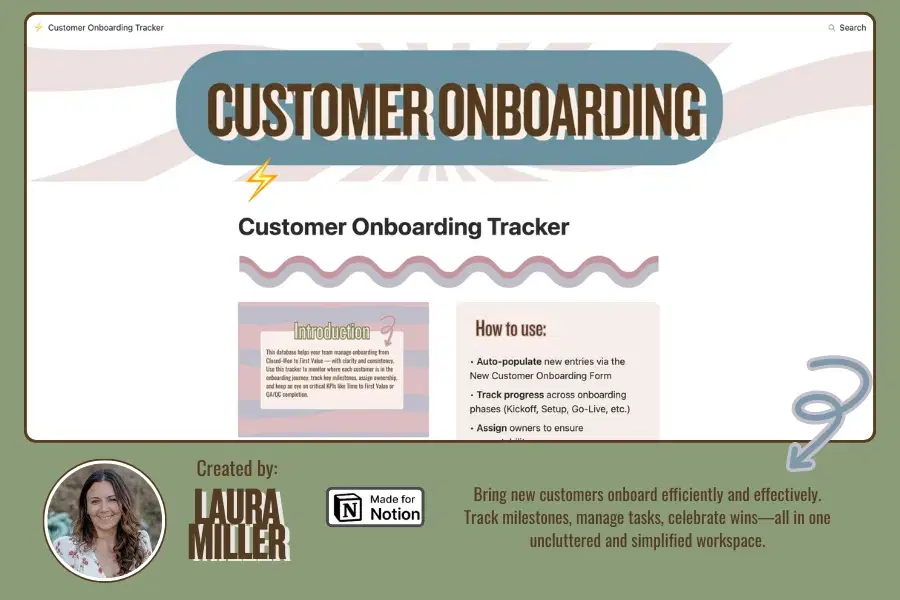
The Customer Onboarding Tracker is your central hub for managing every new customer from kickoff through first value. Designed to help CS teams stay organized and consistent, this Notion database tracks key milestones, assigns responsibilities, and links essential docs like the Discovery Record and Success Plan.
Each entry represents a customer and includes:
Onboarding phase & timeline
Assigned CSM
Kickoff status & dates
Progress checklists (setup, training, QA/QC)
KPI tracking (like Time to First Value and CSAT)
Linked Discovery Docs, Success Plans, and Forms
✨ Built-in logic and templates help automate workflows and drive accountability — making it easy for any CS team to stay proactive and repeatable.
Shop confidently with Shuppi
If your download isn’t what was promised, we’ll make it right. Eligible purchases can be refunded within fourteen calendar days when listings mislead, files fail, or duplicate checkouts happen.
- Listings must match what you receive—no surprises.
- Corrupted files or technical issues? Request a quick fix or refund.
- Duplicate purchases are covered without the hassle.
Product Specs
Tags
Frequently Asked Questions
You May Also Like

The Ultimate Notion Template Bundle: 20 Notion Templates for Life & Work
 Yanis’s Notion
Skincare Tracker Notion Template
 Mohammed atia
The Ultimate Guide to Customer Success Workspace in Notion
 Laura Miller
Notion Habit Tracker & Daily Planner - Notion Template
Yanis’s Notion
Notion Project and Task Tracker -Notion Template
Yanis’s Notion
700+ Editable Canva Pinterest Template Bundle for Bloggers, Coaches & Brands
 Toptoria