



Personal learning, hobby projects, non-commercial renders
About
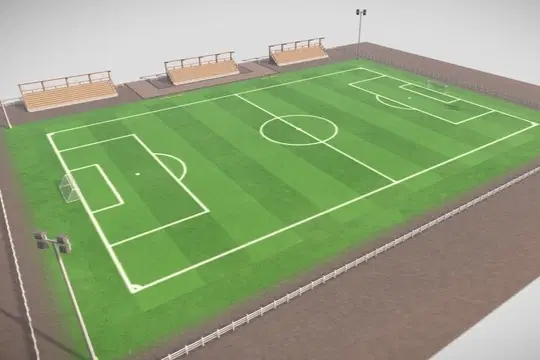
Low-Poly Stylized Soccer/Football FieldThis low-poly, stylized soccer/football field is designed in real-world scale, making it ideal for game development, simulations, or stylized visualizations. The model features a single 4K texture atlas for optimized performance and seamless integration into your projects.
Texture Details:
Resolution: 4096x4096
Diffuse/Base Color
Roughness
Normal
Metal
The asset is game-ready and has been tested in Unreal Engine 5 (UE5) to ensure compatibility and performance.
Included Files:
Original Blender (.blend) file for easy customization and adjustments.
Exported FBX and OBJ versions
This model is perfect for projects requiring a stylized yet functional soccer/football field that maintains high-quality visuals while being optimized for real-time rendering.
More information and some renders can be found at Artstation
Model displayed on YouTube https://www.youtube.com/watch?v=KAZ7V8-QGhM
Shop confidently with Shuppi
If your download isn’t what was promised, we’ll make it right. Eligible purchases can be refunded within fourteen calendar days when listings mislead, files fail, or duplicate checkouts happen.
- Listings must match what you receive—no surprises.
- Corrupted files or technical issues? Request a quick fix or refund.
- Duplicate purchases are covered without the hassle.