











Personal learning, hobby projects, non-commercial renders
About
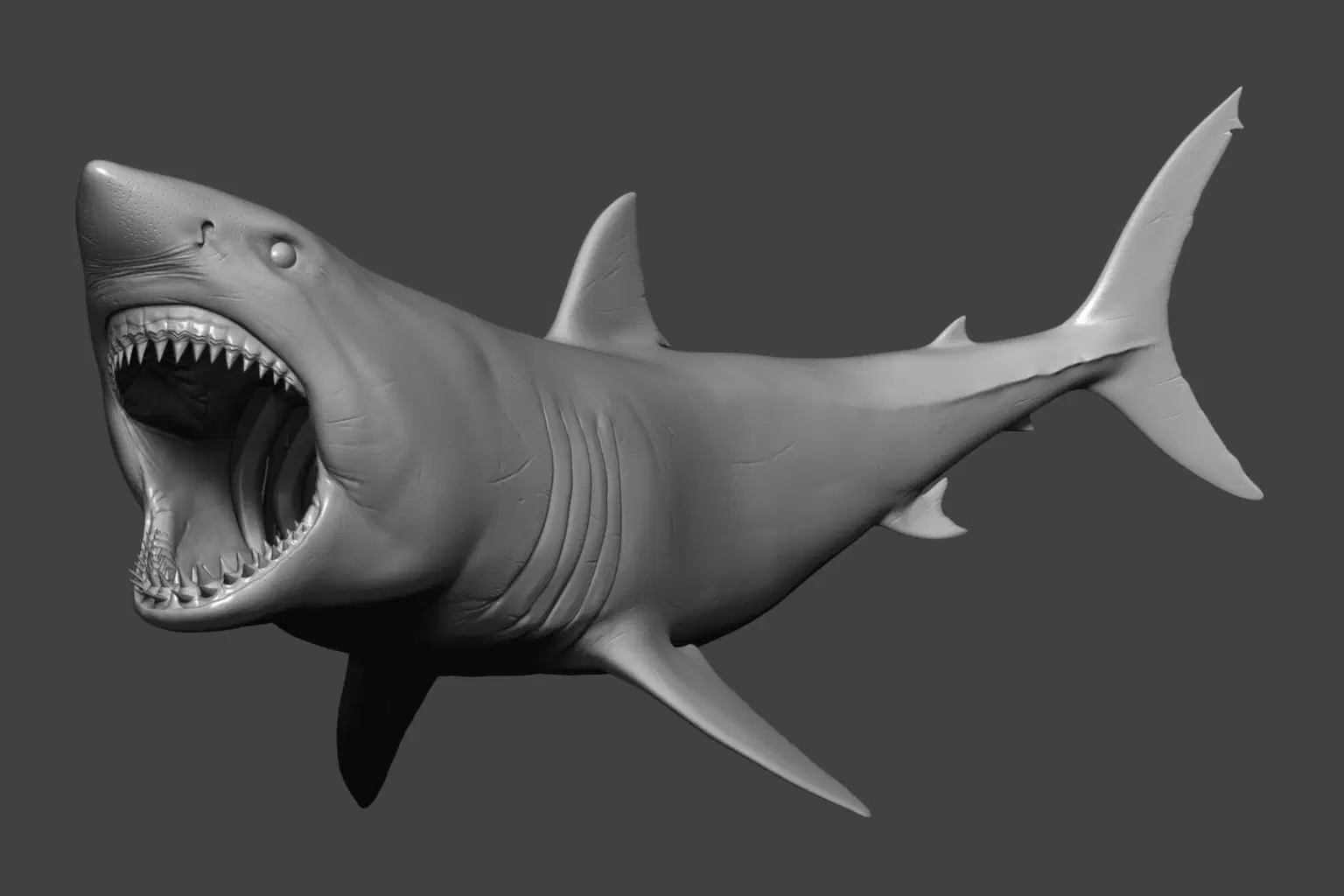
Here you can buy a great white shark model! No enhancing post-work was done to the product images. So what you see is exactly what you get.
Model: Included is the models as OBJ, FBX, MA, and the ZPR as well. So you get the ZBrush source as well. And it should be compatible with your favourite 3D software. A posed and neutral version of the model is included and available in all of the formats named above. In the Maya scene, there are already all the shaders applied, so you just have to press the render button. Also included is the render setup used to produce the product renders.
Textures: You also get high-resolution textures as TIF images. Includes the following Textures: Cavity (8k), Diffuse (8k), Low-frequency displacement (4k), High-frequency displacement (8k), Utility masks (8k), Sup-surface-scattering map for the gums area (8k). I also included two different displacement frequencies, you can fine-tune them in your favourite render engine.
Shop confidently with Shuppi
If your download isn’t what was promised, we’ll make it right. Eligible purchases can be refunded within fourteen calendar days when listings mislead, files fail, or duplicate checkouts happen.
- Listings must match what you receive—no surprises.
- Corrupted files or technical issues? Request a quick fix or refund.
- Duplicate purchases are covered without the hassle.






