



For personal, non-commercial projects only
About
Are you in the middle of your job hunting experience? Are you starting to look for work in media, but don't know how or where to begin? Is it getting a bit difficult to keep track of all the interviews and requirements?
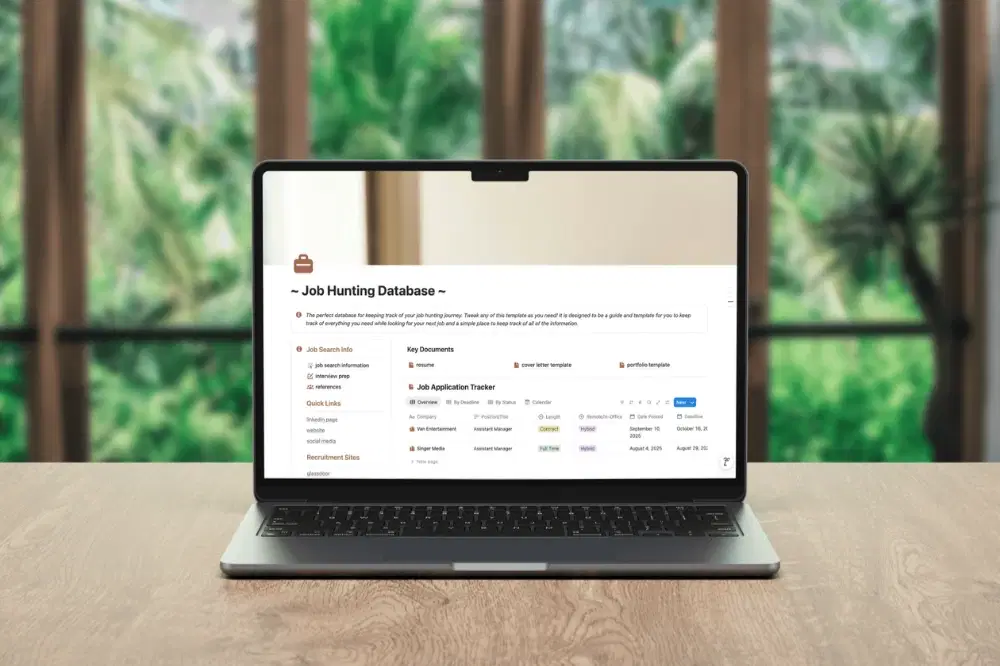
This Job Hunting Tracker can help you through your journey. Here you can keep track of every application, interview, reference and even document your interview practice questions. Everything and anything you may need is right here.
What's Included:
Job Application Tracker
Cover Letter Template
References Page
A Resume Page
Media Portfolio Template
and more
How Do I Use This?
Upon purchase, you will receive a pdf with the product link. Simply open the link and click “duplicate” in the top right corner. This will duplicate the template to your Notion workspace, and then it's all yours!
Find peace of mind in your job hunting journey with this job hunting dashboard today. Add this to your Notion and edit it how you like!
Shop confidently with Shuppi
If your download isn’t what was promised, we’ll make it right. Eligible purchases can be refunded within fourteen calendar days when listings mislead, files fail, or duplicate checkouts happen.
- Listings must match what you receive—no surprises.
- Corrupted files or technical issues? Request a quick fix or refund.
- Duplicate purchases are covered without the hassle.
Product Specs
Tags
Frequently Asked Questions
You May Also Like

The Ultimate Notion Template Bundle: 20 Notion Templates for Life & Work
 Yanis’s Notion
Skincare Tracker Notion Template
 Mohammed atia
Career Dashboard – Notion Template for Job Applications & Growth
 Letters to Somewhere
Notion Habit Tracker & Daily Planner - Notion Template
Yanis’s Notion
Notion Project and Task Tracker -Notion Template
Yanis’s Notion
Life OS notion template
Mohammed atia