















Personal use only
About
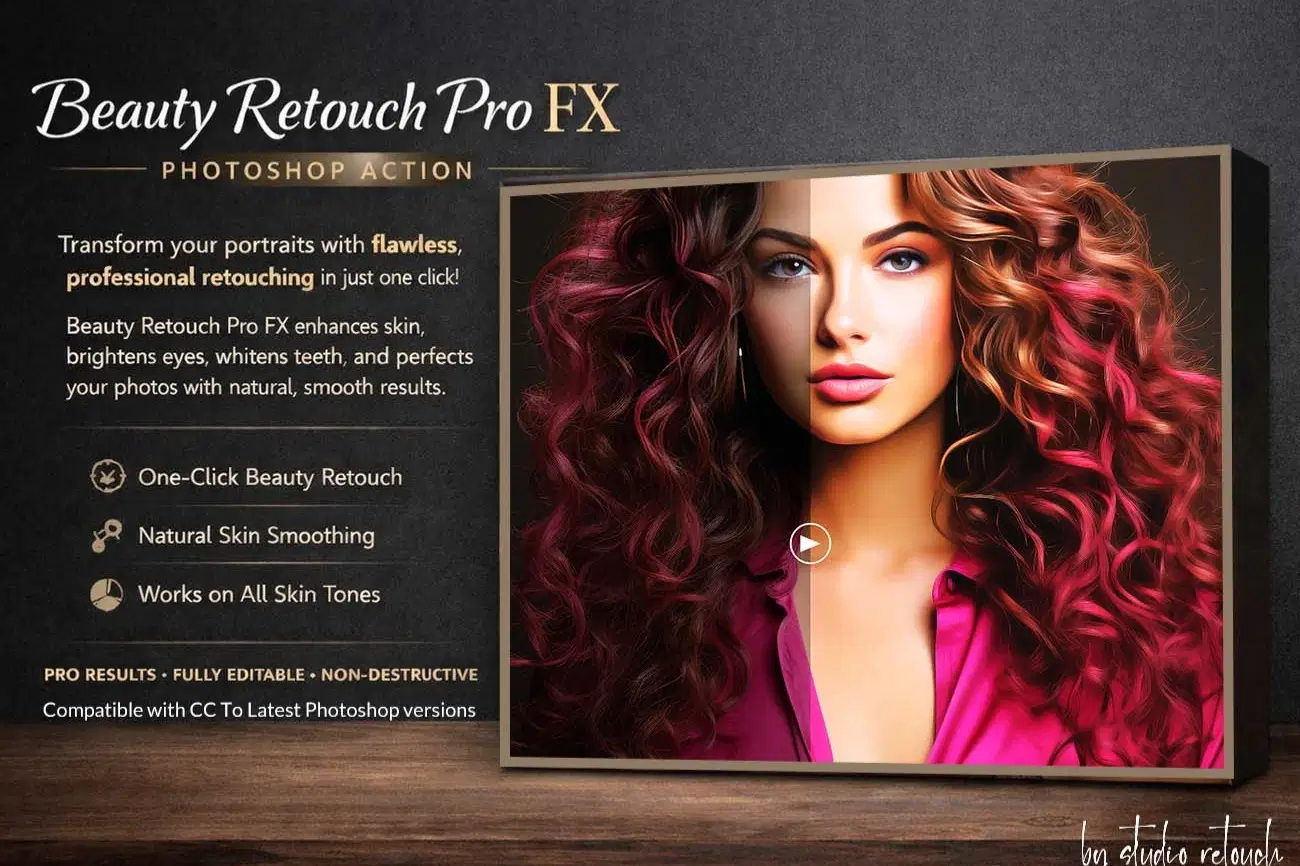
Beauty Retouch Pro FX – Photoshop Action
Beauty Retouch Pro FX is a professional Photoshop Action designed for photographers and retouches who want clean, natural, magazine-quality skin retouching with a fast, non-destructive workflow. Inspired by real studio retouching techniques, this action delivers smooth skin, refined details, and a polished beauty finish — without plastic or over-processed results. Whether you work with beauty, portrait, fashion, wedding, or social media photography, this action helps you achieve consistent, professional results with ease.
This action has been tested and working on Photoshop CC2022 English Version.
Software supported version: CC,CC2014,CC2015,CC2015.5,CC2016,CC2017,CC2018,CC2019,CC2020,CC2021,CCC2022+ English Version.
Please watch video guide line here:https://youtu.be/fWi6hpLLeVM
What This Action Does
✔ Smooths skin while preserving natural texture
✔ Cleans blemishes, acne, and uneven skin tone
✔ Enhances eyes and facial details
✔ Improves overall portrait balance and clarity
✔ Adds a subtle, high-end beauty polish
✔ Works beautifully on all skin tones
Who Is This For?
This action is ideal for:
Portrait photographers
Beauty & fashion photographers
Wedding photographers
Retouches & designers
Content creators & influencers
Key Features
• One-click professional beauty retouch
• Non-destructive & fully editable layers
• Natural skin smoothing (no plastic look)
• Works on high-resolution images
• Clean, organized layer structure
• Compatible with CC To Latest Photoshop versions
How to Use
1. Open your portrait image in Photoshop
2. Load the action
3. Click play
4. Fine-tune the result using editable layers (optional)
Why You’ll Love It
✔ Saves hours of manual retouching
✔ Delivers consistent professional quality
✔ Keeps skin realistic and detailed
✔ Perfect for client work and commercial projects
File Includes:
- ATN File included (Photoshop Action File)
- Use Oil Filter
- Skin Tone Color Option
- Help File
- Video guide link in the help file
- High quality result.
- Easy Customizable
- Organize layers
- Easy Install
- Easy to Use
- No photoshop skill needed
If you need any cooperation using the file please feel free to contact me:
"The model images and photographs are for presentation purposes and not included for sale"
beauty retouch, skin retouch, portrait retouch, photoshop action, beauty action, skin smoothing, flawless skin, portrait editing, photo retouch, face retouch, beauty photoshop, pro retouch, high end retouch, natural skin, frequency separation, studio retouch, fashion retouch, wedding retouch, skin cleanup, eye enhancement, teeth whitening, beauty fx, retouch action, portrait action, photo enhancement,studio retouch action,photography,manipulation,photoshop tutorial,template,textures,ad ons,actions and presets,photoshop effect
#beautyretouch#skinretouch#photoshopaction#portraitretouch#beautyaction#photoshopfx#flawlessskin#highendretouch#proretouch#beautyphotoshop
#portraitediting#photoretouch#fashionretouch#weddingretouch#studioedit#naturalskin#frequencyseparation#retouching#creativeassets#digitalproduct
Shop confidently with Shuppi
If your download isn’t what was promised, we’ll make it right. Eligible purchases can be refunded within fourteen calendar days when listings mislead, files fail, or duplicate checkouts happen.
- Listings must match what you receive—no surprises.
- Corrupted files or technical issues? Request a quick fix or refund.
- Duplicate purchases are covered without the hassle.
Product Specs
Tags
Frequently Asked Questions
You May Also Like

Luxury Bridal Beauty Retouch Pro Photoshop Actions
 studio retouch
RGB Prism Explosion FX — Photoshop Action
studio retouch
17 Viral Editing Effects Photoshop Action Bundle
studio retouch
RGB Echo Chamber FX Photoshop Action
studio retouch
16-in-1 Photoshop Actions Mega Bundle
studio retouch
Ultra HD Portrait Enhancer Photoshop Action
studio retouch