For personal, non-commercial projects only (portfolios, personal blogs, hobby projects).
About
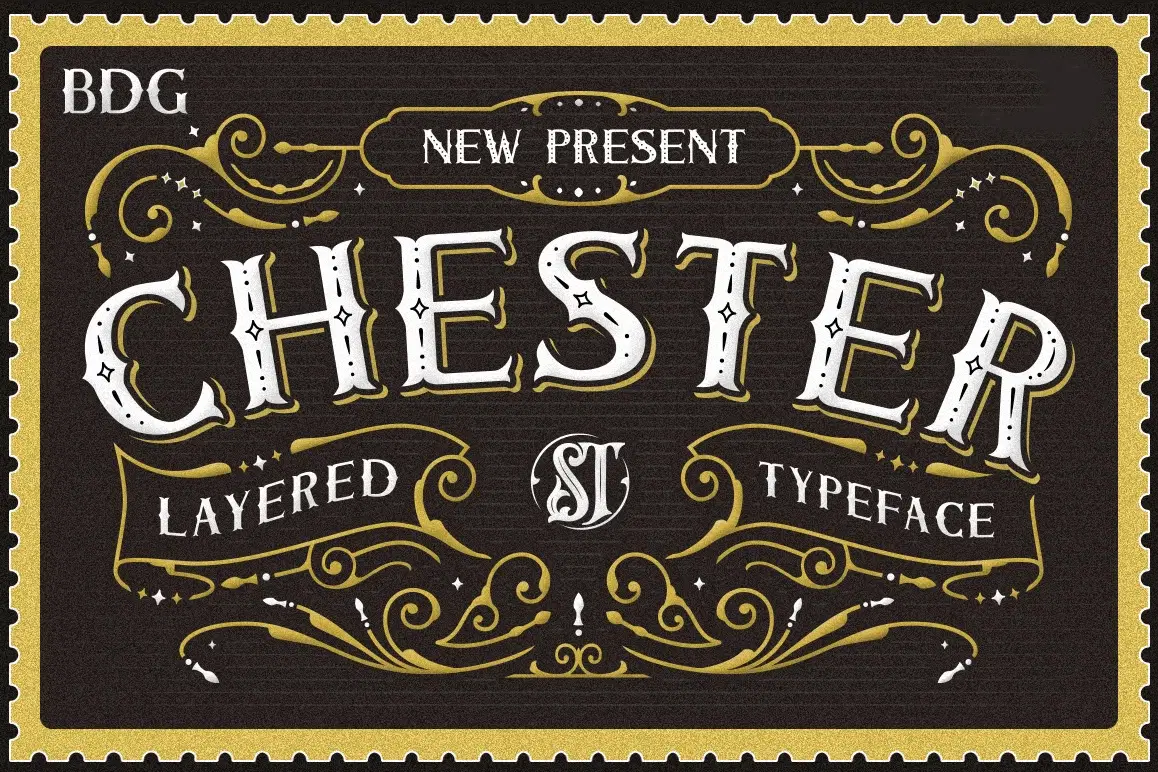
ntroducing new layered font family it's call Chester , inspired from combine old postcard stamp and rustic sign painting with have unique decorative shapes. This is collection of type with a layered type system, many possibilities combination and options with 5 font system that can be layered to create different effect ( Basic , Inline, Inner dot, Gradient Inline, Shadow outline & Drop Shade ). You will also get extra ornaments that can help you get an extra touch to your design product.
You can use this font for various purposes.such as logo, product packaging, labeling, logo, classic shop, badges, quote, sign ,movie title, t-shirt, posters, lable, greetingcard, letterhead, book cover, any artwork.
This is what you'll be get:
Chester Basic .otf
Chester Inline .otf
Chester Inline dot .otf
Chester Gradient Inline .otf
Chester Shadow Outline .otf
Chester Drop Shade.otf
Ornament .Eps
Ornament . Ai
Above the description of this font, I hope you're satisfied with what I have created.
Thanks and enjoy designing
Shop confidently with Shuppi
If your download isn’t what was promised, we’ll make it right. Eligible purchases can be refunded within fourteen calendar days when listings mislead, files fail, or duplicate checkouts happen.
- Listings must match what you receive—no surprises.
- Corrupted files or technical issues? Request a quick fix or refund.
- Duplicate purchases are covered without the hassle.