







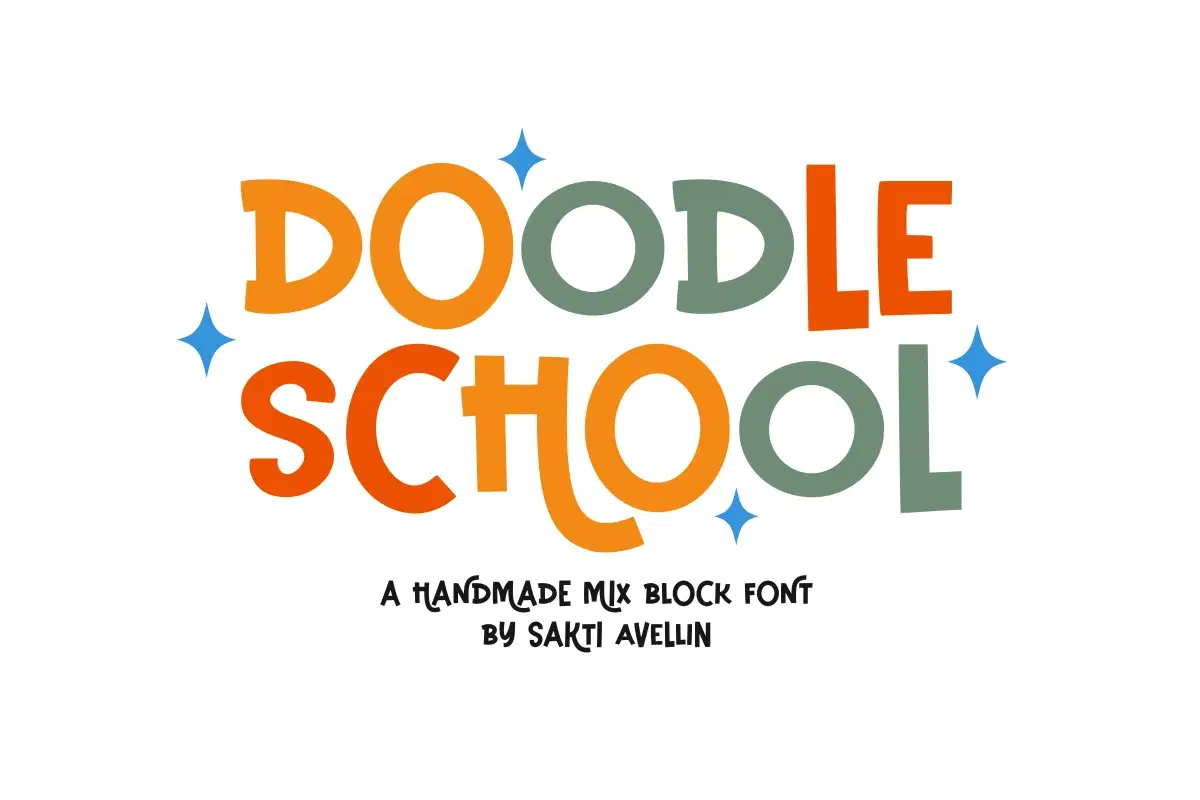
For personal, non-commercial projects only (portfolios, personal blogs, hobby projects).
About
Doodle School is a vibrant, bold, and high-impact handmade mix block font designed by Sakti Avellin to bring a fun, educational spirit to your creative projects. This playful display typeface features chunky, handcrafted letterforms with a unique "mixed" aesthetic, making it an essential choice for school projects, teacher resources, kids' branding, nursery decor, and engaging classroom posters. Its friendly and accessible silhouette ensures it stands out as a powerful decorative font for headlines and product packaging, perfect for designers looking for a bold yet whimsical character. Elevate your educational and youthful designs with the charming personality of Doodle School!
Shop confidently with Shuppi
If your download isn’t what was promised, we’ll make it right. Eligible purchases can be refunded within fourteen calendar days when listings mislead, files fail, or duplicate checkouts happen.
- Listings must match what you receive—no surprises.
- Corrupted files or technical issues? Request a quick fix or refund.
- Duplicate purchases are covered without the hassle.
Product Specs
Tags
Frequently Asked Questions
You May Also Like

TeeHand Upppercase Font
 akropol
Secy Break – Streetwear Fancy Display Font
 Black Junst
10,000 Font Mega Pack Bundle: Versatile Fonts for Designers (Digital Download)
 DiverseMediaShop
Notes School - Cute Handwritten Bouncy Font
 Sakti Avellin
Merry Thick - Bold Mix Font
Sakti Avellin
Rosetype - Handmade Typewriter Font
Sakti Avellin