









Desktop - Personal
For personal, non-commercial projects only (portfolios, personal blogs, hobby projects).
SSL Secured Stripe Powered Buyer Protection
About
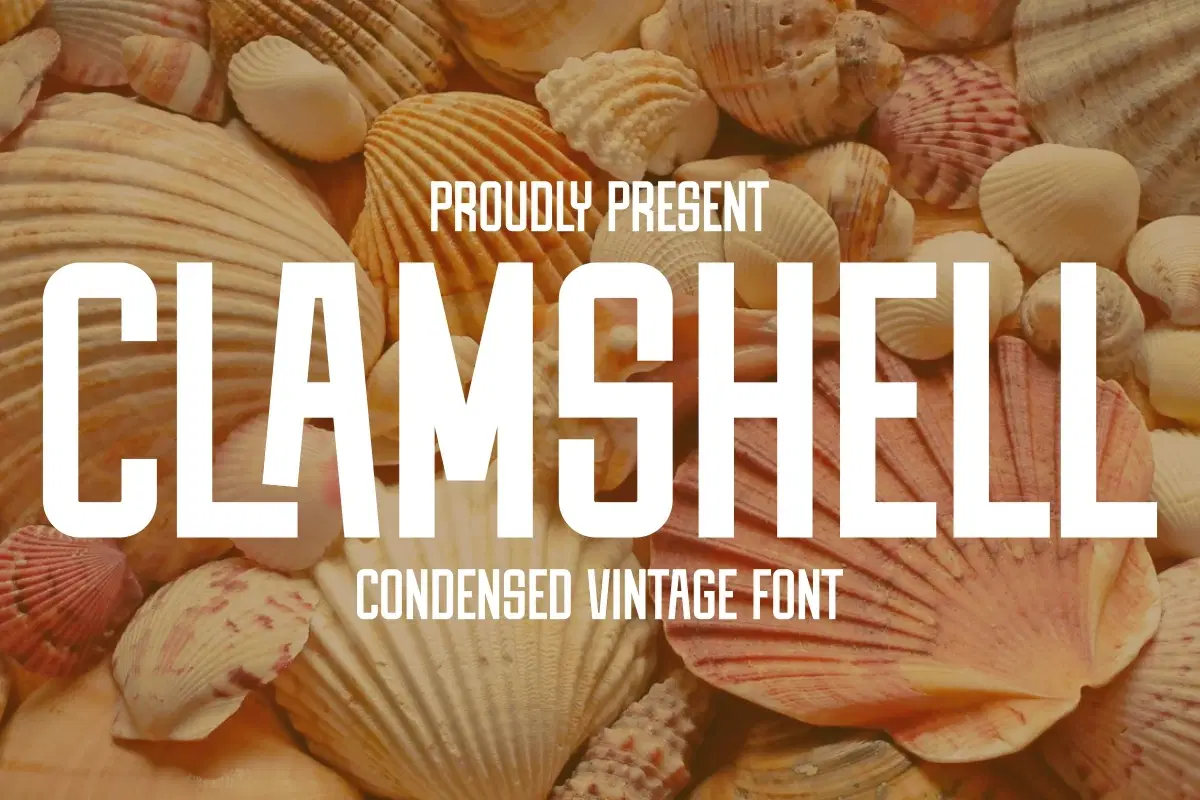
Dive into the past with Clamshell, the must-have Condensed Vintage Font! 🐚🕰️ Its bold, tall structure and classic aesthetic make it perfect for adding a powerful, nostalgic punch to your designs. Ideal for logo design, posters, t-shirts, and all things retro branding. Grab this display font now and bring that timeless, high-impact feel to your work!
Trustpilot
TrustScore4.4
14-Day Refund Promise
Shop confidently with Shuppi
If your download isn’t what was promised, we’ll make it right. Eligible purchases can be refunded within fourteen calendar days when listings mislead, files fail, or duplicate checkouts happen.
- Listings must match what you receive—no surprises.
- Corrupted files or technical issues? Request a quick fix or refund.
- Duplicate purchases are covered without the hassle.
SSL Secured Stripe Powered Buyer Protection
Product Specs
File Format(s)
OTF, TTF
Glyphs
+100 CHARACTER
Styles Included
REGULAR
Compatible With
WINDOWS
Download Size
37 KB
Created
Dec 8, 2025
Version Number
1.0
Tags
sans serif fontdisplay fontvintage fontbold fontretro fontcondensed fontligature fontsummer fonttall fontbranding font
Frequently Asked Questions
You May Also Like

TeeHand Upppercase Font
 akropol
Secy Break – Streetwear Fancy Display Font
 Black Junst
Vintage Camping - Condensed Vintage Font
 Pian45 Studio
Vintage Stickers - Condensed Vintage Font
Pian45 Studio
10,000 Font Mega Pack Bundle: Versatile Fonts for Designers (Digital Download)
 DiverseMediaShop
Vintage Tumbler - Modern Vintage Font
Pian45 Studio