




For personal, non-commercial projects only
About
Designed for users who want a structured, realistic way to manage food costs and weekly cooking without chaos.
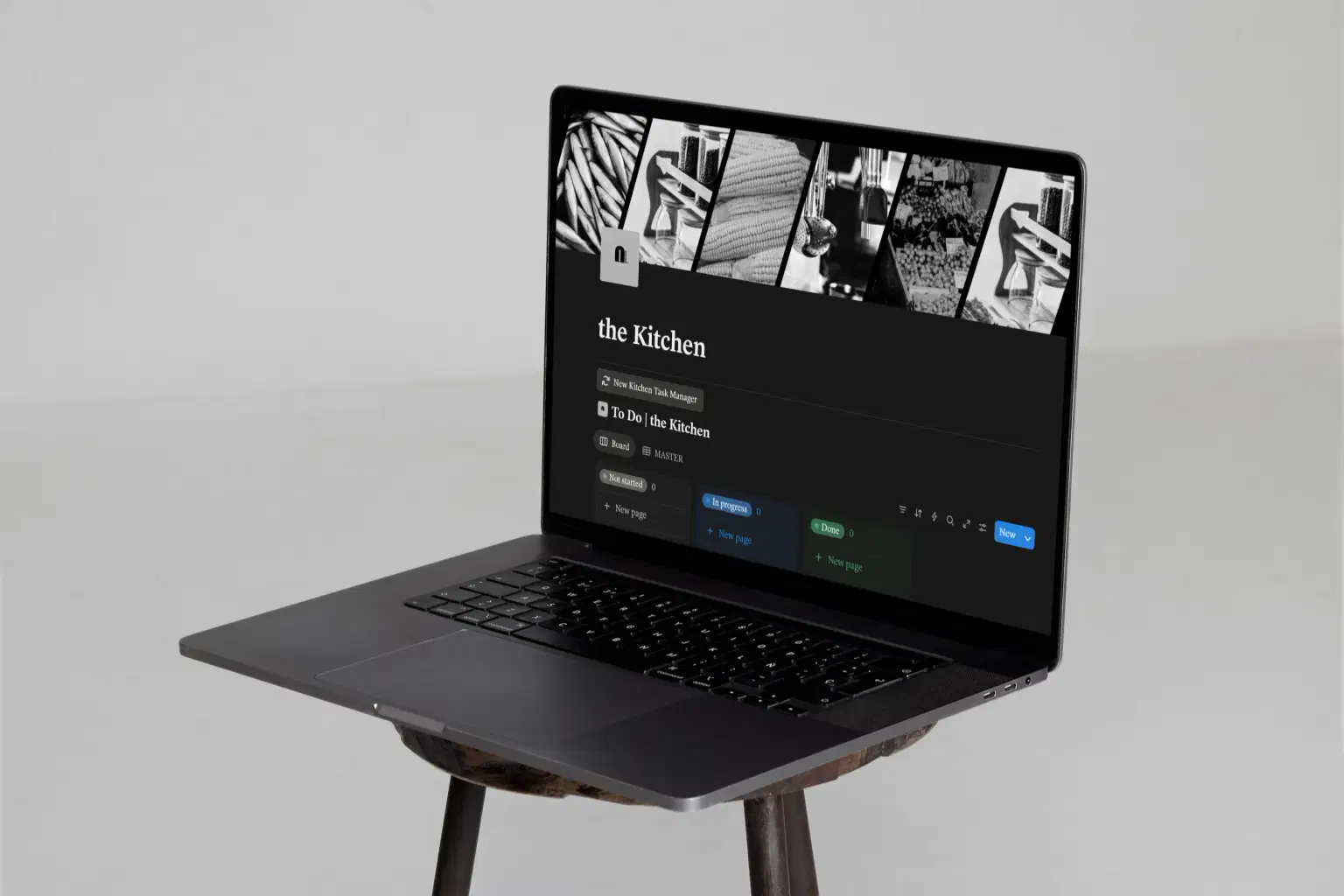
This Notion meal planning template is a complete kitchen management system for organizing recipes, planning weekly meals, and tracking grocery spending.
This framework was designed for women who want to build a more organized kitchen, know where their money is going, and spend less time running an efficient home.
Features:
Weekly meal planning framework
Linked recipe table
Grocery list builder with price tracking
Meal cost tracking
Organized kitchen hub
Mobile compatibility, with you in the supermarket
Built in Dark Mode
Built with Notion
Brand Ambassador support, forever
Part of the Systems Collection - a line of structured Notion systems for the architecture of an elevated life.
Shop confidently with Shuppi
If your download isn’t what was promised, we’ll make it right. Eligible purchases can be refunded within fourteen calendar days when listings mislead, files fail, or duplicate checkouts happen.
- Listings must match what you receive—no surprises.
- Corrupted files or technical issues? Request a quick fix or refund.
- Duplicate purchases are covered without the hassle.
Product Specs
Tags
Frequently Asked Questions
You May Also Like

The Ultimate Digital Planner Bundle
 Toptoria
Recipe, Grocery & Meal Planner | Notion Template
 sof(t) space
Weekly Meal Planner & Grocery List — End the Daily "What's for Dinner?" Stress (Excel, Sheets & Print)
 Level Up Co
Nutrition Planner | Macros, Meals & Expiry Tracker
 Vadym Mariiechko
Notion Meal Planner Template
 C-MAX Digital
Healthy Habits Starter Pack: Meal Planner + 30-Day Challenge
 The Easy Plate