
















Personal learning, hobby projects, non-commercial renders
About
Cemetery 3D Asset Pack
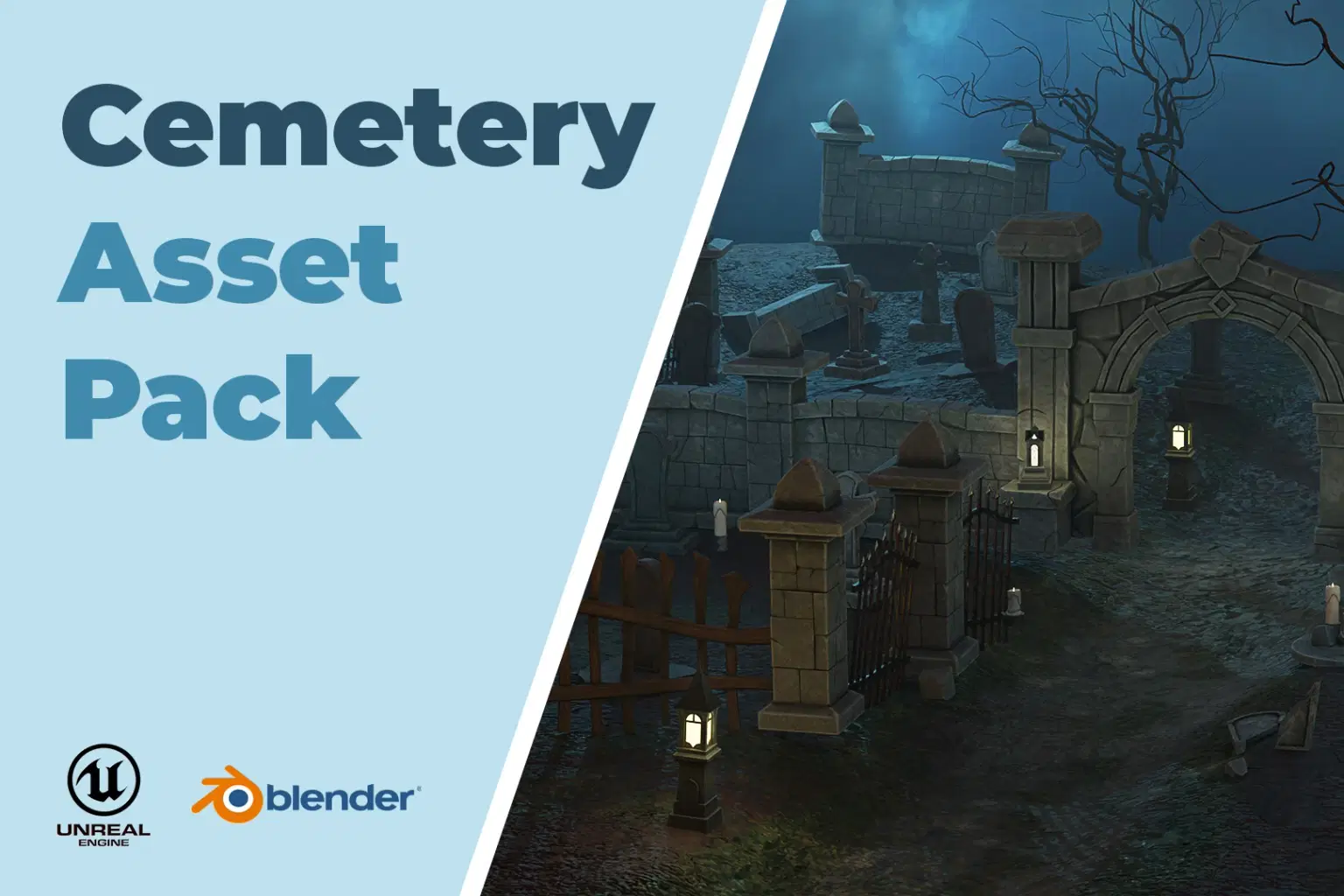
Create eerie and immersive graveyard scenes with the Cemetery 3D Asset Pack! Designed for game developers, environment artists, and visual storytellers, this pack provides everything you need to build a realistic and atmospheric cemetery setting.
Pack Features:
29 Unique Meshes – Includes gravestones, tombs, stone walls, pillars, stone gates, coffins, and more.
High-Quality Textures – Comes with 1K, 2K, and 4K texture resolutions for maximum flexibility.
Optimized LOD System – Features LOD0, LOD1, and LOD2 for improved performance.
Unreal Engine Project Included – Contains a fully set up example environment, ready to use or easily integrated into your own Unreal projects.
Whether you're working on a horror game, fantasy world, or historical setting, this pack brings your cemetery scenes to life with realistic details and optimized performance.
For any inquiries, feel free to contact me at: yilmazoguzfatih@gmail.com
Shop confidently with Shuppi
If your download isn’t what was promised, we’ll make it right. Eligible purchases can be refunded within fourteen calendar days when listings mislead, files fail, or duplicate checkouts happen.
- Listings must match what you receive—no surprises.
- Corrupted files or technical issues? Request a quick fix or refund.
- Duplicate purchases are covered without the hassle.
Product Specs
Tags
Frequently Asked Questions
You May Also Like

Scandinavian Low Poly Assets Pack
 JG3D
JG3D
Archipelago Low Poly Assets Pack
JG3D
Pillow Base Mesh Asset Pack – High & Low Poly (4 Shapes + Paintkits)

Atomic 60's Model Pack (Assets From 'We Heist Too')
 DiverseMediaShop
5200+ GB Digital Content Mega Pack: Graphic Bundles, Mockups, Articles (MRR) (Digital Download)
DiverseMediaShop
Low Poly Stylized Vehicle Pack – Drivable Assets for Unreal Racing Games
 BlueCat