



























For personal, non-commercial projects only (portfolios, personal blogs, hobby projects).
About
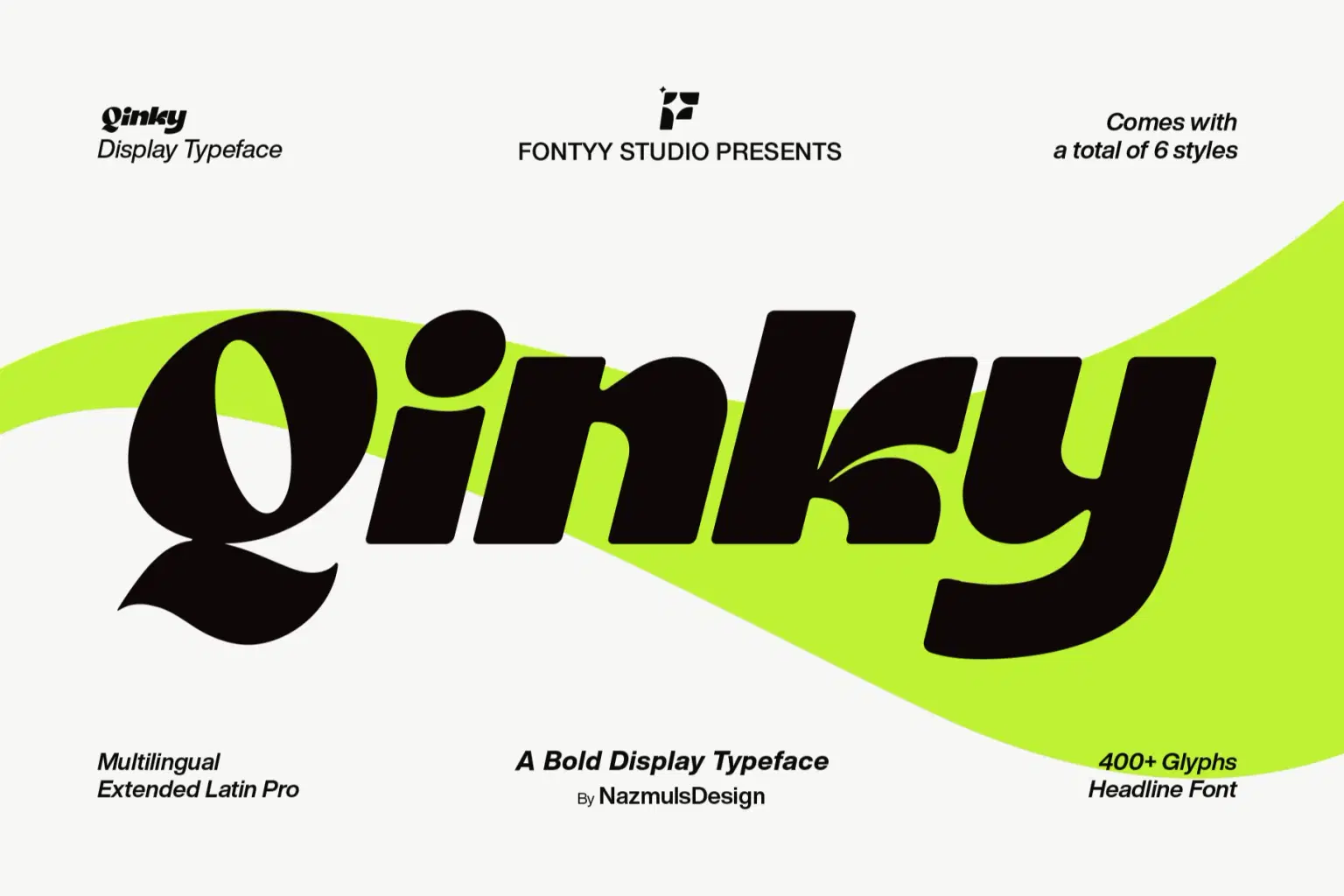
Qinky is a bold display typeface designed to push visual expression beyond ordinary typography. Inspired by modern geometric forms and softened with fluid curves, it creates a distinctive balance between strength and elegance. Each character has been meticulously refined to ensure consistency, clarity, and personality across the entire typeface.
The family includes Qinky Regular, Regular Italic, Expanded, Expanded Italic, Ultra Expanded, and Ultra Expanded Italic, giving designers greater flexibility for hierarchy, emphasis, and expressive layouts. Whether you're creating a bold brand identity or an eye-catching display, Qinky adapts effortlessly to a wide range of creative projects.
Included File Formats:
OTF (OpenType)
TTF (TrueType)
WOFF
WOFF2
Perfect for: Branding • Logo Design • Headlines • Posters • Packaging • Editorial Design • Advertising • Social Media • Web Design • Modern Typography
Shop confidently with Shuppi
If your download isn’t what was promised, we’ll make it right. Eligible purchases can be refunded within fourteen calendar days when listings mislead, files fail, or duplicate checkouts happen.
- Listings must match what you receive—no surprises.
- Corrupted files or technical issues? Request a quick fix or refund.
- Duplicate purchases are covered without the hassle.
Product Specs
Tags
Frequently Asked Questions
You May Also Like

Secy Break – Streetwear Fancy Display Font
 Black Junst
TeeHand Upppercase Font
 akropol
10,000 Font Mega Pack Bundle: Versatile Fonts for Designers (Digital Download)
 DiverseMediaShop
Display Morphlet Font.
 MHR Assets
Tropical Horizon - Bold Sans Display Font
 Masyafi Studio
Heart Break - Groovy Display Font
 Sakti Avellin