

















For personal, non-commercial projects only
About
About
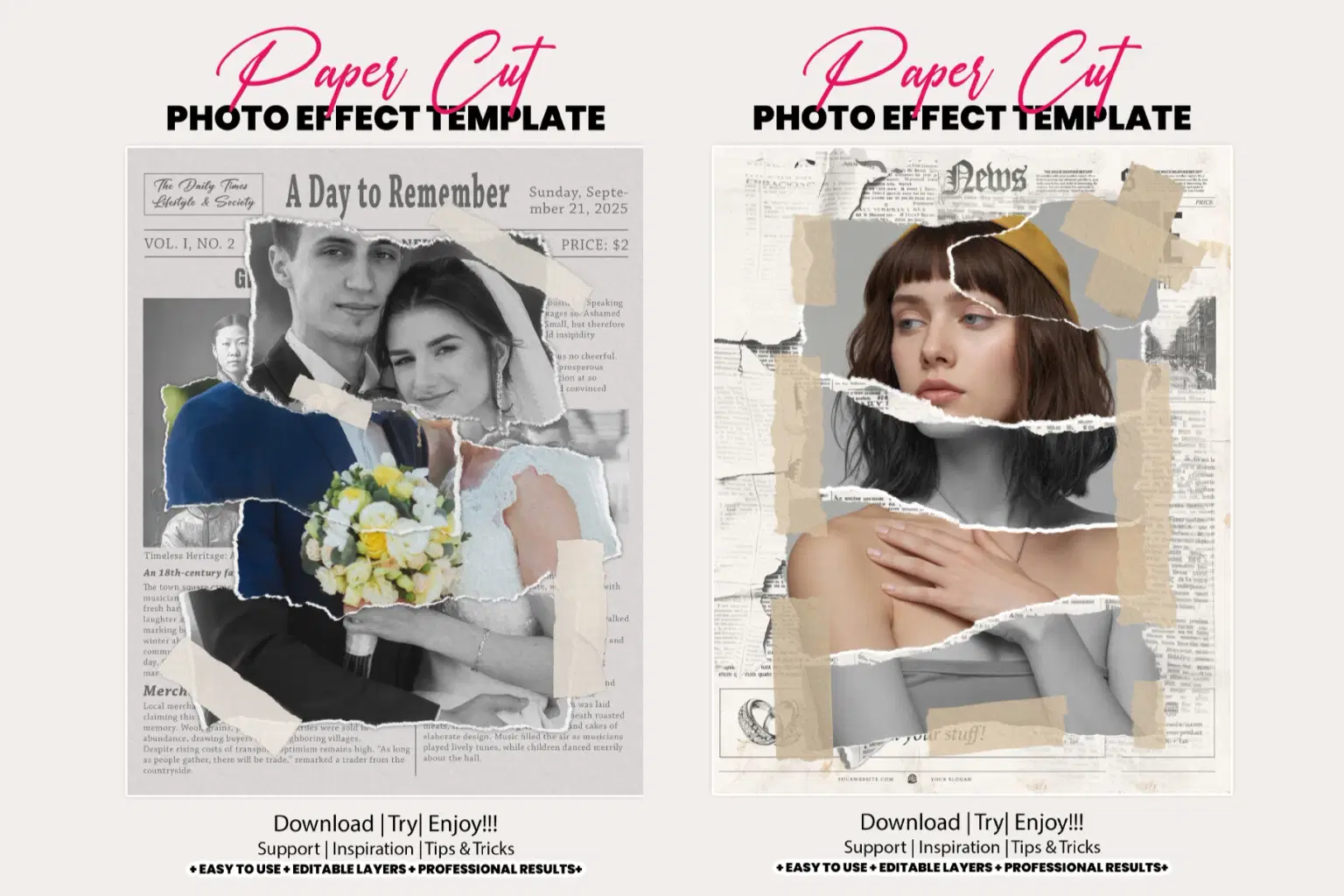
Torn Paper Cut Photo Effect Template
Transform your photos into stylish, artistic compositions with the Torn Paper Cut Photo Effect Template. This editable Photoshop template gives your images a creative ripped paper collage look, perfect for posters, album covers, social media posts, and digital artwork. With realistic torn edges, layered textures, and high-resolution output, this photo effect adds a trendy handmade aesthetic to your visuals in just a few clicks.
Fully customizable and easy to use, the Torn Paper Cut Photo Effect Template allows you to adjust colors, shadows, and layers for a unique, personalized design every time. Ideal for photographers, designers, and digital artists looking to add a modern artistic touch to their projects.
Perfect For:
Creative photo manipulation and collage art
Social media and marketing visuals
Artistic posters and print design
Fashion, lifestyle, and aesthetic branding visuals
Key Highlights:
Realistic torn paper edges for an authentic handmade look
Editable Photoshop template with organized layers
High-resolution output for print and digital use
Easy customization of colors, shadows, and textures
Ideal for posters, album covers, and social media graphics
Non-destructive editing ensures flexibility and quality
Perfect for photographers, designers, and digital artists
Works seamlessly with Adobe Photoshop CS6 and above
Adds a modern collage and scrapbook-style aesthetic
Ready-to-use smart object layers for quick results
What Is Include
06 Photoshop RAW PSD File: Fully editable and layered for seamless customization, giving you complete control over your artwork.
06 Unique Watercolor Effects: Choose from five professionally crafted watercolor styles to enhance your wedding photos.
Smart Object Placement: Effortlessly replace your photo, and watch the magic happen with one simple step.
Artwork Size: Optimized for large prints at 16x20 inches, 300 DPI, ensuring high-resolution results perfect for framing.
Working Software Version
CC2015.5 English Version.
Software support version: CS4, Cs5.5, CS6, CC, CC2015.5, CC2017, CC2018, CC2019, CC2020, CC2021, CC2022, CC2023+
Shop confidently with Shuppi
If your download isn’t what was promised, we’ll make it right. Eligible purchases can be refunded within fourteen calendar days when listings mislead, files fail, or duplicate checkouts happen.
- Listings must match what you receive—no surprises.
- Corrupted files or technical issues? Request a quick fix or refund.
- Duplicate purchases are covered without the hassle.
Product Specs
Tags
Frequently Asked Questions
You May Also Like

16-in-1 Photoshop Actions Mega Bundle
 studio retouch
AI Paper Collage Studio Photoshop Action
studio retouch
17 Viral Editing Effects Photoshop Action Bundle
studio retouch
Instant Photo To Oil Painting FX Photoshop Action
studio retouch
RGB Prism Explosion FX — Photoshop Action
studio retouch
Color Restoration Photoshop Actions
studio retouch