














Personal use only
About
About
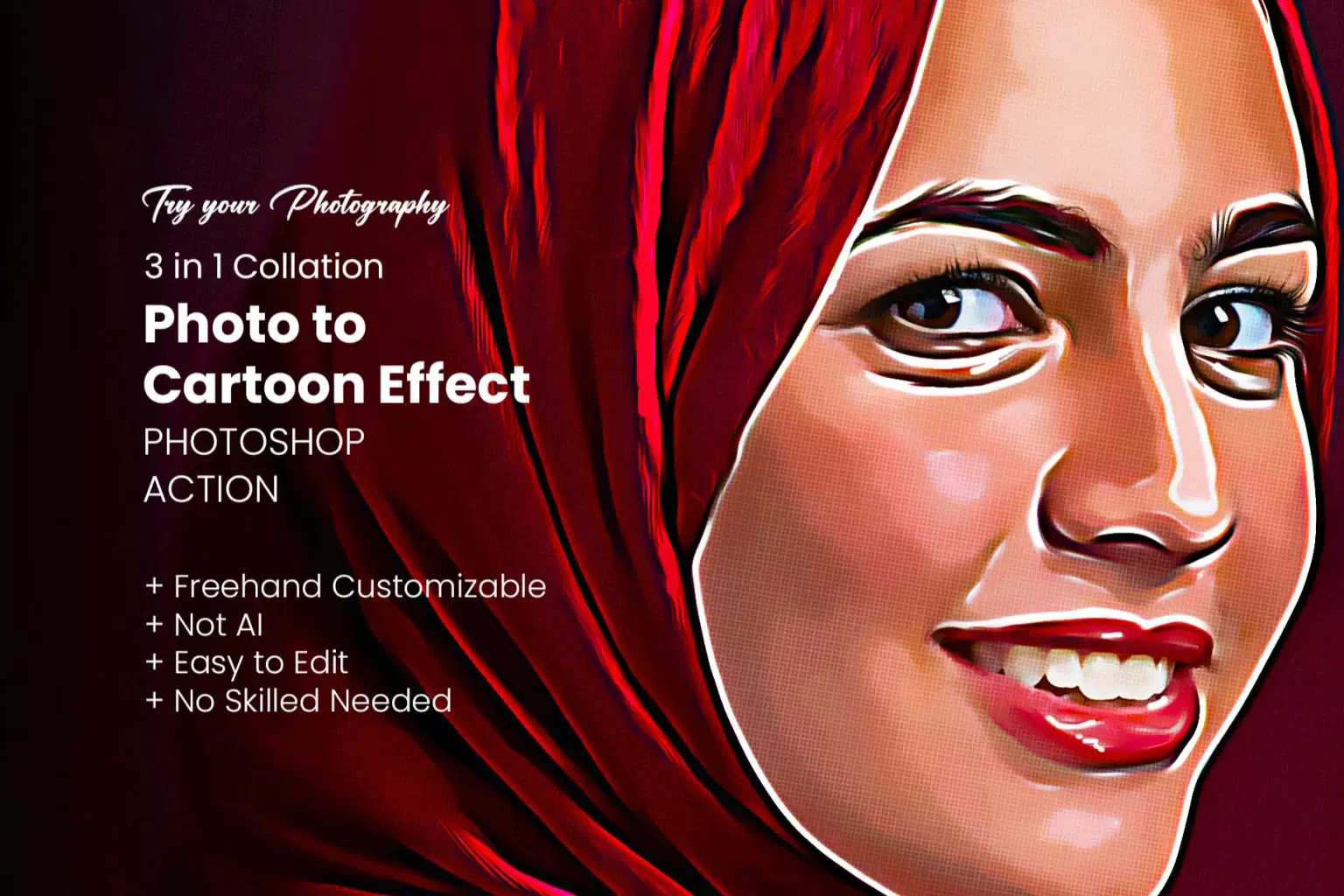
Photo to Cartoon Effect Photoshop Action No skilled needed
Photo to Cartoon Effect Photoshop Action is a professional and easy-to-use tool that transforms your photos into stunning cartoon-style artwork with just a single click. Perfect for portraits, social media graphics, digital illustrations, posters, and creative projects, this action gives your images a vibrant, hand-drawn cartoon look in seconds. It comes with fully editable layers, customizable colors, and non-destructive effects, ensuring you maintain complete control over your final design. Ideal for photographers, designers, and digital artists, this action saves time while delivering high-quality cartoon results that impress.
Watch video how to use
https://www.youtube.com/watch?v=XaN-CgzuO2o
✨ What’s Included in Your Download:
Photoshop ATN File – Core action for instant cartoon transformation.
Step-by-Step Help Guide (Note) & Video Tutorial – Simple instructions so anyone can use it.
⭐ Key Features:
🎨 One-Click Cartoon Effect – Instantly turn photos into cartoon-style artwork.
🖌️ Editable Layers – Fully organized and customizable for easy adjustments.
🌈 Customizable Colors – Change and fine-tune colors to match your style.
⚡ Non-Destructive Workflow – Original photo remains untouched for flexibility.
🖼️ High-Resolution Output – Works perfectly with high-quality images.
👩🎨 Professional Results – Ideal for portraits, posters, social media, and creative art.
💡 Time-Saving Tool – Fast and easy setup for beginners and professionals.
📂 Well-Documented – Includes step-by-step instructions for smooth usage.
Working Software Version
CC2015.5 English Version.
Software support version: CC2015.5, CC2017, CC2018, CC2019, CC2020, CC2021, CC2022, CC2023+
⚡ How to Use:
Open your photo in Photoshop.
Make sure your image is in RGB mode and the background layer is named “Background.”
Load the ATN action file.
Hit the Play button – your photo transforms instantly into a cartoon!
Why Choose Photo to Cartoon Effect Photoshop Action?
No skill needed – simple, beginner-friendly setup.
Saves hours of manual cartoon drawing.
Perfect for posters, social media, portraits, gifts, and digital artworks.
Bring a playful, creative touch to your photos with the Photo to Cartoon Effect Photoshop Action—fast, fun, and professional
Shop confidently with Shuppi
If your download isn’t what was promised, we’ll make it right. Eligible purchases can be refunded within fourteen calendar days when listings mislead, files fail, or duplicate checkouts happen.
- Listings must match what you receive—no surprises.
- Corrupted files or technical issues? Request a quick fix or refund.
- Duplicate purchases are covered without the hassle.
Product Specs
Tags
Frequently Asked Questions
You May Also Like

RGB Prism Explosion FX — Photoshop Action
 studio retouch
17 Viral Editing Effects Photoshop Action Bundle
studio retouch
16-in-1 Photoshop Actions Mega Bundle
studio retouch
RGB Echo Chamber FX Photoshop Action
studio retouch
RGB Portrait Fracture FX Photoshop Action
studio retouch
Vector Oil Paint Art Photoshop Action
studio retouch