




















Personal use only
About
About
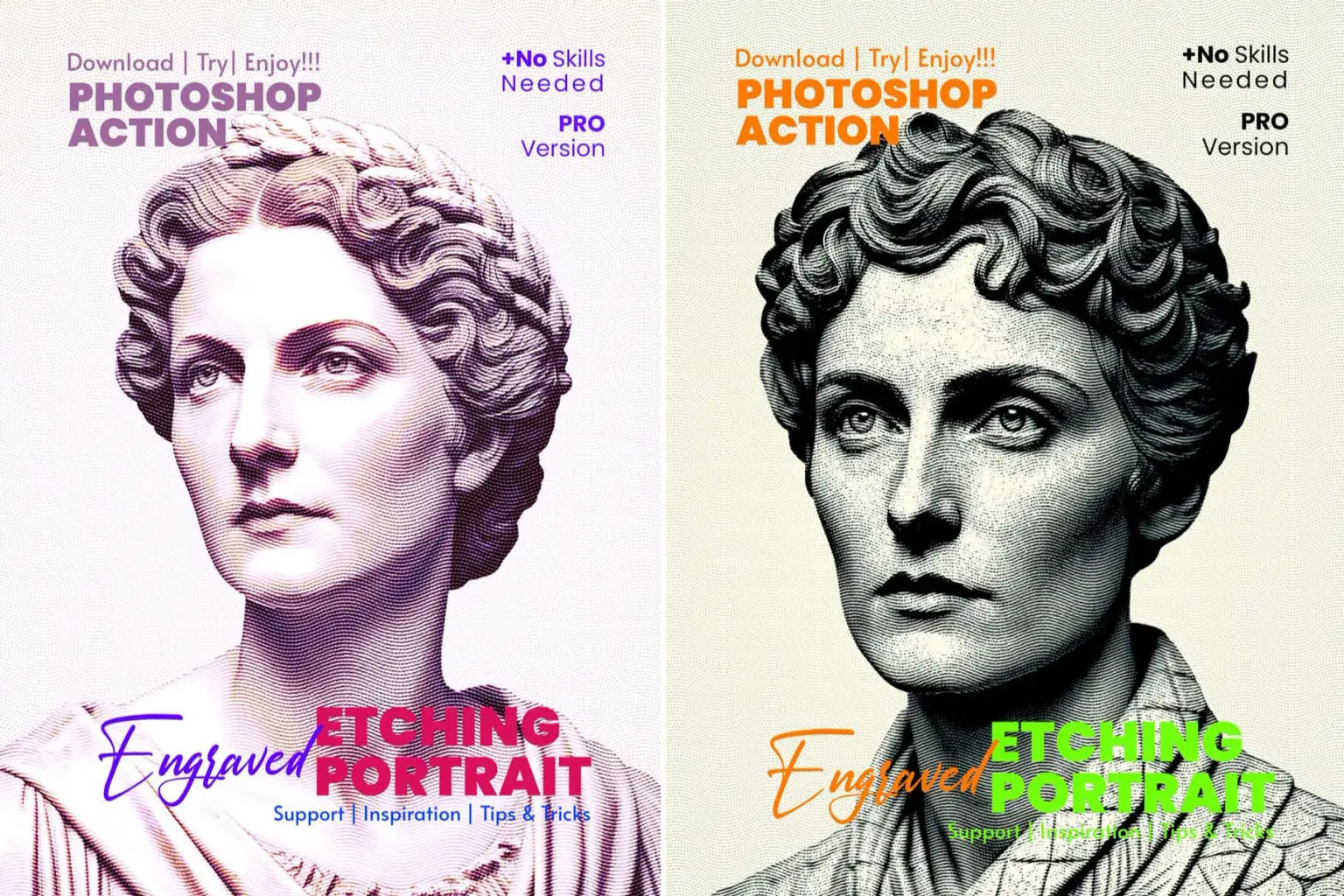
Engraved Etching Portrait Photoshop Action
Create stunning vintage-style artwork instantly with the Engraved Etching Portrait Photoshop Action. This premium action transforms any photo into a classic engraved illustration inspired by traditional printmaking, retro ink etching, and high-detail portrait engraving. Designed for professionals and beginners alike, it delivers clean, crisp, hand-crafted results with full customization control.
Perfect for portraits, fashion images, editorials, posters, album covers, book illustrations, branding projects, and digital art.
✨ Key Features (Fully Customizable) 🎨 Artistic & Engraving Effects
13 Engraved Settings – multiple engraving styles for classic, retro, and detailed line textures
5 Real Color Combines – rich color blends for dynamic engraving tones
12 Color Effects artistic color looks for different moods and styles
Free Hand Customer (7 Custom Controls) – manually fine-tune shading, depth, line texture, and tones
1 Effect Adjustment Panel – refine intensity, sharpness & engraving depth
🖼️ Texture, Background & Add-Ons
1 Background Noise Texture – authentic vintage grain
1 Sticker Border – optional frame for poster-style designs
1 Background Texture – hand-crafted retro paper effect
6 Background Colors – ready presets for fast output
6 Adjustments – professional color/contrast/lighting refinements
This action gives you the complete power to create museum-style engraved illustrations in just one click.
💼 What’s Included
1 ATN File (Photoshop Action)
1 PAT File (Pattern File)
1 Help File (Step-by-step Guide)
Compatible with Adobe Photoshop CC & Above
Works on Windows & Mac
🔖 Why Choose This Product
✅ Pure Photoshop Tool — No AI Required
✅ Professional Engraved Art in Seconds
✅ Lifetime Use — No Subscription Needed
✅ Fully Editable Layers & Results
✅ Trusted by 10,000+ Photoshop Users Worldwide
🌐 Perfect For
Fashion Designers
Digital Artists
Photographers
Manipulation Artists
Illustrators
Creative Professionals
Branding & Print Designers
Shop confidently with Shuppi
If your download isn’t what was promised, we’ll make it right. Eligible purchases can be refunded within fourteen calendar days when listings mislead, files fail, or duplicate checkouts happen.
- Listings must match what you receive—no surprises.
- Corrupted files or technical issues? Request a quick fix or refund.
- Duplicate purchases are covered without the hassle.
Product Specs
Tags
Frequently Asked Questions
You May Also Like

SCRATCHBOARD INK ENGRAVING FX — Photoshop Action
 studio retouch
Steel Plate Portrait FX Photoshop Action
studio retouch
Guilloche Currency Engraver FX Photoshop Action
studio retouch
Vector Ink Sketch FX Photoshop Action
studio retouch
RGB Portrait Fracture FX Photoshop Action
studio retouch
masterpiece -oil- paint- portrait -photoshop -action
studio retouch