










Personal use only
About
About
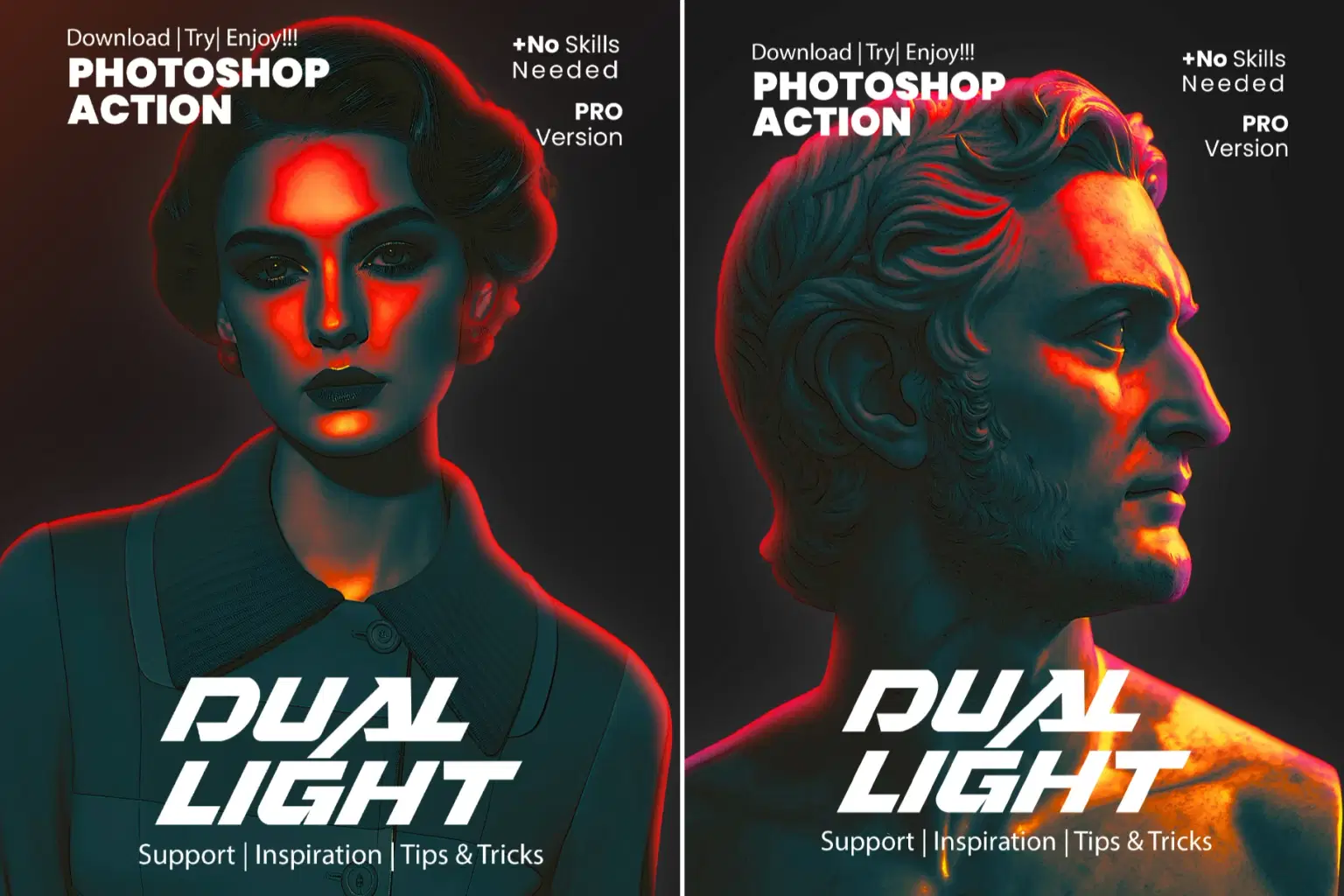
Realistic Dual Light Photoshop Action
Realistic Dual Light Photoshop Action is a powerful photo effect designed to add dramatic, professional dual-tone lighting to your images with a single click. This action creates a realistic blend of warm and cool light sources, enhancing depth, contrast, and mood while preserving natural skin tones and fine details.
Perfect for portraits, fashion photography, cinematic edits, social media visuals, and creative artwork, the Realistic Dual Light effect delivers studio-quality lighting without complex manual adjustments. Fully editable layers allow you to customize light intensity, color balance, and shadows to match your creative vision.
Whether you’re a photographer, designer, or digital artist, this Photoshop action helps transform ordinary photos into eye-catching, high-impact visuals that stand out instantly.
Key Features
One-click realistic dual light effect with professional results
Creates natural warm & cool lighting balance
Enhances depth, contrast, and cinematic mood
Preserves skin tones and fine image details
Fully editable and non-destructive layers
Adjustable light intensity, color, and shadows
Works perfectly for portraits, fashion & creative photos
Compatible with high-resolution images
Easy to use for beginners and professionals
Supports Adobe Photoshop (English version recommended)
Perfect For
Portrait photography
Fashion & beauty photos
Cinematic photo edits
Studio-style lighting effects
Social media & Instagram visuals
Creative posters & artwork
Branding & advertising designs
Photo manipulations
Digital artists & photographers
Compatible Photoshop Versions
CS5.5, CS6
CC, CC 2015.5, CC 2017
CC 2018, CC 2019
CC 2020, CC 2021 and newer
⚠️ English version only
Included:
1 ATN (Photoshop Action File)
1 Help File (Step-by-Step Guide)
Compatible with Photoshop CC & Above
Recommended Image Size
For best results, use images of 3000px or larger. Higher resolution images will produce sharper engraving lines and cleaner poster details.
Why Choose Realistic Dual Light Photoshop Action?
This action is carefully developed to give you professional engraving results instantly—saving hours of manual work. Whether you are a designer, artist, or content creator, you can produce eye-catching engraved posters that stand out with a timeless, handcrafted feel.
Shop confidently with Shuppi
If your download isn’t what was promised, we’ll make it right. Eligible purchases can be refunded within fourteen calendar days when listings mislead, files fail, or duplicate checkouts happen.
- Listings must match what you receive—no surprises.
- Corrupted files or technical issues? Request a quick fix or refund.
- Duplicate purchases are covered without the hassle.
Product Specs
Tags
Frequently Asked Questions
You May Also Like

RGB Prism Explosion FX — Photoshop Action
 studio retouch
17 Viral Editing Effects Photoshop Action Bundle
studio retouch
RGB Echo Chamber FX Photoshop Action
studio retouch
RGB Portrait Fracture FX Photoshop Action
studio retouch
16-in-1 Photoshop Actions Mega Bundle
studio retouch
Ink Silhouette Poster Creator Photoshop Action
studio retouch