For personal, non-commercial projects only (portfolios, personal blogs, hobby projects).
About
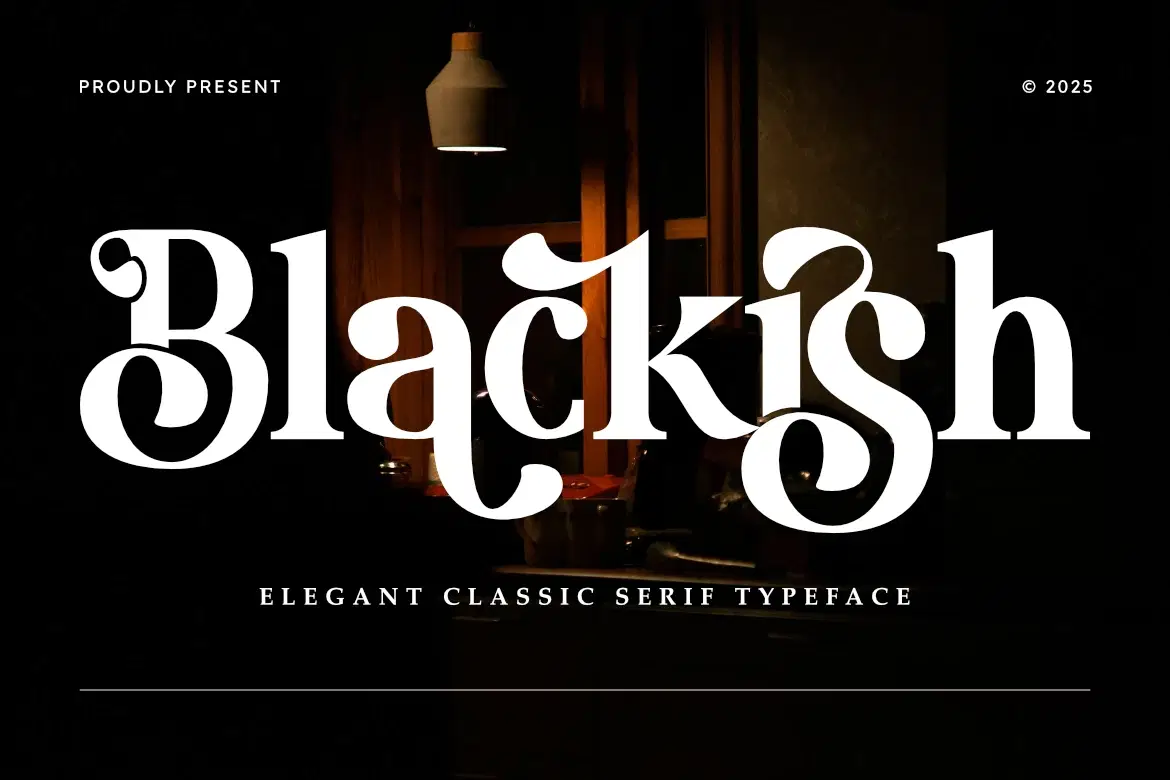
Blackish is a sophisticated serif typeface that blends classic elegance with modern flair. Featuring high-contrast strokes and unique decorative curves, this font is designed to make a statement. Its timeless silhouette makes it perfect for high-end branding, editorial layouts, and luxury packaging.
With the inclusion of Web Font formats (WOFF/WOFF2), Blackish ensures your brand maintains its elegant identity across both print and digital platforms.
Main Features:
Elegant & High-Contrast Serif Design.
Smooth curves and sharp serifs for a premium feel.
Comprehensive character set with multilingual support.
Includes Web Font formats for digital use.
Files Included:
Blackish.otf
Blackish.ttf
Blackish.woff
Blackish.woff2
Shop confidently with Shuppi
If your download isn’t what was promised, we’ll make it right. Eligible purchases can be refunded within fourteen calendar days when listings mislead, files fail, or duplicate checkouts happen.
- Listings must match what you receive—no surprises.
- Corrupted files or technical issues? Request a quick fix or refund.
- Duplicate purchases are covered without the hassle.