































Personal, non-commercial projects
About
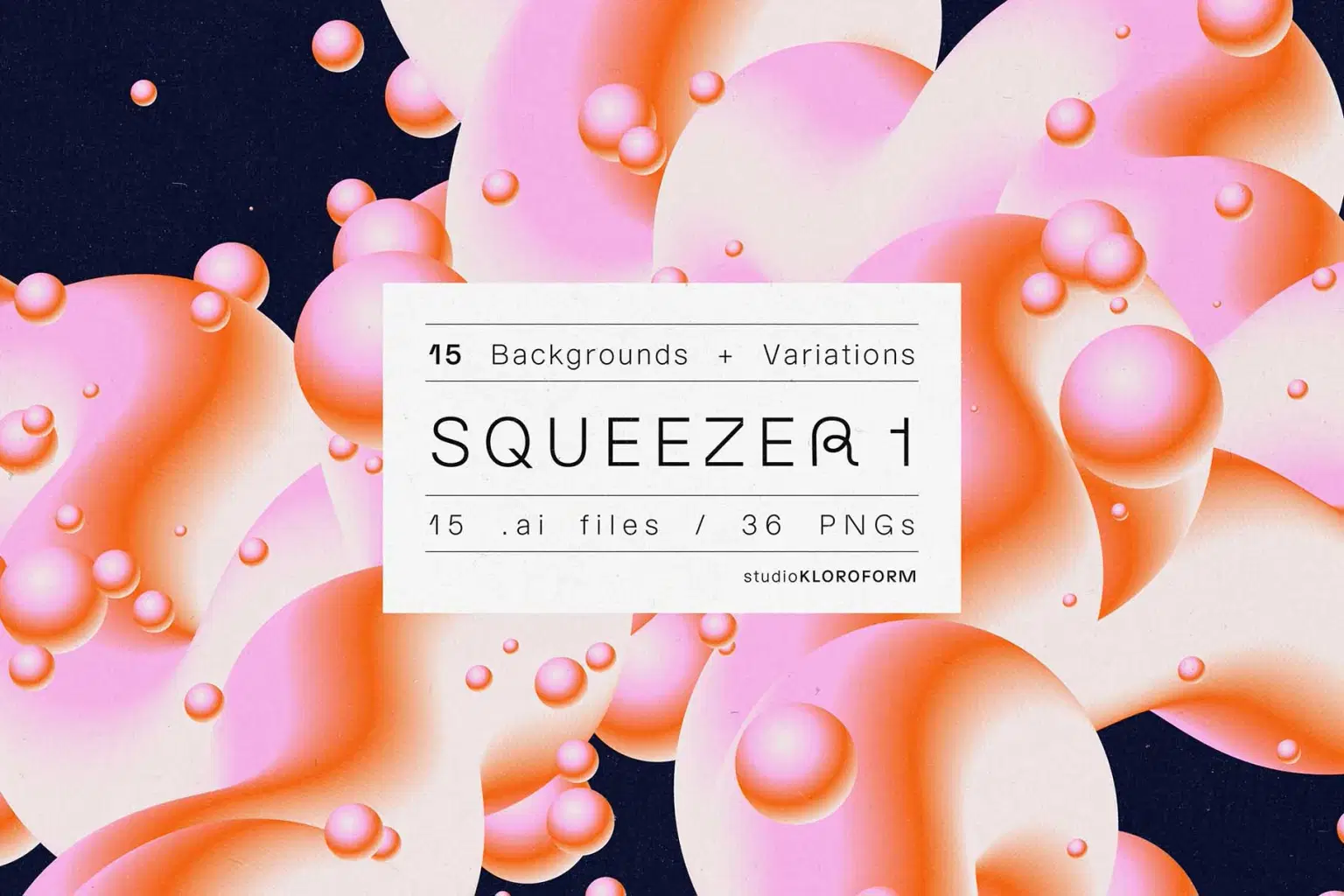
Squeeze these euphoric backgrounds into your design for instant joy and happiness. Use them wildly, and all of your dreams will come true. To boost your energy levels extra confetti is used.
Each illustrator file comes with at least one dots variation. Easily change the color theme of your preferred design using the extensive list of color groups.
To get that grainy feeling, the paper texture used in the previews is also included.
Included:
15 illustrator files
36 PNG’s (4000 x 5648 px)
1 paper texture JPG (4000 x 5259px)
Shop confidently with Shuppi
If your download isn’t what was promised, we’ll make it right. Eligible purchases can be refunded within fourteen calendar days when listings mislead, files fail, or duplicate checkouts happen.
- Listings must match what you receive—no surprises.
- Corrupted files or technical issues? Request a quick fix or refund.
- Duplicate purchases are covered without the hassle.
Product Specs
Tags
Frequently Asked Questions
You May Also Like

FLUTTER 2 - 12 Backgrounds + Variations
 KLOROFORM
162 Virtual Backgrounds for Zoom and Teams Virtual Meetings (6 Categories) | Interior & Exterior Views
 DiverseMediaShop
FLUTTER 1 - 22 Backgrounds + Variations
KLOROFORM
Zoom & Teams Virtual Backgrounds: Interior, Exterior, Nature (Digital Download)
DiverseMediaShop
Zoom Backgrounds: Spooky, Grunge, Dark Themes (Digital Download)
DiverseMediaShop
5 Virtual Backgrounds for Zoom and Teams Virtual Meetings | Interior & Exterior Views - Medicine Theme - Digital Product | Instant Download
DiverseMediaShop