











Personal, non-commercial projects
About
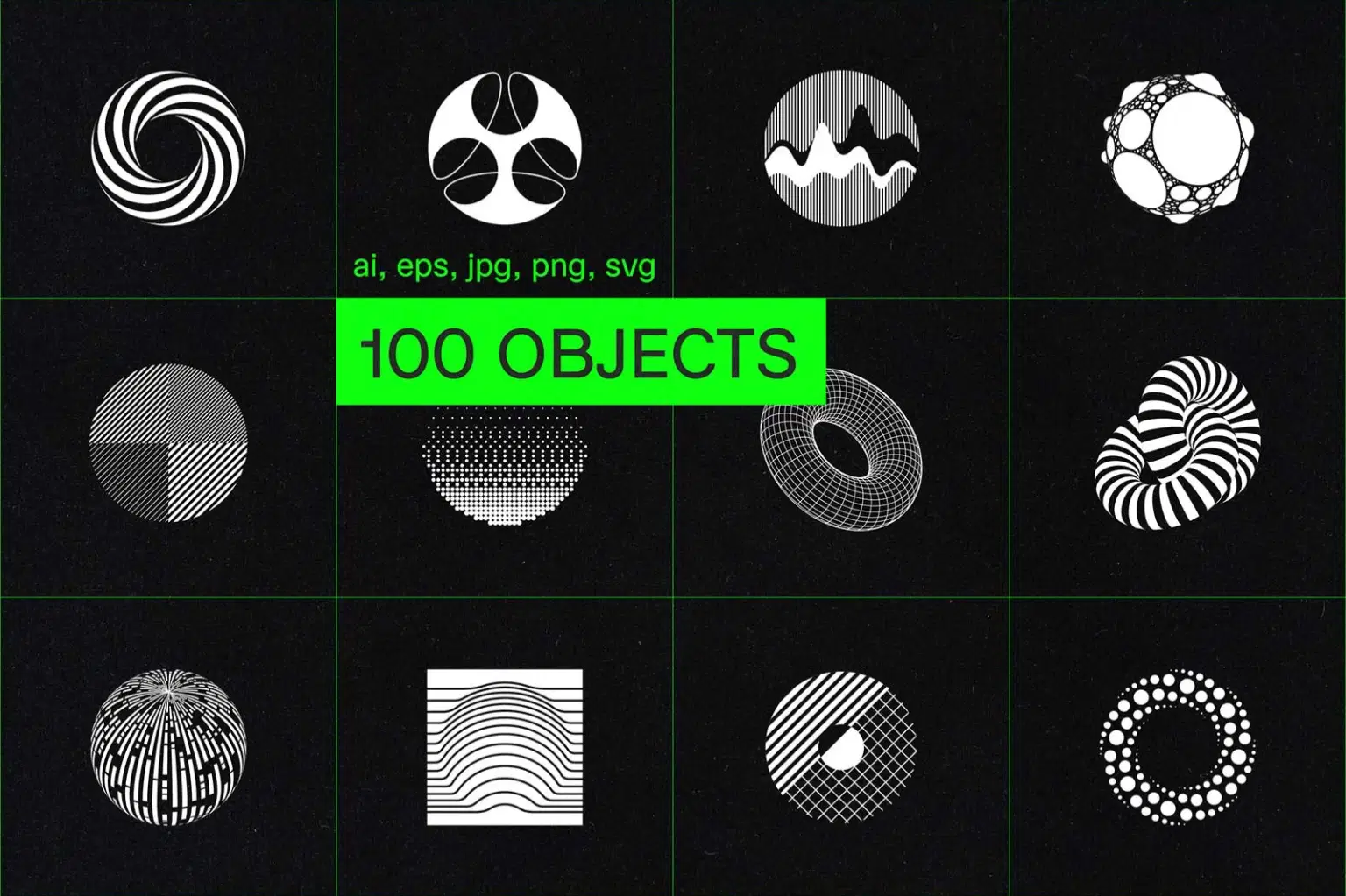
100 circles and spheres built from lines, dots, grids, and geometric patterns—all in pure black and white. Some use tight line work that creates optical depth, others stack concentric rings or radiating elements, and a few employ halftone dots or warped grids for dimensional effects. The variety spans flat graphic circles, 3D mapped spheres, spiral forms, and abstract compositions.
The strict monochrome palette and vector format mean they scale infinitely and work anywhere—logo marks, icon systems, poster graphics, packaging, apparel, or stationery. The geometric precision gives them a technical quality that works for tech branding, music design, or editorial projects.
INCLUDED:
• 2 illustrator files with all objects
• 100 JPGs
• 100 PNGs
• 100 SVGs
• 100 EPS files
• paper texture used in the preview (jpg)
Shop confidently with Shuppi
If your download isn’t what was promised, we’ll make it right. Eligible purchases can be refunded within fourteen calendar days when listings mislead, files fail, or duplicate checkouts happen.
- Listings must match what you receive—no surprises.
- Corrupted files or technical issues? Request a quick fix or refund.
- Duplicate purchases are covered without the hassle.
Product Specs
Tags
Frequently Asked Questions
You May Also Like

10000 Icons SVG & PNG Bundle: Business, Social Media, Marketing (Digital Download)
 DiverseMediaShop
Premium 3D Letters & Numbers Icon Pack
 Toptoria
Globes & Spheres - 12 icons/logos
 KLOROFORM
MONOZEN 1 - 100 icons
KLOROFORM
Retro Windows 3.1 Icon PNG Bundle: 90s Pixel Art (Digital Download)
DiverseMediaShop
Retro Windows 98 Icon Bundle: 1700+ PNGs (Digital Download)
DiverseMediaShop