












Personal learning, hobby projects, non-commercial renders
About
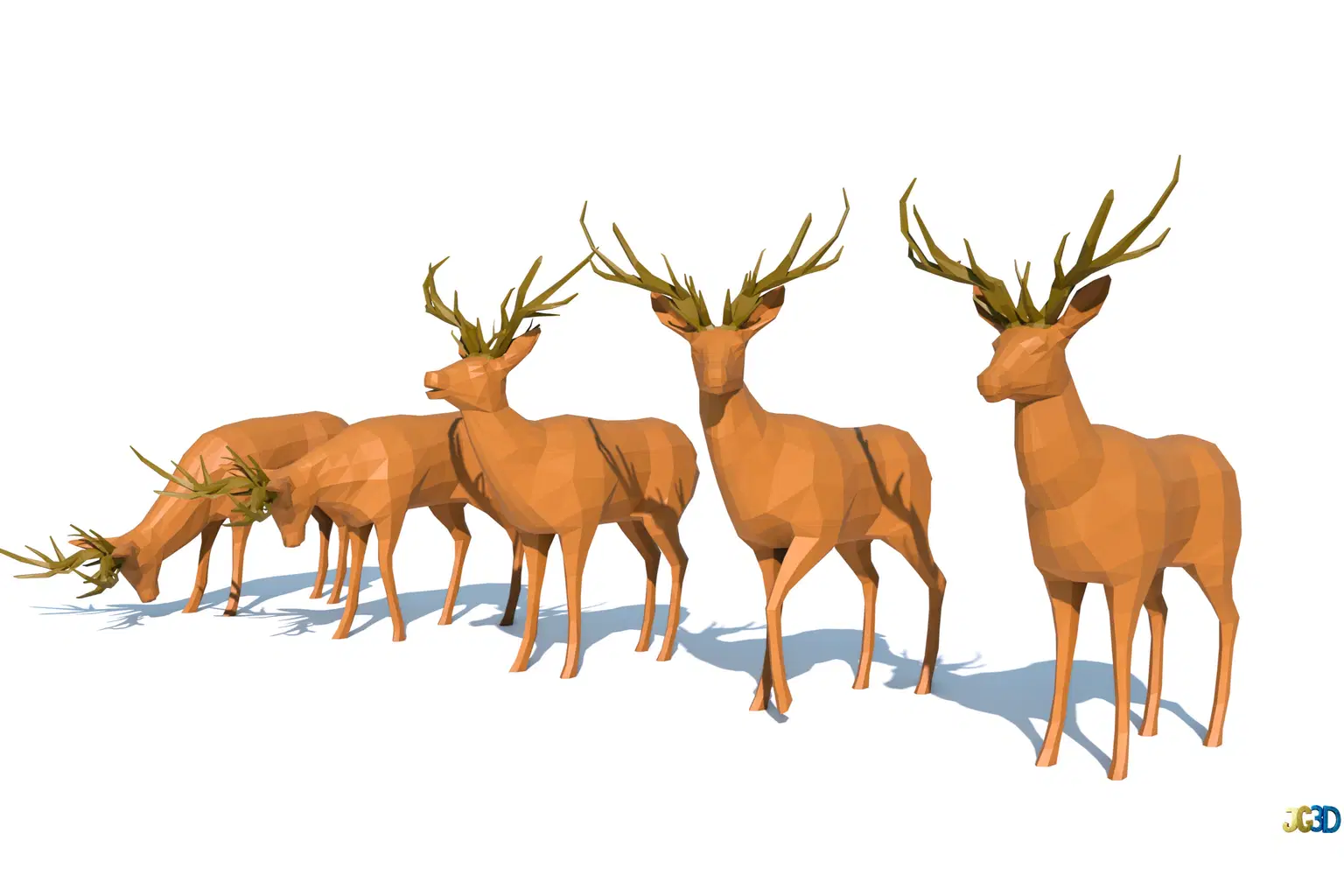
Bring life to your scenes with this lightweight, fully optimized Low Poly Deer model pack. Perfect for games, animation, or stylized environments, each model is carefully crafted for performance and visual consistency.
Features:
5 unique deer poses for versatile scene setup
1 base deer model with clean quad topology (ideal for editing or animation)
Optimized low-poly geometry — around 1005 verts (quad base) / 990 verts (posed models in tris)
Single material using a color palette texture for efficient rendering (Texture available in JPG and PNG)
Fully organized Blender file with Cycles and Eevee render setups, including camera and lighting as shown in the previews
Exported FBX versions included for easy use in any workflow
Compatibility:
Designed to match the Scandinavian Low Poly Assets Pack and Archipelago Asset Pack in both style and scale.
This asset is ready to drop into your game, animation, or diorama — keeping your project lightweight while maintaining a charming low-poly aesthetic.
Shop confidently with Shuppi
If your download isn’t what was promised, we’ll make it right. Eligible purchases can be refunded within fourteen calendar days when listings mislead, files fail, or duplicate checkouts happen.
- Listings must match what you receive—no surprises.
- Corrupted files or technical issues? Request a quick fix or refund.
- Duplicate purchases are covered without the hassle.
Product Specs
Frequently Asked Questions
You May Also Like

Low Poly Environment Set
 Skywolf Game Studios
Fully Animated Low Poly Modular Robots – Stylized Sci-Fi Characters
 Juanpmh's Shop
Low Poly Gym Equipments
 Artem Varnitsin
Pillow Base Mesh Asset Pack – High & Low Poly (4 Shapes + Paintkits)

Archipelago Low Poly Assets Pack
 JG3D
JG3D
Scandinavian Low Poly Assets Pack
JG3D