





















Hobby / Personal
Personal learning, hobby projects, non-commercial renders
SSL Secured Stripe Powered Buyer Protection
About
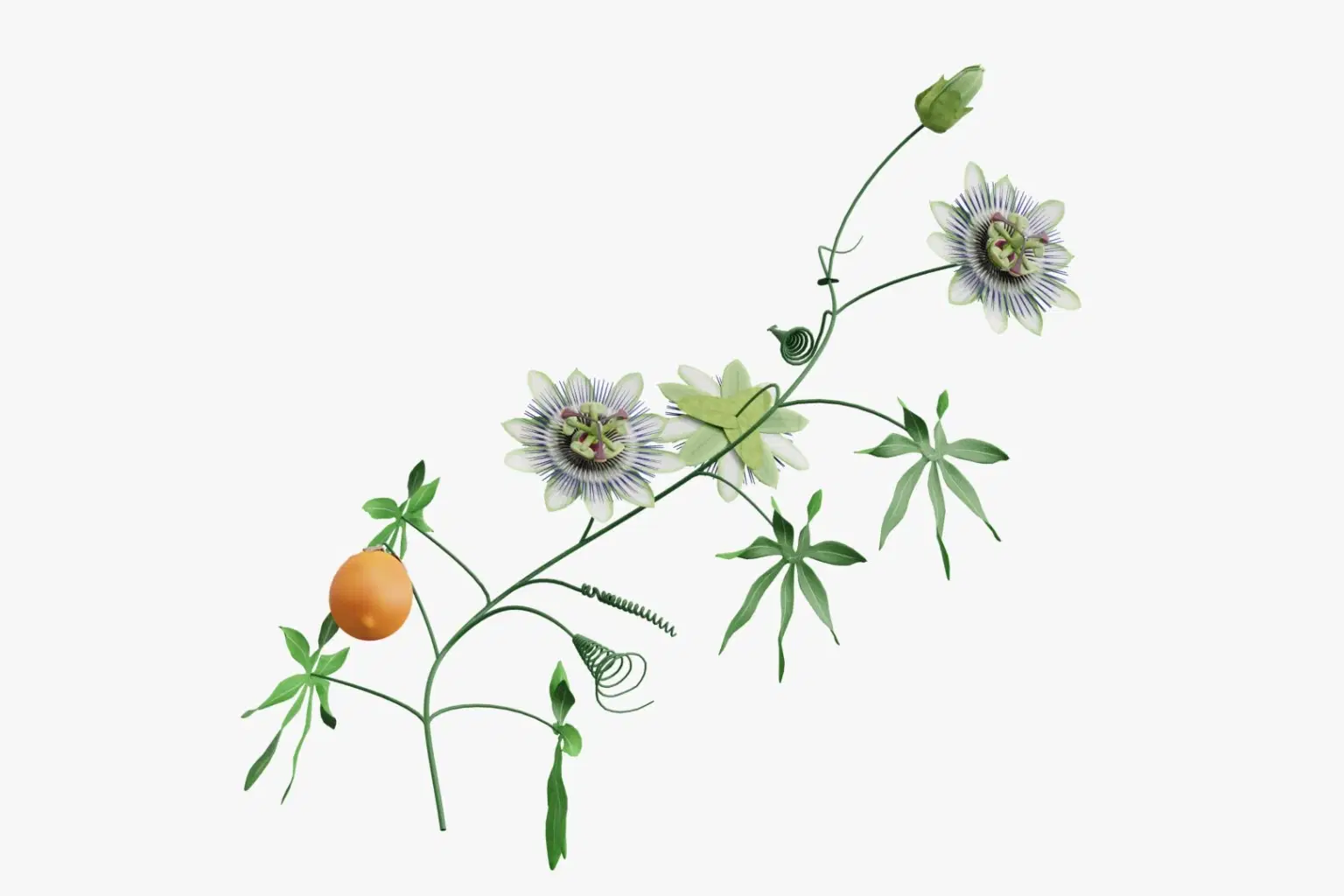
3D model of a branch of Passiflora caerulea, a plant also known as Passion flower.
Created in Blender 3.1.2.
The whole model is textured, with fully unwrapped UVs. 2048x2048 PNG texture maps are provided (color, roughness, normal, specular).
Model consists of 33231 faces and 34899 vertices.
Several exchange formats including .blend, .OBJ, .fbx, .DAE, .stl
Poly count:
Verts: 34899
Faces: 33231
Trustpilot
TrustScore4.4
14-Day Refund Promise
Shop confidently with Shuppi
If your download isn’t what was promised, we’ll make it right. Eligible purchases can be refunded within fourteen calendar days when listings mislead, files fail, or duplicate checkouts happen.
- Listings must match what you receive—no surprises.
- Corrupted files or technical issues? Request a quick fix or refund.
- Duplicate purchases are covered without the hassle.
SSL Secured Stripe Powered Buyer Protection
Product Specs
File Format(s)
.blend, .OBJ, .fbx, .stl, .abc, .usd
Polygon Count
33K polys
Compatible With
Blender, Maya, 3D Studio Max, Cinema 4D, Unity
Rigging Details
not rigged
Animation Status
static
Download Size
25.90 MB
Created
Dec 3, 2025
Version Number
1.0
Tags
passiflorapassion flowerflowerpassionfruitvineplanttendrilshrubbranchtree
Frequently Asked Questions
You May Also Like

Flowers - watercolor illustrations
 AI Crafted Magnolia
Vibrant Mimosa Flower Clipart Set
 Elatedowl
Fiery Passion / Classic Tango
 HONEYDOG
Flower Decoration Photo Template
 mrikhokon
58 Unique Flower Art Images (2D Style - AI Generated) - Digital Product | Instant Download
 DiverseMediaShop
Stylized Flower Clipart: Colorful Floral PNG Images Pack 15
DiverseMediaShop