






For personal, non-commercial projects only (portfolios, personal blogs, hobby projects).
About
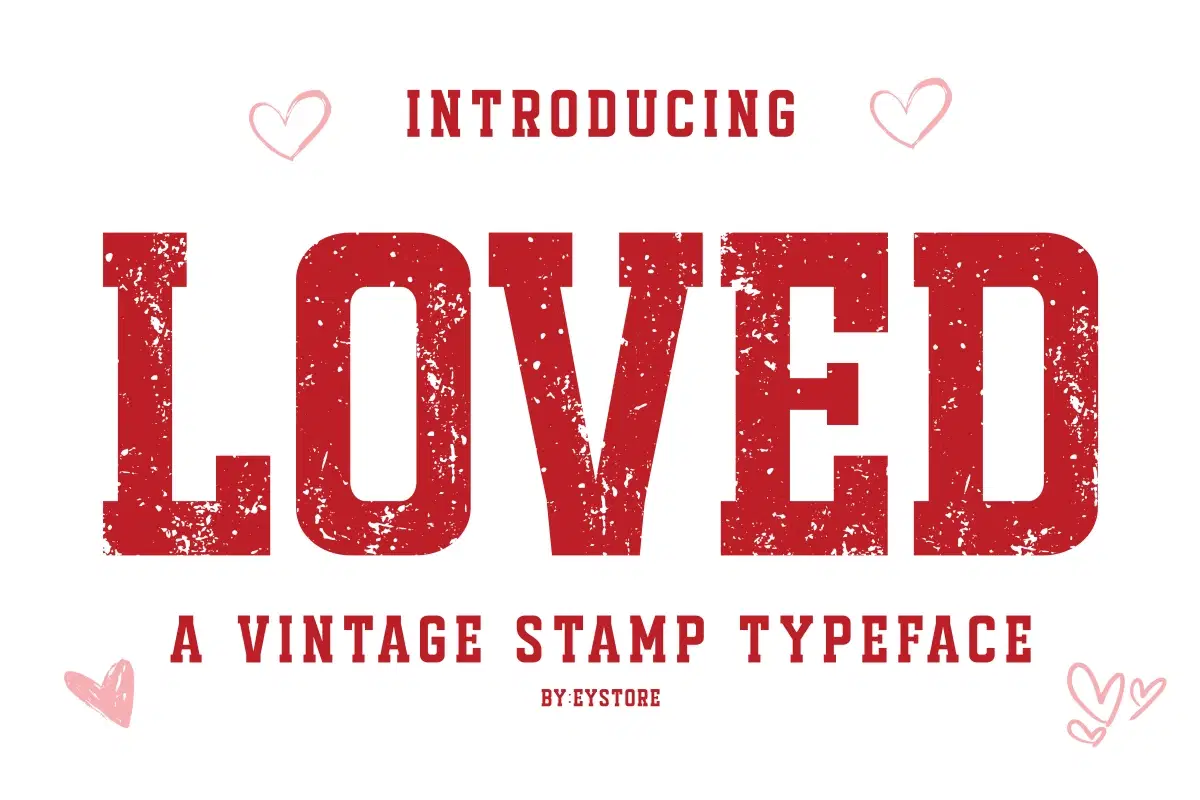
LOVED is a bold vintage stamp typeface featuring two styles: a distressed textured style that delivers an authentic stamped and retro look, and a clean solid style without texture for a simple and modern appearance.
Inspired by classic rubber stamps, this font is perfect for romantic and Valentine-inspired designs, love quotes, and heartfelt projects. LOVED works beautifully for mug designs, pillow designs, t-shirts, tote bags, greeting cards, posters, invitations, stickers, packaging, and crafting projects.
With its strong letterforms and vintage character, this typeface is ideal for crafters, print-on-demand sellers, small businesses, and designers looking for a versatile stamp font, distressed font, clean font, retro font, and bold display typeface for printable and handmade designs.
Shop confidently with Shuppi
If your download isn’t what was promised, we’ll make it right. Eligible purchases can be refunded within fourteen calendar days when listings mislead, files fail, or duplicate checkouts happen.
- Listings must match what you receive—no surprises.
- Corrupted files or technical issues? Request a quick fix or refund.
- Duplicate purchases are covered without the hassle.