





For personal, non-commercial projects only (portfolios, personal blogs, hobby projects).
About
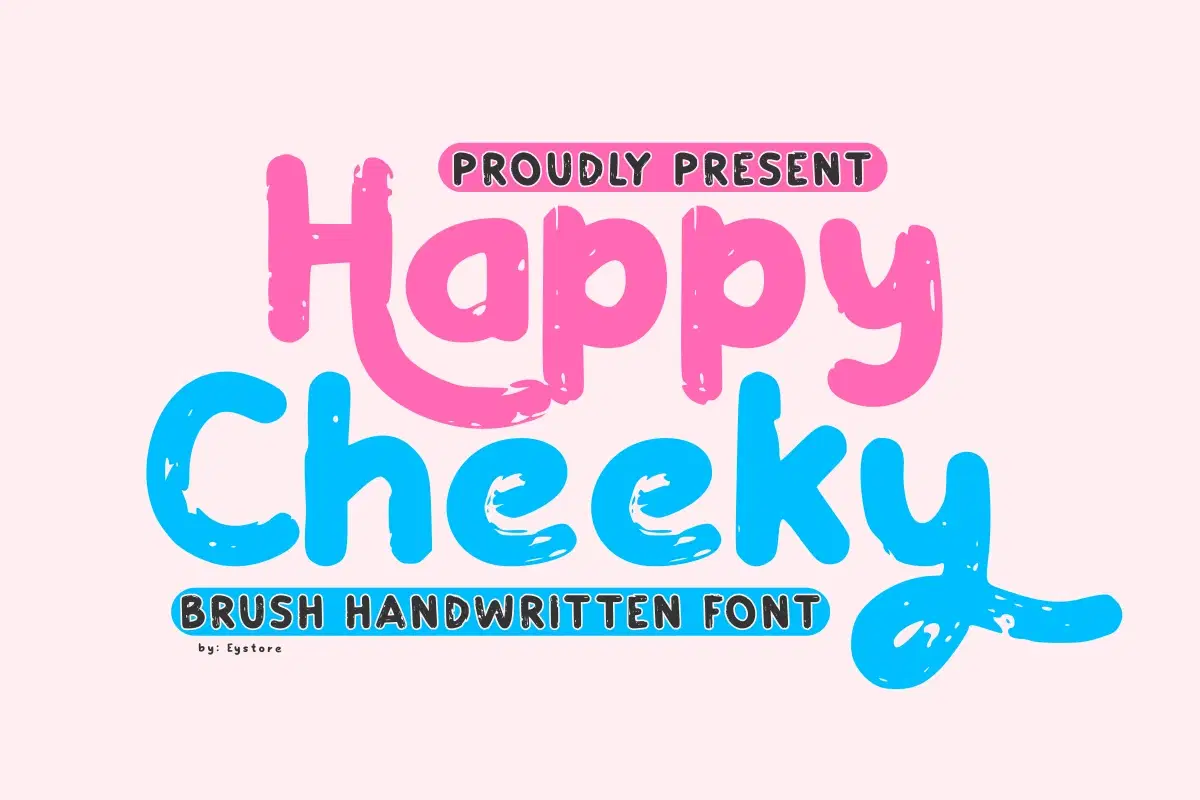
“Happy Cheeky” is a brush-handwritten font that exudes a cheerful and playful personality. The letters are bold, rounded, and have a soft, organic quality, as if they were quickly painted with a thick brush. The texture is a key feature, with the edges of the strokes showing a slight, appealing unevenness and a subtle dry-brush effect that adds to its handmade charm. The font’s overall style is friendly and approachable, making it ideal for designs targeting children, whimsical branding, or any project that aims to convey happiness and fun. The character set includes uppercase and lowercase letters, numbers, and a wide range of symbols, all maintaining the same casual, energetic aesthetic, while the alternate glyphs offer a more stylized, looping design for added creative flexibility.
This font is PUA encoded, allowing effortless access to all glyphs, swashes, and alternate characters.
Shop confidently with Shuppi
If your download isn’t what was promised, we’ll make it right. Eligible purchases can be refunded within fourteen calendar days when listings mislead, files fail, or duplicate checkouts happen.
- Listings must match what you receive—no surprises.
- Corrupted files or technical issues? Request a quick fix or refund.
- Duplicate purchases are covered without the hassle.