







For personal, non-commercial projects only (portfolios, personal blogs, hobby projects).
About
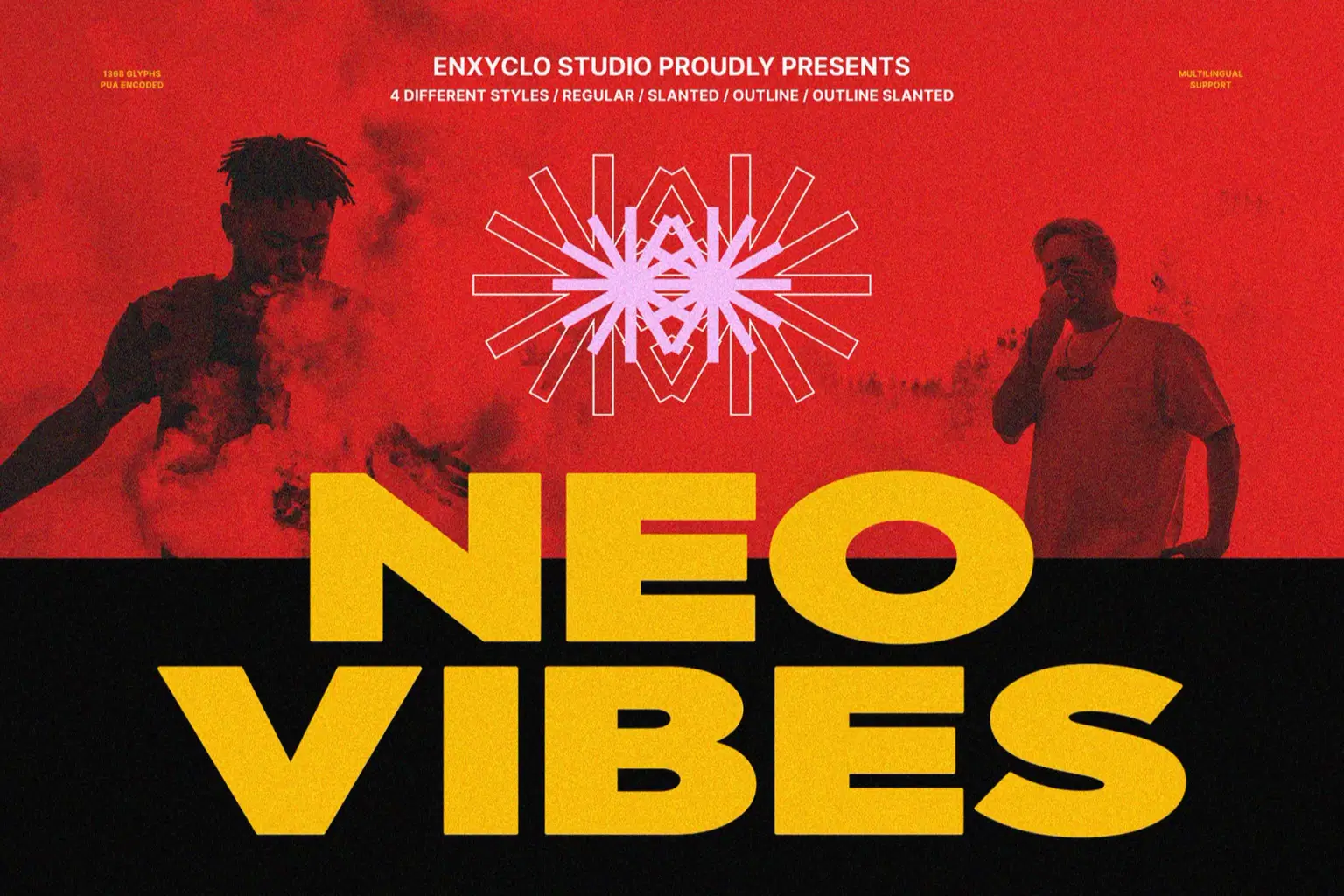
NCL NEOVIBES is a bold expanded sans modern font. Masterfully designed to become a true favorite, this font has the potential to bring each of your creative ideas to the highest level! It was purposely crafted to be used in large point sizes, although it doesn’t lose its magic in small point sizes. It is perfect for headline, billboard, magazines, website, titles, poster, branding, and logos. No matter the topic, this font will be an incredible asset to your fonts’ library, as it has the potential to elevate any creation. With this beautiful font, absolutely you can make your project stand out from the rest.
FEATURES
True Type Font (TTF)
Open Type Font (OTF)
Web Open Font Format (WOFF1 & WOFF2)
4 Style: Regular, Slanted, Outline, Outline Slanted
Contains 342 Glyphs for Each Style and 1368 Glyphs for Total
Uppercase & Lowercase
Numeral, Punctuation & Symbols
Multilingual Support
Shop confidently with Shuppi
If your download isn’t what was promised, we’ll make it right. Eligible purchases can be refunded within fourteen calendar days when listings mislead, files fail, or duplicate checkouts happen.
- Listings must match what you receive—no surprises.
- Corrupted files or technical issues? Request a quick fix or refund.
- Duplicate purchases are covered without the hassle.
Product Specs
Tags
Frequently Asked Questions
You May Also Like

TeeHand Upppercase Font
 akropol
Secy Break – Streetwear Fancy Display Font
 Black Junst
10,000 Font Mega Pack Bundle: Versatile Fonts for Designers (Digital Download)
 DiverseMediaShop
Vintage Cowboy - Bold Vintage Sans Serif Font
 Pian45 Studio
Santa - Modern Sans Serif Font
 Jendra Studio
Tropical Horizon - Bold Sans Display Font
 Masyafi Studio