
Music Generator Studio – Generate Multi-Track MIDI Compositions in One Click




Single developer, one project or website
About
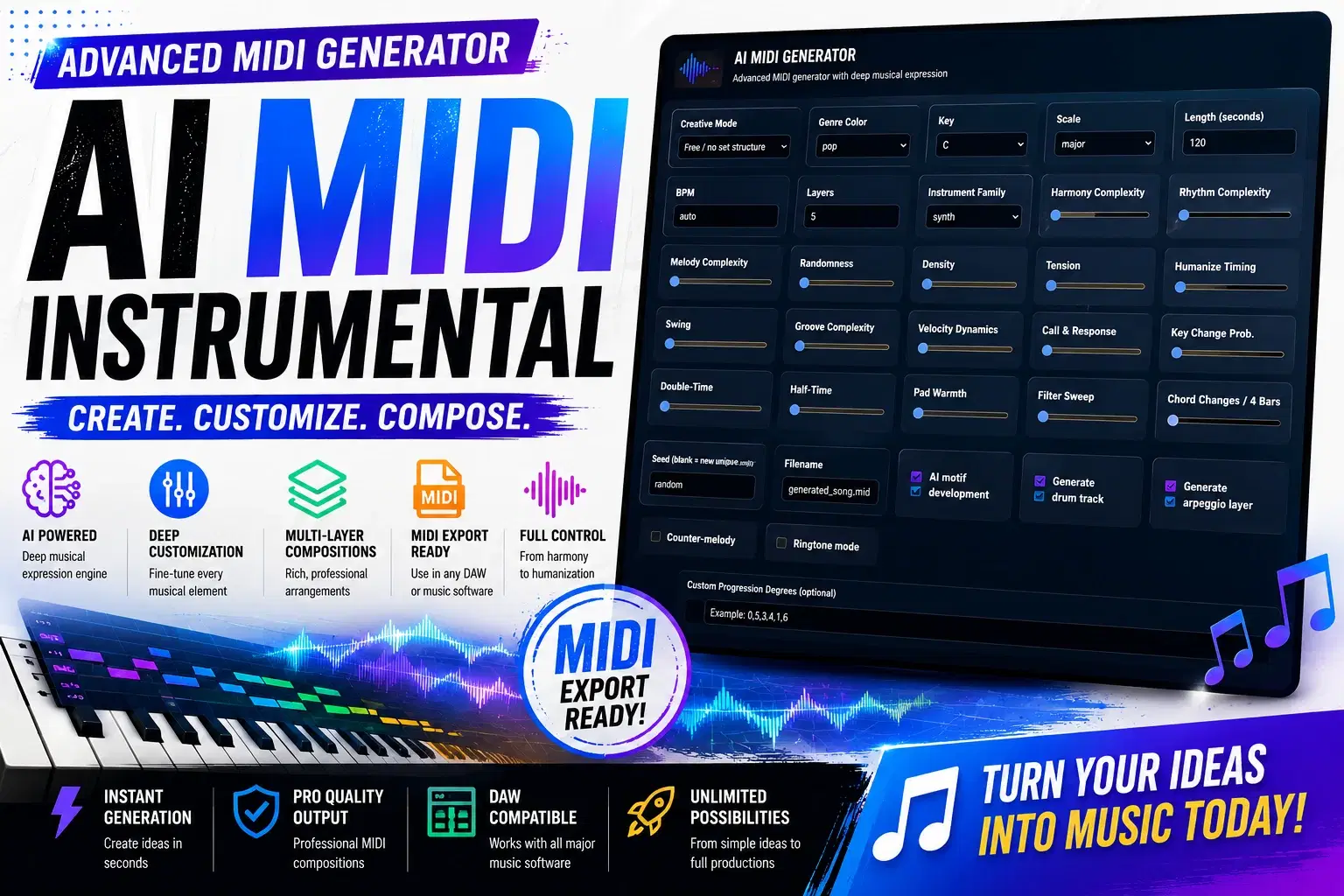
Staring at an empty DAW project? MusicGenerator Studio fills it with a complete, royalty‑free MIDI arrangement in seconds. Just open your browser, tweak a few sliders, and download a fully‑formed composition with chords, bass, melody, arpeggios, drums, and atmospheric layers. It runs 100% on your machine – no sign‑ups, no subscriptions, no internet needed. Drag the .mid file into any music software, assign your favorite instruments, and you’re ready to produce.
Why you’ll love it
Instant creative spark – choose from 10 genres (cinematic, lo‑fi, EDM, jazz, trap, and more) and hit Generate. Every result is unique, but you can save and reuse seeds for your favorites.
Full creative control – adjust key, scale, tempo, length, and over a dozen mood‑shaping sliders: harmony complexity, rhythm energy, randomness, tension, density, and even humanization for a natural feel.
Multiple tracks, one file – get separate parts for chords, bass, lead, arpeggios, drums, and pads. Perfect for learning arrangement, jump‑starting remixes, or building songs in your DAW.
Works anywhere – open the tool in your browser; no installation beyond .NET. Also supports command‑line generation for power users.
No music theory required – the generator handles voice leading, chord progressions, and drum patterns. You just describe the vibe.
Ringtone mode – quickly create short, catchy loops for phone alerts or video transitions.
Local and private – all generation happens on your computer. Your musical ideas stay yours.
How to get started in 30 seconds
Install the free .NET runtime from Microsoft.
Launch MusicGenerator Studio (dotnet run).
Open localhost:5088 and start creating.
Download the .mid file and drag it into GarageBand, Ableton, FL Studio, Reaper, or any DAW.
Assign instruments (try free libraries like Spitfire LABS, Pianobook, or Decent Sampler) and make it your own.
Perfect for
Songwriters hunting for chord progressions and melodies.
Game developers needing quick placeholder or adaptive music.
Content creators who want unique background music without copyright worries.
Students learning composition and arrangement.
Anyone who wants an endless stream of royalty‑free MIDI ideas.
Stop waiting for inspiration – generate it. Get MusicGenerator Studio today and turn a blank page into a finished arrangement.
Shop confidently with Shuppi
If your download isn’t what was promised, we’ll make it right. Eligible purchases can be refunded within fourteen calendar days when listings mislead, files fail, or duplicate checkouts happen.
- Listings must match what you receive—no surprises.
- Corrupted files or technical issues? Request a quick fix or refund.
- Duplicate purchases are covered without the hassle.
Product Specs
Tags
Frequently Asked Questions
You May Also Like

Music Generator Studio – C# Source - Procedural MIDI Composer with Web UI - No Dependencies
DiverseMediaShop
MULTIVERSE / Cyberpunk Music
 HONEYDOG
Dark Fantasy Exploration - Premium Music Collection | Royalty Free
 BT LOOPS STORE
Dark Fantasy Boss Battles - Premium Music Collection | Royalty Free
BT LOOPS STORE
BEATBOX CRUSHER / Beatbox Music
HONEYDOG
RAINBOW / Pop Music
HONEYDOG