
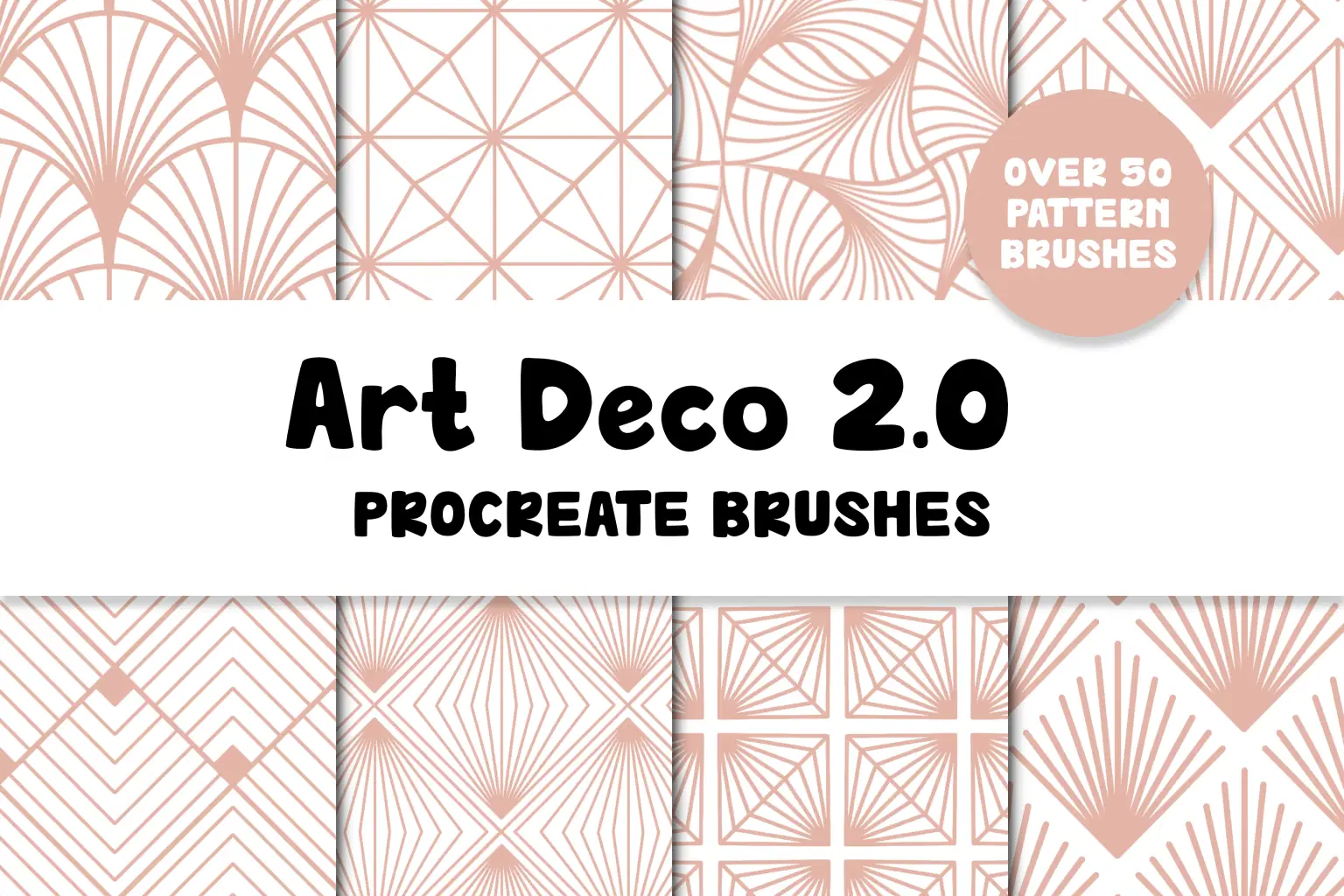
Art Deco Patterns 2.0 Procreate Brushes | 58 Pattern Brushes









Personal use only
About
Art Deco Patterns 2.0 for Procreate is an updated brush pack that includes new patterns and new brush functions that make them easier to use!
DETAILS OF WHAT'S INCLUDED:
- 58 different pattern brushes in an art deco theme
WHAT YOU WILL RECEIVE:
- one .brushset file with all the brushes included, organized into sub-categories for ease of use
- a .pdf with instructions on how to change the pattern brush size
filesize: 41,6 MB
You can download a sample of this product on my website, www.designavmad.se/demo
REQUIREMENTS FOR USE: (not included) These brushes are only compatible with Procreate 5 or higher, and will not work in any other application. For maximal use you will also need a compatible apple pencil.
PLEASE NOTE: It's not possible to use these brushes to make seamless repeat patterns. The brushes themselves are seamless, but you can't make a seamless pattern with a Procreate brush.
Shop confidently with Shuppi
If your download isn’t what was promised, we’ll make it right. Eligible purchases can be refunded within fourteen calendar days when listings mislead, files fail, or duplicate checkouts happen.
- Listings must match what you receive—no surprises.
- Corrupted files or technical issues? Request a quick fix or refund.
- Duplicate purchases are covered without the hassle.
Product Specs
Tags
Frequently Asked Questions
You May Also Like

Art Deco 1.0 Procreate Brushes | 22 Seamless Pattern Brushes
designavmad
Basic Patterns 1.0 Procreate Brushes | 90 Seamless Pattern Brushes
designavmad
Building Patterns 2.0 Procreate Brushes | 79 Seamless Pattern Brushes
designavmad
Basic Patterns 2.0 Procreate Brushes | 110 Seamless Pattern Brushes
designavmad
Building Patterns 1.0 Procreate Brushes | 48 Seamless Pattern Brushes
designavmad
Abstract Texture Procreate Brushes
 Elatedowl