






Personal learning, hobby projects, non-commercial renders
About
https://youtube.com/shorts/fFkpsXARlcc?si=puFHRQGVNutXLEzI
↑ Watch the video on YouTube
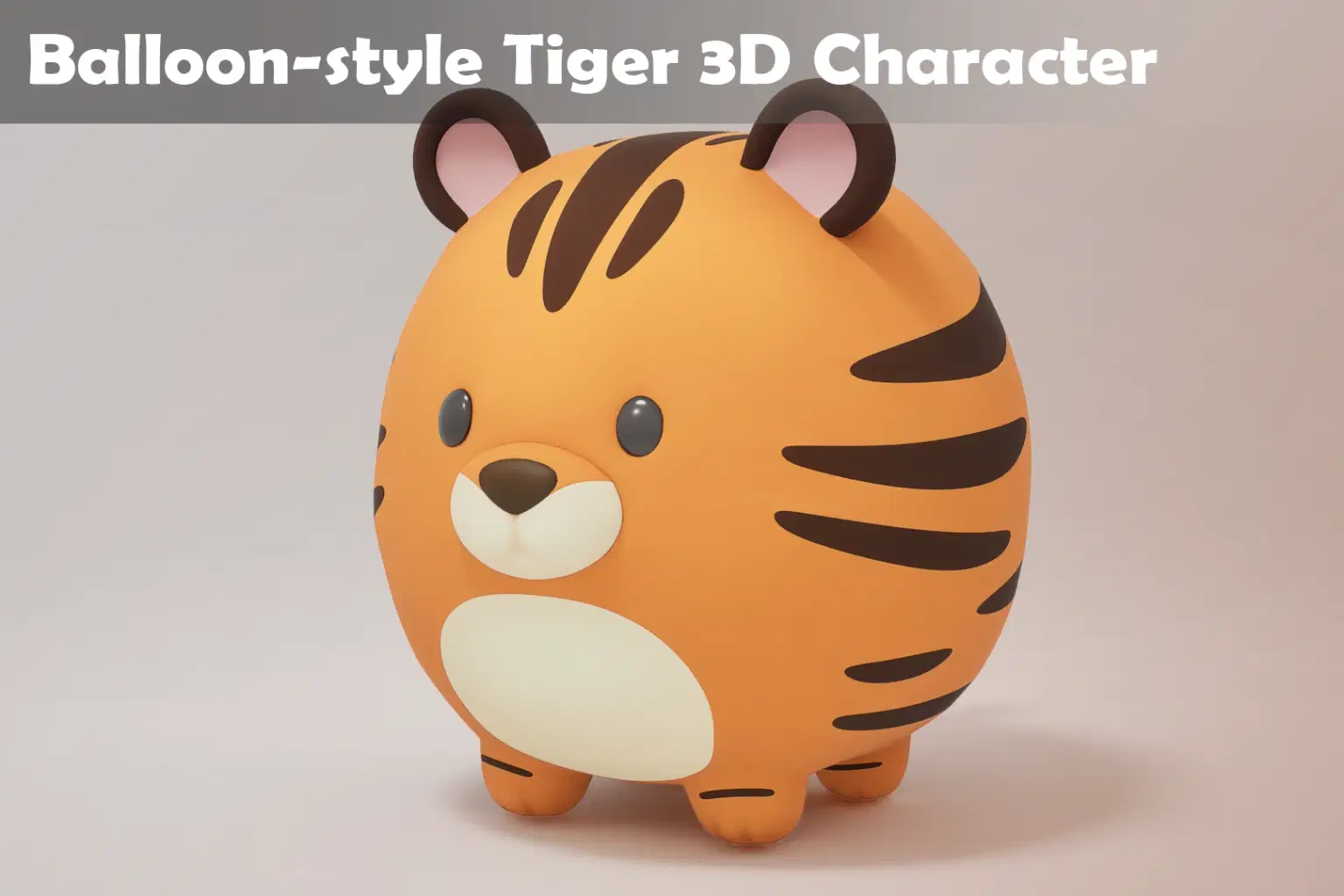
This asset features a stylized tiger character designed with a soft, balloon-like aesthetic. Perfect for mobile, casual, or kids-themed projects.
Includes:
🎈 Charming balloon-style 3D tiger model
✅ Fully UV-mapped with clean textures
🎥 4 animation sequences (birth, bounce, jump, die)
🌈 Multiple color variations ready
🎮 Game-ready & engine-optimized
🧩 Ideal for Unreal Engine / Unity integration
Great for games, educational content, animations, AR/VR, and metaverse environments. Bring playful personality to your project with this , animated tiger character!
Shop confidently with Shuppi
If your download isn’t what was promised, we’ll make it right. Eligible purchases can be refunded within fourteen calendar days when listings mislead, files fail, or duplicate checkouts happen.
- Listings must match what you receive—no surprises.
- Corrupted files or technical issues? Request a quick fix or refund.
- Duplicate purchases are covered without the hassle.





