



For personal, non-commercial projects only
About
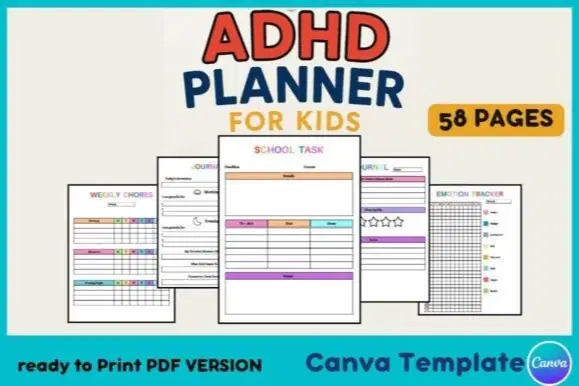
Help kids stay focused, organized, and confident with this ADHD Planner for Kids! Designed with colorful, fun, and easy-to-use pages, this 58-page planner supports daily routines, emotional regulation, and task tracking. Perfect for teachers, parents, therapists, or homeschoolers.
Editable on Canva
Formats: PDF download + Canva editable link
Recommended For: Ages 5–12 | Special Education | ADHD, ADD, executive function support
How to Use:
Print and bind for personal use
Share digital versions with students
Customize for different kids or classroom needs
Shop confidently with Shuppi
If your download isn’t what was promised, we’ll make it right. Eligible purchases can be refunded within fourteen calendar days when listings mislead, files fail, or duplicate checkouts happen.
- Listings must match what you receive—no surprises.
- Corrupted files or technical issues? Request a quick fix or refund.
- Duplicate purchases are covered without the hassle.
Product Specs
Tags
Frequently Asked Questions
You May Also Like

The Ultimate Digital Planner Bundle
 Toptoria
ADHD Planner | Canva Template
 Yanis’s Notion
Clarity • Confidence • Inspiration Planner (ADHD & Dyslexia Friendly)
 Soul Printz
Easiest ADHD-Friendly Task Management
 Effortless Bliss
Clarity OS - ADHD Second Brain
 DEARPLUTO
Project Planner - Notion Planner
Yanis’s Notion