







For personal, non-commercial projects only (portfolios, personal blogs, hobby projects).
About
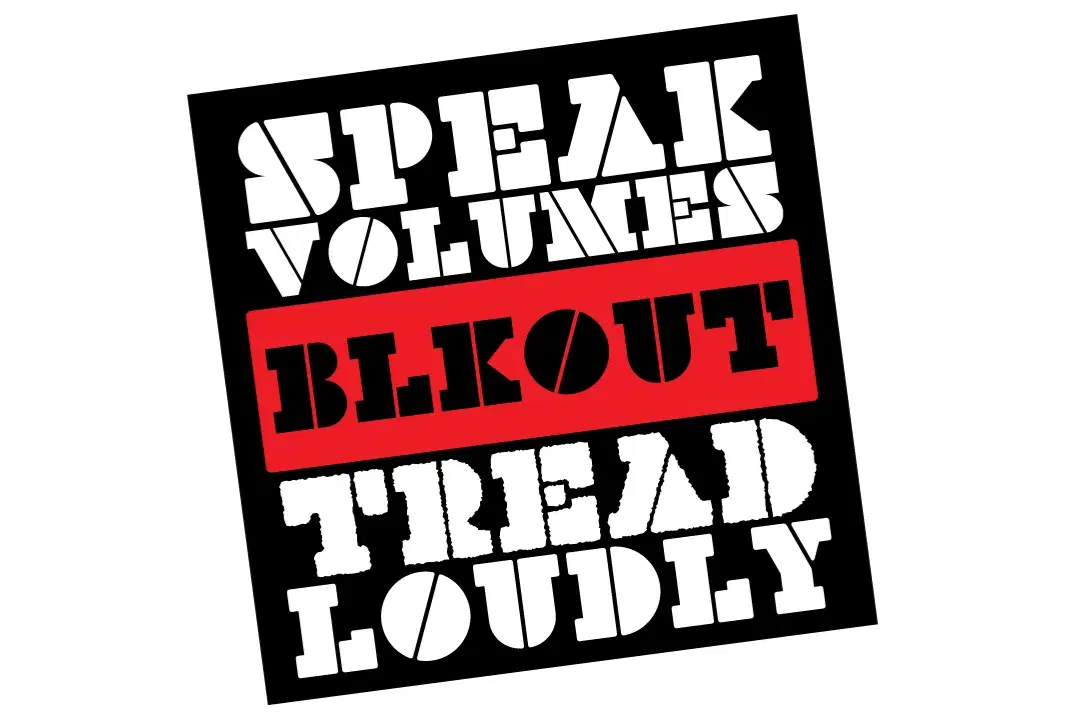
BlkOut is a booming 3-cut display type family combining Regular, Display and Rough variations! BlkOut is an update and extension of our BlackOut Stencil display type family designed by Eli Carrico!
The Regular version is a geometric display face. The Display version features rounded corner radii. And BlkOut Rough is a ruff ‘n’ ready distressed version for when you need the utmost in grit and impact!
BlkOut is a result of three things: the need for a distinctive ultra-black display typeface, an admiration for slab-serifs and Clarendons, and the love of systematic stencil type.
Shop confidently with Shuppi
If your download isn’t what was promised, we’ll make it right. Eligible purchases can be refunded within fourteen calendar days when listings mislead, files fail, or duplicate checkouts happen.
- Listings must match what you receive—no surprises.
- Corrupted files or technical issues? Request a quick fix or refund.
- Duplicate purchases are covered without the hassle.