














Personal use only
About
Analog Film Vintage Camera FX Photoshop Action
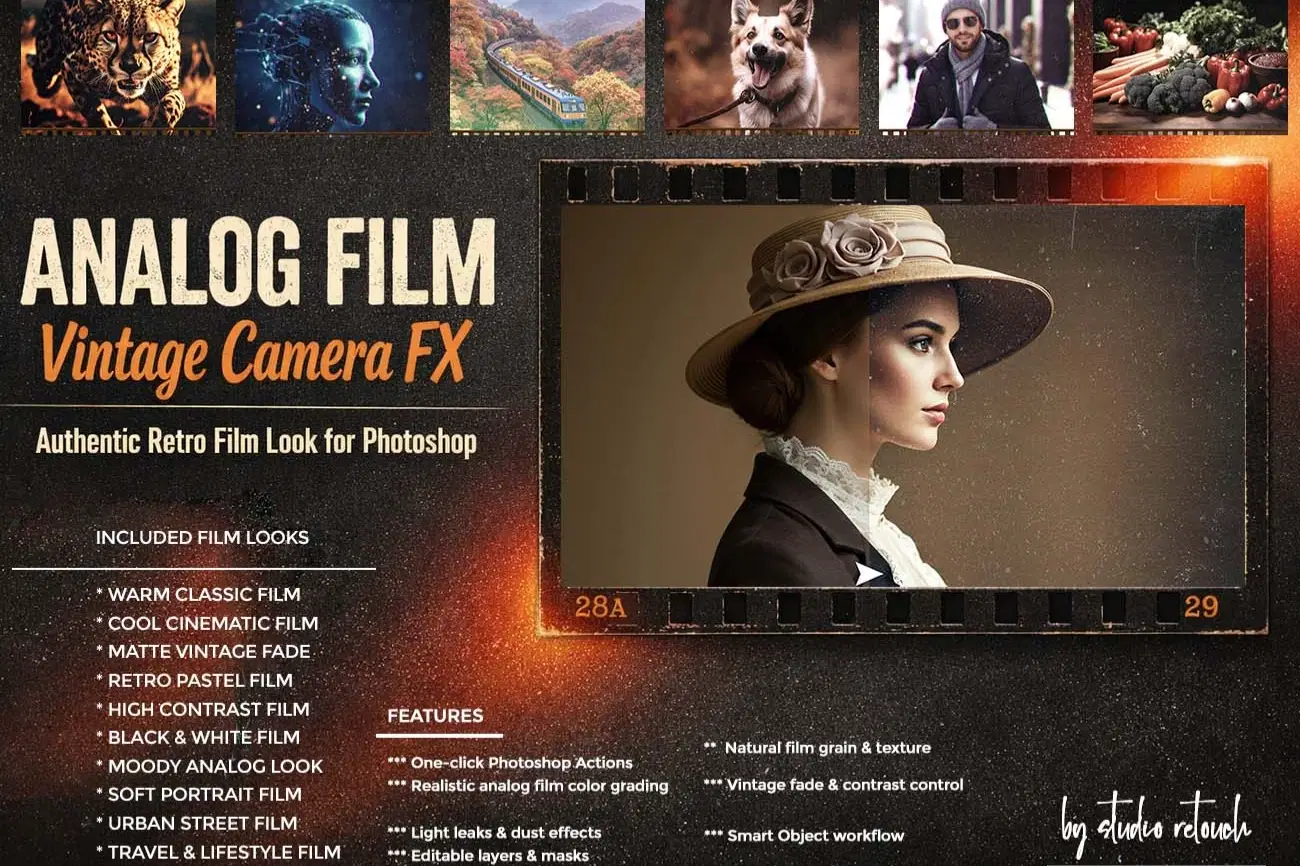
Analog Film – Vintage Camera FX is a premium Photoshop Action pack designed to recreate the authentic look of classic film photography. Inspired by real 35mm, medium-format, and instant cameras, these actions add natural grain, faded tones, cinematic contrast, and beautiful imperfections that digital photos lack.
Every effect is fully editable, non-destructive, and carefully crafted to deliver realistic film results—perfect for photographers, designers, and content creators who love nostalgic aesthetics.
This action has been tested and working on Photoshop CC2022 English Version.
Software supported version: CS6, CC,CC2014,CC2015,CC2015.5,CC2016,CC2017,CC2018,CC2019,CC2020,CC2021,CCC2022+ English Version.
Please watch video guide line here:https://youtu.be/65c6QWvRskQ
FEATURES
*** One-click Photoshop Actions
*** Realistic analog film color grading
** Natural film grain & texture
*** Vintage fade & contrast control
*** Light leaks & dust effects
*** Editable layers & masks
*** Smart Object workflow
*** Non-destructive results
INCLUDED FILM LOOKS
* Warm Classic Film
* Cool Cinematic Film
* Matte Vintage Fade
* Retro Pastel Film
* High Contrast Film
* Black & White Film
* Moody Analog Look
* Soft Portrait Film
* Urban Street Film
* Travel & Lifestyle Film
File Includes:
- ATN File included (Photoshop Action File)
- Pattern File
- Color Option
- Help File
- PDF Help File
- Video guide link in the help file
- High quality result.
- Easy Customizable
- Organize layers
- Easy Install
- Easy to Use
- No photoshop skill needed
- Image Size: 3000x2000 or 2000x3000px, dpi 72
If you need any cooperation using the file please feel free to contact me:
"The model images and photographs are for presentation purposes and not included for sale"
#analogfilm#vintagecamera#filmlook#retrophoto#photoshopaction#filmgrain#lightleaks#vintageeffect#nostalgiclook
#cinematictones#photographytools#creativeassets#editorialstyle#travelphotography#portraitediting
#retroaesthetic#analogvibes#classicfilm#digitaltoreal#creativeworkflow
Shop confidently with Shuppi
If your download isn’t what was promised, we’ll make it right. Eligible purchases can be refunded within fourteen calendar days when listings mislead, files fail, or duplicate checkouts happen.
- Listings must match what you receive—no surprises.
- Corrupted files or technical issues? Request a quick fix or refund.
- Duplicate purchases are covered without the hassle.
Product Specs
Tags
Frequently Asked Questions
You May Also Like

Analog Camera Effects Photoshop Actions
 studio retouch
Film Texture Effects Photoshop Actions
studio retouch
Vintage Film Looks Photoshop Actions
studio retouch
Analog Photography FX Photoshop Actions
studio retouch
Vintage & Analog Photoshop Actions
studio retouch
Film Stock Looks Photoshop Actions
studio retouch