





















Personal use only
About
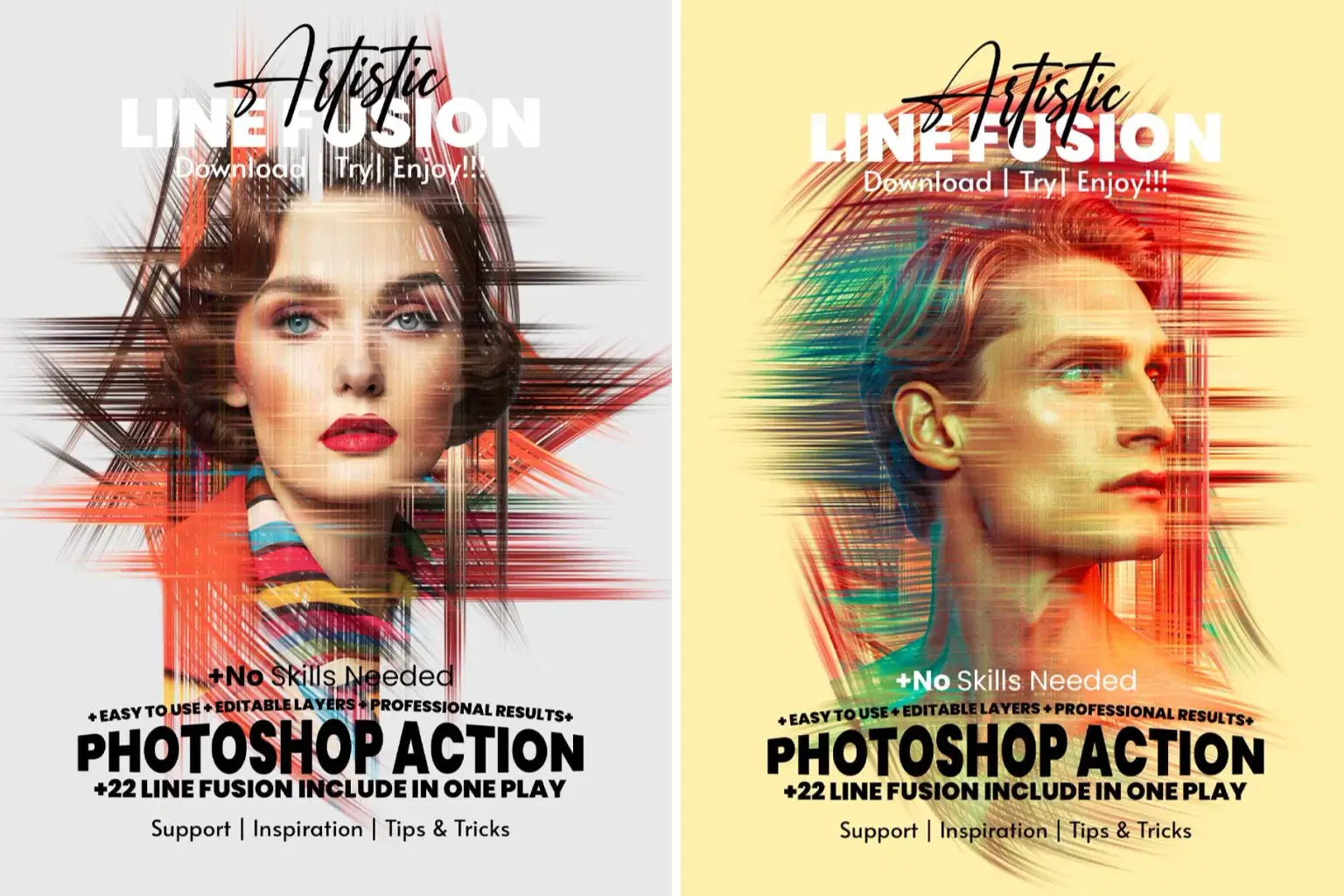
Artistic Line Fusion Photoshop Action
Turn any photo into a hand-drawn, artistic masterpiece with just one click! This Editable Photoshop Action gives you full creative control — every stroke, every color, every layer is customizable. No AI—pure Photoshop power under your hand!
Featuring 22 line fusion effects in a single action, this tool lets you mix, combine, and experiment with different line shapes to create unlimited designs. Each fusion layer is separate, so you can move, resize, or rotate freely. You can even combine multiple shapes together, change colors, create transparent PNGs, or adjust the background color effortlessly.
Watch video how to use : https://youtu.be/9NJhsBQCKUw
💡 Key Features:
🎨 22 Line Fusion Effects in One Play – All artistic line styles in one easy action.
🖌 One-Click Oil Painting Effect – Transform photos into vivid, painterly artworks.
📏 High-Resolution Output – Works perfectly on images up to 4000–5000px.
🧩 Fully Editable Layers – Customize colors, strokes, and textures for endless creativity.
🖼 Realistic Brush Strokes & Canvas Texture – Authentic hand-painted look.
💾 Non-Destructive Workflow – Keeps your original image safe.
📸 Perfect for Any Photo Type – Works beautifully on portraits, pets, landscapes, posters, and canvas art.
⚡ Fast & Professional Results – Save hours of manual editing instantly.
💻 Compatible with Photoshop CC & Above – Smooth, modern performance.
🧠 Easy to Use – Includes step-by-step help guide and video tutorial.
📦 What’s Included:
1 Photoshop ATN Action File
📘 Detailed Help Guide (PDF)
🎬 Video Tutorial
Best Feature: Works flawlessly with large-size, high-resolution images (4000px–5000px) thanks to our special formula for maintaining top image quality.
⚙️ Ideal For:
Photographers, digital artists, illustrators, poster designers, and creative professionals looking for a unique editable line-based painting effect.
Shop confidently with Shuppi
If your download isn’t what was promised, we’ll make it right. Eligible purchases can be refunded within fourteen calendar days when listings mislead, files fail, or duplicate checkouts happen.
- Listings must match what you receive—no surprises.
- Corrupted files or technical issues? Request a quick fix or refund.
- Duplicate purchases are covered without the hassle.
Product Specs
Tags
Frequently Asked Questions
You May Also Like

Vector Ink Sketch FX Photoshop Action
 studio retouch
RGB Prism Explosion FX — Photoshop Action
studio retouch
Vector Oil Paint Art Photoshop Action
studio retouch
Ink Silhouette Poster Creator Photoshop Action
studio retouch
Architectural Line Art Photoshop Action
studio retouch
SCRATCHBOARD INK ENGRAVING FX — Photoshop Action
studio retouch